No, your LG smart refrigerator does not need Wi-Fi to preserve your food or perform its everyday cooling functions. It will run perfectly as a standard, high-efficiency refrigerator without an internet connection, keeping your groceries chilled, freezing items, making ice, and dispensing water completely offline.
Many homeowners feel a wave of anxiety when purchasing a modern smart appliance, wondering if an internet outage or a weak home network will cause their expensive new kitchen investment to stop functioning entirely. Rest assured, the core mechanical engineering of an LG refrigerator operates on an isolated internal circuit that is completely independent of the ThinQ smart platform. If your home network goes down, or if you simply choose never to connect the appliance to your wireless router, your milk won’t spoil, your ice maker won’t freeze up, and your compressor will continue to regulate internal temperatures without missing a beat.
The primary purpose of the built-in wireless connectivity is to enhance user convenience through remote management, firmware updates, and diagnostic tracking. When disconnected, you are simply leaving these supplemental digital features dormant, causing the appliance to act as a highly capable, traditional kitchen unit. Understanding exactly what you lose versus what continues to function optimally can help you make the best decision for your household privacy, security, and convenience needs.
“Ninety percent of cooking success starts before you even touch the stove — it starts with how well your refrigerator works for you.”— Julia Child, Legendary Chef & Author
The Smart Fridge Dilemma: Why Disconnecting Your LG Appliance Matters
The modern smart kitchen promises ultimate connectivity, but it also introduces real-life friction points for homeowners who value simplicity or network security. When looking closely at refrigerator maintenance, many users actively choose to keep their units offline due to specific, relatable pain points.
First and foremost is the issue of cybersecurity and local network privacy. Like many Internet of Things (IoT) devices, smart appliances can potentially be vulnerable to software exploits if left on unsecured home networks, leading tech-conscious homeowners to keep their appliances entirely local.
Another massive pain point is continuous app fatigue. Many users find themselves overwhelmed by setting up accounts, managing notifications, and troubleshooting occasional connection drops between the LG ThinQ app and their wireless routers.
If a router is located across the house, a weak signal strength can trigger persistent error codes or blinking icons on the appliance display panel. For everyday users, managing a refrigerator maintenance routine shouldn’t require checking a mobile device or resetting a router.
Furthermore, data privacy is a growing concern. Smart appliances frequently share minor diagnostic data, usage patterns, and cycle frequencies back to manufacturing servers to optimize software performance. Choosing to keep an appliance offline provides peace of mind for anyone wanting to maintain a strict, private home environment without data streaming into the cloud.
“A well-organized refrigerator is not a luxury — it is the foundation of a healthy, efficient kitchen.”
— Harold McGee, Food Science Author, On Food and Cooking
Offline Solutions: Top Recommendations for Operating an Offline LG Fridge
If you choose to run your LG smart refrigerator without a Wi-Fi connection, you can still maximize its premium engineering. By focusing on intentional food storage tips, manual setting optimization, and local upkeep, you can ensure your offline unit runs at peak performance. Here are the top ways to manage your premium appliance without an internet connection:
- Manually Control Temperature Zones: Use the physical touch control panel on the exterior door or the inner liner wall to manage settings. Keep your fresh food compartment between 35°F and 38°F and your freezer at 0°F to maintain proper food preservation guidelines.
- Utilize the Local Smart Diagnosis Feature: If an issue arises, you do not need active Wi-Fi to diagnose it. LG builds an audible Smart Diagnosis tool directly into the panel. It broadcasts an audible sound frequency directly to an LG customer support representative over a standard phone call.
- Maximize Physical Craft Ice and Water Filtration: Features like the dual ice maker, custom water dispenser, and specialized deli drawers run entirely on physical water lines and internal sensors, completely independent of wireless signals.
- Incorporate Smart Food Storage Tips: Since an offline fridge cannot send you smartphone expiration alerts, utilize clear, stackable, BPA-free organizational bins. Arrange older ingredients at the front of the shelf using a first-in, first-out rotation system to avoid food spoilage.
- Invest in High-Quality Local Appliance Accessories: Keep a physical, independent appliance thermometer inside your primary shelves to monitor internal cooling stability and ensure your energy-efficient appliances are maintaining steady temperatures during hot seasonal shifts.
How to Turn Off or Deactivate the Wi-Fi on an LG Refrigerator
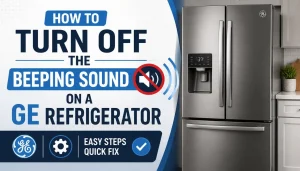
If you accidentally connected your appliance during delivery setup, or if you want to turn off a blinking Wi-Fi icon on the panel, use these actionable steps to completely disable the wireless broadcast:
- Locate the Wi-Fi Button: Look at your main electronic control display panel. Find the button explicitly labeled Wi-Fi. It is often shared with another secondary function like “Connect” or “Filter Reset.”
- Press and Hold for 3 Seconds: Firmly press and hold down the Wi-Fi button for exactly three seconds.
- Verify the LED Indicator Turns Off: Watch the small illuminated Wi-Fi network symbol on the glass panel or display trim. Once it goes completely dark, the internal transceiver has stopped broadcasting.
- Remove the Appliance from the App: Open the LG ThinQ application on your smartphone. Navigate to device settings, select your refrigerator profile, and click Delete Device.
- Uninstall the Application: Remove the mobile application from your smartphone entirely to stop any background pairing or discovery requests.
- Optional Router-Level Block: If your specific panel does not allow you to toggle the indicator off, open your home router’s administrative console, look at the connected clients list, locate the LG MAC address, and select Pause or Block Internet Access.
- Reset Panel Network Defaults: Hold down the Cold Air or Express Freeze button simultaneously with the Wi-Fi button for five seconds to scrub any cached network credentials from the logic board memory chip.
- Enjoy Total Offline Operation: Your appliance will now operate as a standard, premium, disconnected cooling system without transmitting data or searching for networks.
Expert Tips & Common Mistakes When Running a Smart Fridge Disconnected
To get the absolute best out of your disconnected appliance, you must treat it with standard, smart care. Homeowners often run into preventable issues simply because they overlook the mechanical differences between older units and modern energy-efficient appliances.
5 Pro Tips for Offline Operation
- Routinely flush your water lines manually after replacing your physical water filter block. The fridge cannot tell you via app when the filter is old, so write the replacement date directly on the casing shell with a permanent marker every six months.
- Vacuum the lower condenser coils twice a year. Offline units work hard to save power, and dust buildup makes the inverter compressor run longer, drastically lowering overall energy efficiency.
- Rely on the physical Door Alarm chime to protect your groceries. If a family member leaves the door ajar, the local speaker will beep to alert you, even without internet access.
- Leverage localized Air Filters inside the fridge. Models with Fresh Air Filters use a dedicated internal fan to scrub odors; this system triggers based on cycle run times, not wireless code instructions.
- Track your regional power outages closely. Since an offline model cannot send a push notification that it lost power, always check the consistency of your ice cubes after a local storm to ensure no thawing and refreezing occurred.
4 Mistakes to Avoid
- Do not ignore blinking error lights. If a code like “Ch” or “Er” appears on the door panel, look it up in your physical user manual immediately. Do not assume it is just a network pairing error.
- Never crowd the internal air vents. Modern smart units utilize multi-airflow cooling patterns. Shoving large containers directly against the rear wall blocks cold air delivery, resulting in warm spots on lower shelves.
- Avoid skipping local control lock features. If you have small children, lock the display panel by holding the Lock button for three seconds so manual settings aren’t accidentally changed during cleaning.
- Do not forget to register your warranty via paper or phone. Since you aren’t registering the appliance digitally through the ThinQ network registration script, send in your physical warranty card to ensure your 10-year linear inverter compressor warranty is safely on file.
“The refrigerator is perhaps the most important appliance in the modern kitchen — neglect it, and everything else falls apart.”— Alton Brown, Food Scientist & TV Host, Good Eats
Frequently Asked Questions (FAQs)
Does my LG smart refrigerator need Wi-Fi to work for basic daily cooling?
No, your LG refrigerator does not require an active internet connection to chill fresh food, freeze items, or run its physical internal systems. The core cooling mechanics, ice production loops, and water dispensers operate completely offline using local control boards.
Will my LG fridge stop making ice if the Wi-Fi connection drops out?
Not at all. Ice maker assemblies rely strictly on mechanical water valves, internal temperature thermistors, and mechanical harvest cycles. An internet dropout will not affect standard ice production or the generation of premium Craft Ice spheres.
How do I get software updates if my appliance is not connected to the internet?
Offline refrigerators do not receive over-the-air firmware upgrades. However, because factory-installed base operating code is thoroughly tested to run stably out of the box, your appliance will execute all its mechanical functions perfectly for years without ever needing a digital update.
Will a disconnected LG smart refrigerator use more electricity over time?
No, operating without Wi-Fi does not increase energy consumption. In fact, keeping the internal wireless transceiver modules inactive slightly minimizes the standby electrical draw of the main logic board, supporting optimal baseline operation for energy-efficient appliances.
Can I use the LG ThinQ Smart Diagnosis system without home Wi-Fi?
Yes, you can. If you experience an appliance issue, you can initiate the audible version of Smart Diagnosis. By holding your telephone microphone up to the speaker icon on the fridge panel, the unit transmits acoustic data tones directly to a service center phone line for instant troubleshooting.
Does the InstaView glass panel feature require a network connection to display inside?
No, the knock-to-see-inside InstaView function uses local acoustic vibration sensors embedded in the tinted double-pane glass. Knocking twice activates an internal hardware circuit that turns on local LED interior lighting, requiring zero data transmission.
Will my warranty be voided if I choose not to connect my fridge to Wi-Fi?
Absolutely not. LG’s comprehensive manufacturer’s warranty, which covers mechanical failures and provides specialized long-term protection for the linear inverter compressor, remains fully valid regardless of whether the unit is connected to a smart network.
Conclusion
Your LG smart refrigerator is fundamentally a high-performance cooling machine wrapped in optional digital features. It does not require a active Wi-Fi connection to safeguard your food, deliver clean water, or execute efficient daily cooling cycles. While the LG ThinQ ecosystem offers streamlined remote controls, energy tracking, and immediate status alerts, leaving these features unconfigured will never impair the mechanical integrity of your kitchen investment.
By manually adjusting your temperature zones, keeping your airflow paths clear, and completing basic seasonal maintenance, you can enjoy all the benefits of a premium, professional-grade appliance entirely on your own terms. Ready to learn more about keeping your kitchen setup simple, dependable, and highly effective? Explore more expert refrigerator tips and mechanical guides at refrigeratorSolve!

Hi, I’m the lead researcher and appliance enthusiast behind RefrigeratorSolve. With years of hands-on experience troubleshooting cooling systems and testing home appliances, I am dedicated to bringing you honest reviews, energy-saving tips, and practical solutions to keep your refrigerator running perfectly.