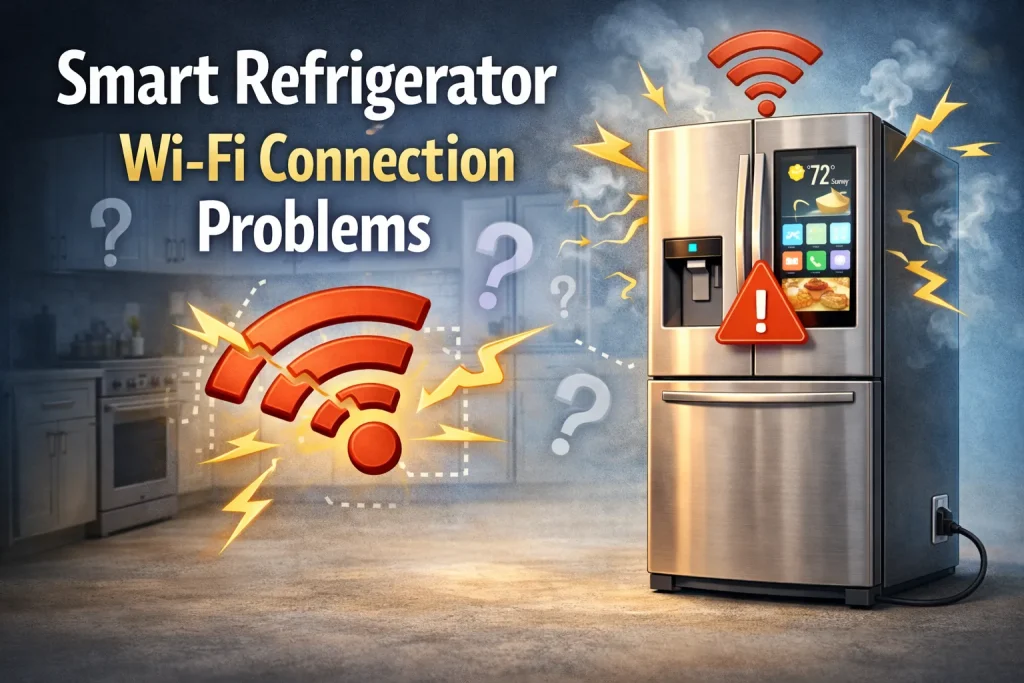
Smart refrigerators often lose Wi-Fi connectivity due to weak signals, network incompatibilities, or outdated firmware. Ensuring your router and fridge are on the same frequency band (2.4 GHz vs 5 GHz) and updating both devices’ software can restore stable connections. However, not all models handle Wi-Fi consistently, so occasional drops may persist even after troubleshooting.
Smart refrigerators promise convenience remote monitoring, app alerts, integrated voice assistants, and smart home integration. But when the Wi-Fi connection fails, these premium features become unavailable, causing frustration and cutting useful functionality.
This article explains the common causes of smart refrigerator Wi-Fi connection problems and provides clear, practical solutions you can follow at home. By the end, you’ll understand how to diagnose connectivity issues, optimize your home network, and prevent future disruptions.
Why This Topic Matters
Understanding why Wi-Fi problems happen saves time and prevents unnecessary service calls.
- Many users assume the fridge is defective when the issue is actually the network or router placement.
- Smart refrigerator features depend on consistent connectivity — without it, app alerts, diagnostics, and cloud services fail.
- Confusion between 2.4 GHz and 5 GHz network bands often causes connection errors.
- Users may skip firmware updates, but outdated software can degrade Wi-Fi performance.
Disconnects are common and avoidable with basic setup and maintenance.
Key Facts / Observations
- Smart fridge Wi-Fi typically uses 2.4 GHz: Most models connect only on 2.4 GHz, which has better range but more interference than 5 GHz.
- Signal obstacles matter: Walls, metal appliances, and microwave interference can weaken Wi-Fi signals.
- Router settings vary: Some routers block new devices by default or require manual approval.
- Network congestion impacts reliability: Too many connected devices can overwhelm bandwidth.
“Smart appliances depend on network stability. A strong, interference-free Wi-Fi signal is essential for reliable smart fridge operation.” — Home Networking Specialist, TechCert Inc.
Common Wi-Fi Connection Problems & Solutions
How to Identify Wi-Fi Issues
- Symptom: Refrigerator shows “No Connection” or “Disconnected” in app.
- Check: Confirm other devices (phone/laptop) can access the same Wi-Fi network.
- Tip: Reboot the router and fridge network settings before deeper troubleshooting.
Why Smart Fridges Lose Wi-Fi Connectivity
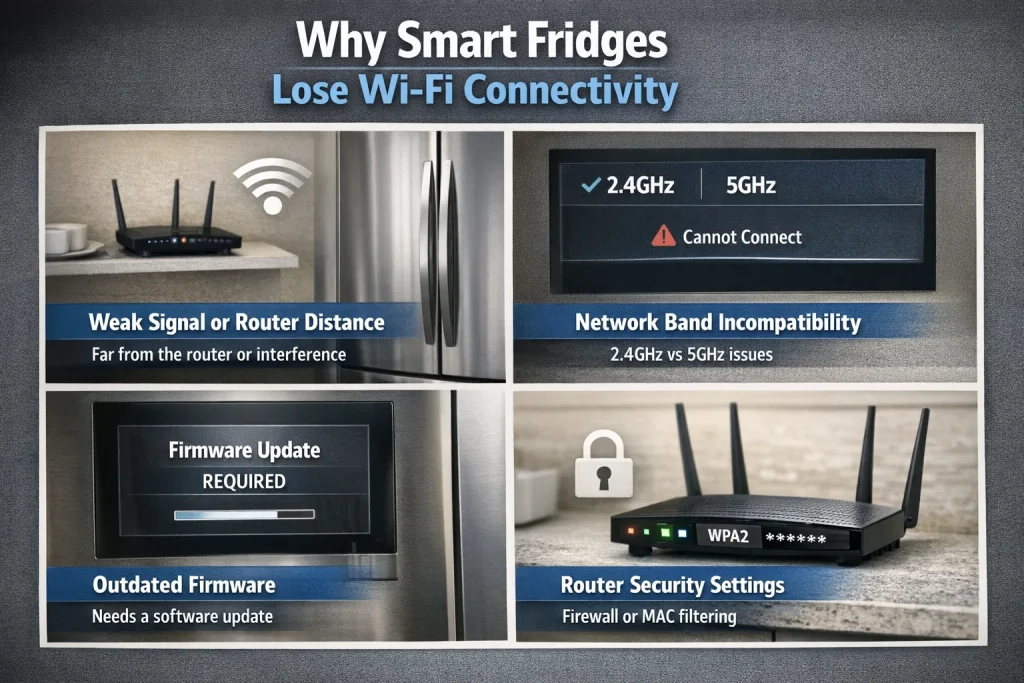
Weak Signal or Router Distance
- Cause: Fridge too far from the router or blocked by obstacles.
- Solution: Move router closer or add a Wi-Fi extender.
Network Band Incompatibility
- Cause: Router uses 5 GHz only, while many fridges require 2.4 GHz.
- Solution: Enable 2.4 GHz on your router and connect the fridge there.
Outdated Firmware
- Cause: Firmware bugs can disrupt connectivity.
- Solution: Update fridge software via its app or control panel.
Router Security Settings
- Cause: MAC filtering or WPA3 only networks can block the fridge.
- Solution: Enable standard WPA2 or add the device MAC to the allowed list.
Step-by-Step: Reconnecting Your Smart Fridge to Wi-Fi
- Restart your router and modem.
- Check smart fridge network settings: Forget and re-add your Wi-Fi network.
- Confirm Wi-Fi password accuracy.
- Ensure your network is set to 2.4 GHz.
- Update firmware on both router and fridge.
- Reduce interference: relocate cordless phones, microwaves, or metal objects.
Pros & Cons of Smart Fridge Connectivity
| Pros | Cons |
|---|---|
| Real-time alerts for temperature or door open | Dependent on reliable Wi-Fi |
| Remote control and diagnostics | Setup can be tricky |
| Integration with smart home systems | Occasional drops frustrate users |
Expert Take / Recommendation
For most households, the best approach to persistent Wi-Fi issues is to optimize your home network first before assuming appliance fault. Place your router centrally, enable 2.4 GHz, and update firmware regularly. If problems persist, consult the manufacturer’s support chronic connectivity failures may signal hardware issues. Always keep your router and appliance manuals handy for model-specific instructions.
Common Mistakes to Avoid
- Skipping firmware updates: Always update both router and fridge software.
- Using only 5 GHz networks: Many refrigerators only support 2.4 GHz.
- Placing router too far away: Distance and walls block signals — reposition your router.
- Ignoring interference sources: Microwaves, cordless phones, and thick walls can degrade Wi-Fi.
Who This Is Best For / Not Ideal For
- Best For:
- Households with stable home Wi-Fi networks
- Users who want remote alerts and smart features
- Tech-savvy home integrators
- Not Ideal For:
- Homes with unreliable internet service
- Users who don’t need app-based smart features
- Environments with heavy Wi-Fi interference
FAQs on Smart Refrigerator Wi-Fi Connection Problems
Why won’t my smart fridge connect to Wi-Fi even with the right password?
It could be network band mismatch (5 GHz vs 2.4 GHz), router security settings, or outdated firmware blocking the connection.
Can I use a Wi-Fi extender for smart fridge connectivity?
Yes — a quality extender can strengthen the signal and stabilize the connection.
Do all smart refrigerators support Wi-Fi?
Most do, but models vary; check your user manual for specific network requirements.
Should I reset my fridge when Wi-Fi drops?
Restarting the fridge’s network settings can help, but also check your router first.
Conclusion
Smart refrigerator Wi-Fi problems are common but usually fixable with focused network troubleshooting. Start with your router setup, confirm 2.4 GHz access, update firmware, and reduce interference. With the right configuration, you’ll restore connectivity and enjoy all the smart features your fridge offers reliably and consistently.
Related & Helpful Reads
- Smart Refrigerator Problems and Solutions
- Smart Fridge Pros and Cons
- Common Problems With Smart Refrigerators
- Smart Fridge Installation Problems

Hi, I’m the lead researcher and appliance enthusiast behind RefrigeratorSolve. With years of hands-on experience troubleshooting cooling systems and testing home appliances, I am dedicated to bringing you honest reviews, energy-saving tips, and practical solutions to keep your refrigerator running perfectly.