
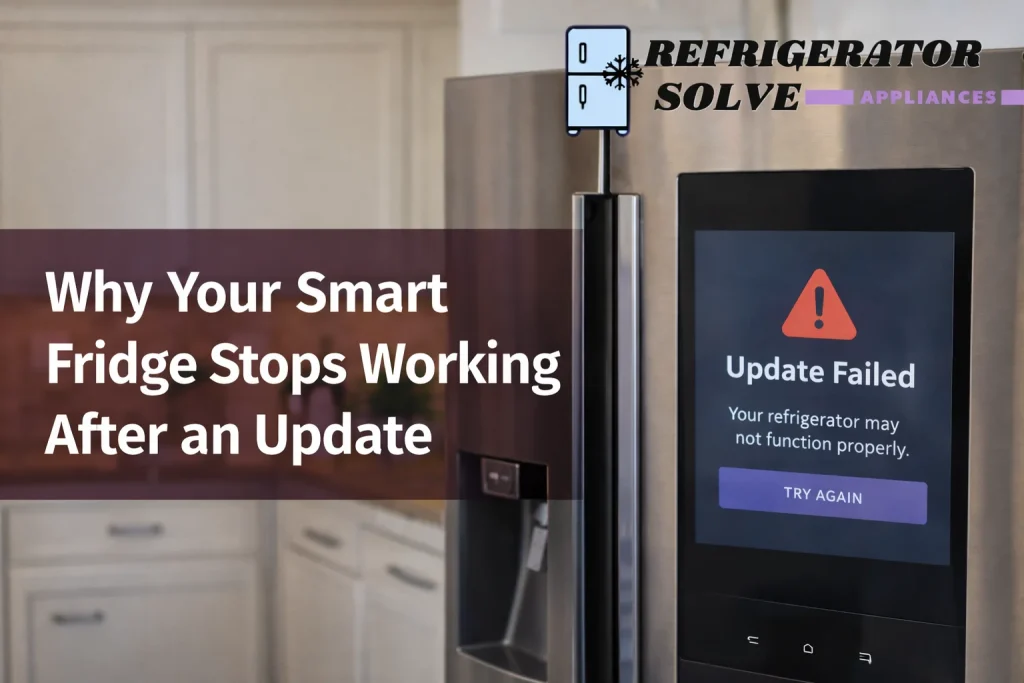
If your smart fridge stops working after an update, it’s usually due to software bugs, compatibility glitches, network issues, or failed firmware installations. I’ll walk you through why this happens and how to fix it step-by-step.
Why Smart Fridge Updates Sometimes Break Things
Smart refrigerators are more like computers these days than traditional cooling appliances. They run firmware and operating systems just like your phone, and when an update installs incorrectly, components can fail to communicate.
Software Bugs & Firmware Glitches
- Firmware updates may contain bugs that weren’t caught in testing.
- If the update is incomplete, the fridge’s control board may freeze or loop.
- Power interruptions during updates can corrupt system files.
Connectivity & Network Conflicts
- Fridges rely on Wi-Fi for smart features, if the update detects changes in network settings, it might fail.
- Outdated router firmware or weak signals can lead to stalled upgrades.
Hardware Communication Faults
- Older models sometimes can’t handle new features introduced in updates.
- Sensors and control boards may misinterpret commands after changes.
What Happens Internally
After an unsuccessful update:
- The compressor may not start.
- The touchscreen can go blank or show errors.
- Network functions disappear entirely.
- Temperature control may reset incorrectly.
Step-by-Step Fixes When Your Smart Fridge Fails After an Update
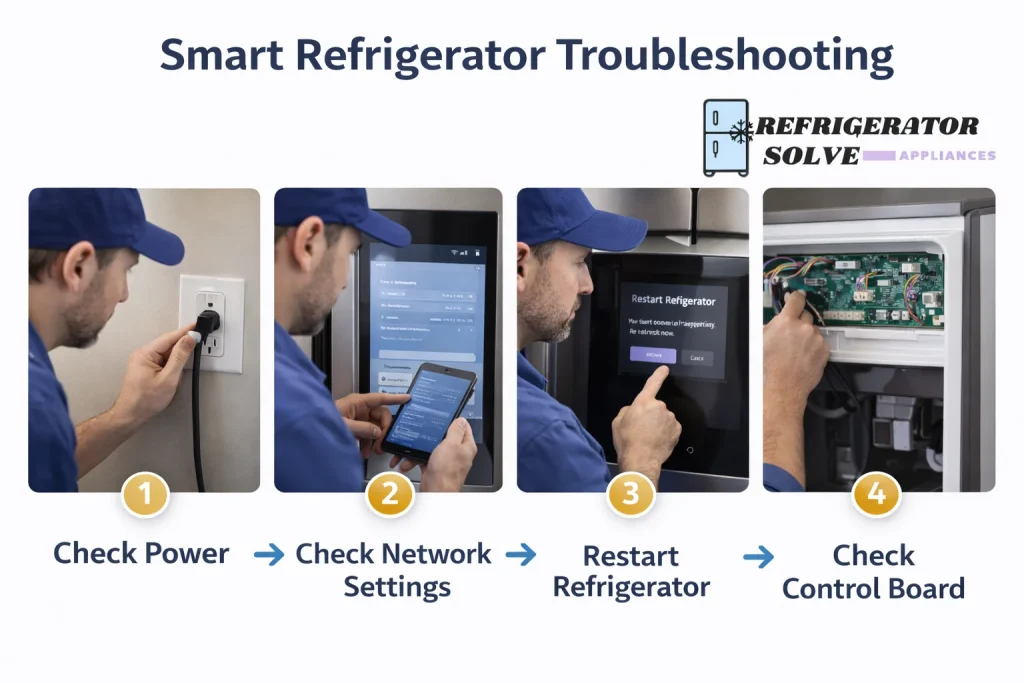
1. Power Cycle the Fridge
Unplug the unit for 5–10 minutes, then plug it back in. This resets the control board, clearing temporary glitches.
2. Check Your Internet Connection
Reboot your router and confirm your fridge is within range of the Wi-Fi signal.
3. Roll Back or Re-Install the Firmware
Some smart fridges allow rollback:
- Check the manufacturer’s app or support site.
- Re-install the update if rollback isn’t possible.
4. Check Error Codes or Messages
Look up specific error codes in your user manual or manufacturer portal.
5. Contact Manufacturer Support
If basic troubleshooting fails, support can push updates remotely or reset the system.
Common Symptoms After a Bad Update
| Symptom | Possible Cause |
|---|---|
| Blank touchscreen | Firmware crash or communication failure |
| No cooling | Control board not initializing compressor |
| App won’t connect | Network configuration mismatch |
| Strange temperatures | Sensor miscommunication |
Preventing Update Problems in the Future
Only Update When Connected to Stable Power
Avoid updates during storms or when the fridge might power cycle.
Confirm Strong Wi-Fi
Weak connectivity is one of the top reasons updates fail.
Don’t Interrupt Firmware Downloads
Even a brief disconnect can corrupt critical system files.
Learn Your Model’s Update Policy
Some brands auto-push updates without notice; others let you delay them.
When It’s Not Just an Update — Other Smart Fridge Issues
Sometimes your fridge may fail not because of an update, but due to underlying maintenance, security, or hardware concerns.
- Your fridge may have existing problems unrelated to software. Read about common smart fridge repair problems and how technicians diagnose them.
Example: Faulty sensors causing false alarms. - Security vulnerabilities are real. Learn how smart refrigerators can be hacked and what you need to secure your home network.
- End of software support from the manufacturer can also cause features to stop working as new router protocols evolve.
- Over time, spare parts availability and maintenance cost can impact how easily you fix issues related to updates.
- Smart fridge maintenance varies find out how long you should expect your model to last and what costs may arise.
Frequently Asked Questions
Why did my fridge stop working immediately after an update?
Most failures occur when a firmware update installs incorrectly due to power loss, network interruptions, or incompatible code.
Can a smart fridge be restored after a bad update?
Yes — by power cycling, reinstalling firmware, or contacting support for remote recovery.
Is it safe to skip smart fridge updates?
Delaying non-critical updates may be fine temporarily, but critical security or stability patches should be applied when possible.
Can a fridge update cause permanent damage?
In rare cases, if the control board firmware becomes corrupted, it may require professional service or replacement.
Will future updates fix these issues automatically?
Manufacturers often release follow-up patches to correct bugs. Keeping the unit online improves chances of automatic resolution.
Expert Opinion
As someone who has assisted homeowners with smart appliance troubleshooting for years, I can say this: update failures are frustrating but almost always fixable. They rarely indicate irreparable hardware damage, the problem is almost always software communication. Patience and methodical troubleshooting will save you time and expense.
— Written by Refrigeration Tech Expert
Pros & Cons: Smart Fridge Updates
Pros
- Improves security and performance
- Adds new useful features
- Keeps network protocols current
Cons
- Can fail if interrupted
- Updates may introduce bugs
- Older hardware might be incompatible
Conclusion
If your smart fridge stops working after an update, don’t panic. Most issues stem from software communication interruptions or firmware bugs. Follow the troubleshooting steps above, ensure stable power and connectivity next time, and use manufacturer support if needed. With the right approach, you can get your smart fridge back to normal quickly.
Related Articles You May Find Helpful
Learn how connected refrigerators can be vulnerable to cyber threats and what practical steps you can take to secure your smart kitchen appliances.
Discover the most common security risks associated with smart refrigerators and how they may impact your privacy and home Wi-Fi safety.
Understand ongoing maintenance expenses, service fees, and software-related costs before investing in a smart fridge.
Explore typical hardware and software repair issues that affect smart refrigerators and what professional fixes usually involve.
Find out whether replacement parts for smart refrigerators are easily available and how this affects long-term reliability.
Learn how discontinued software support can impact performance, updates, and security of your smart refrigerator.

Hi, I’m the lead researcher and appliance enthusiast behind RefrigeratorSolve. With years of hands-on experience troubleshooting cooling systems and testing home appliances, I am dedicated to bringing you honest reviews, energy-saving tips, and practical solutions to keep your refrigerator running perfectly.
One Response