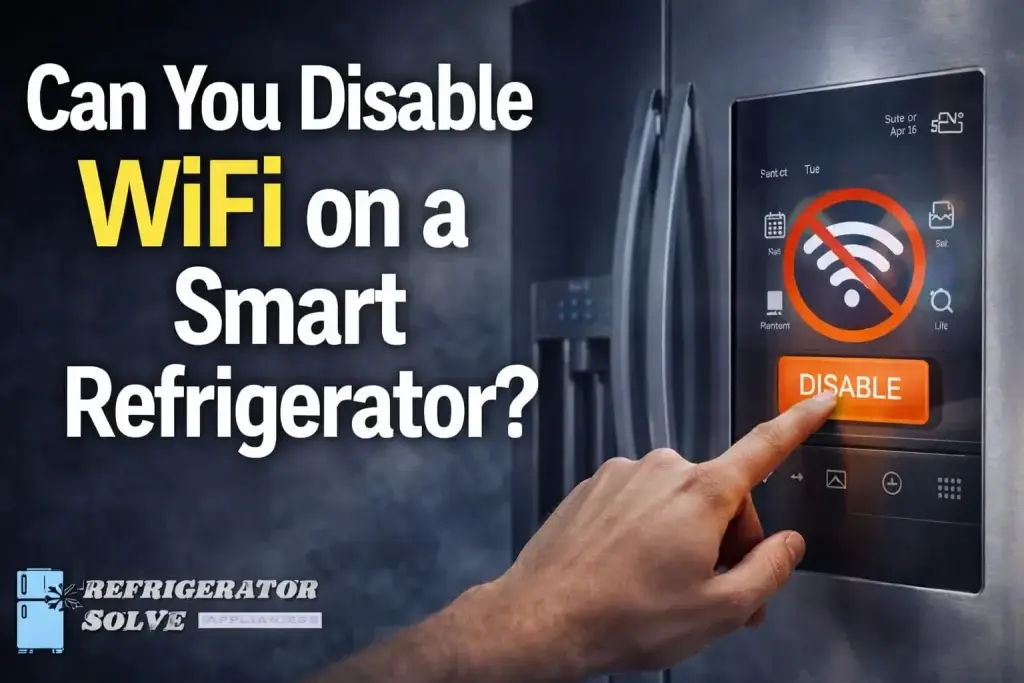
Yes, you can absolutely have WiFi disabled on a smart refrigerator. You can simply choose not to connect it during setup, use the on-screen settings to turn it off, or in some cases, physically disconnect the internal WiFi module.
The Big Concern: Do You Have to Be “Always On”?
The biggest worry for most people is that a smart fridge won’t actually work unless it’s talking to the internet. I’ve seen many homeowners feel stuck, thinking they are forced to share their data just to keep their milk cold. The good news? I can tell you from years of experience that your fridge’s primary job cooling does not require a router.
In this guide, we will explore exactly how to “un-smart” your appliance so you can enjoy your kitchen on your own terms.
Common Smart Fridge Problems and Easy Fixes
1. Privacy and Data Tracking
The Why: Many modern appliances track how often you open the door or what brands you buy if you use internal cameras. This data is often sent back to the manufacturer.
The Solution: Navigate to the Settings menu on your fridge’s touchscreen. Look for “Reset Network Settings” or “Disconnect.” By clearing these settings, the fridge “forgets” your home network and stops transmitting data.
2. Unwanted “Pinging” and EMFs
The Why: Even if not connected to your router, some WiFi chips constantly broadcast a signal looking for a connection, which can be a concern for those sensitive to EMFs.
The Solution: Some brands, like Samsung or LG, have a specific “WiFi Off” toggle in the menu. If your model lacks this, you may need to [INTERNAL LINK: DIY appliance maintenance] check the manual for a physical switch, which is sometimes hidden behind the top hinge cover.
3. Constant Software Update Reminders
The Why: If your fridge is partially connected, it might nag you to update its software, which can be annoying if you just want to grab a snack.
The Solution: Set your fridge to “Offline Mode” or “Demo Mode” (though be careful, as Demo Mode usually disables the compressor). The best bet is to delete the manufacturer’s app from your phone and “Forget” the device in your router’s admin panel.
How to Disable WiFi Across Major Brands
Most manufacturers make it possible to stay offline, though the steps vary. Here is a quick breakdown of how to handle the most popular brands:
Samsung Family Hub
On the large touchscreen, swipe down from the top to see the quick settings. Tap the WiFi icon to turn it gray (off). If you want to be extra sure, go to Settings > Connections > WiFi and toggle it to off.
LG SmartThinQ
LG models often have a physical button combination. Usually, holding the WiFi button for 3 seconds will toggle the radio on or off. If there is no button, you can find the setting under the “Network” section of the internal display.
GE and Bosch
For GE models using the SmartHQ app, the easiest way is to never “Commission” the fridge. If it’s already connected, you can press and hold the “WiFi” or “Remote Enable” button until the light turns off.
Comparison: Smart Features vs. Offline Mode
| Feature | With WiFi Enabled | With WiFi Disabled |
| Cooling & Freezing | Works Perfectly | Works Perfectly |
| Ice & Water Dispenser | Works Perfectly | Works Perfectly |
| Internal Cameras | View from your phone | View on fridge screen only |
| Software Updates | Automatic | Manual via USB (rare) |
| Touchscreen Apps | Full access (Spotify, etc) | Local apps only (Timer, Memo) |
Pro Tip: If you are buying a new fridge and hate the “smart” features, look for “Designer” or “Professional” series models. Often, the highest-end luxury brands like Viking or Sub-Zero focus on cooling tech rather than touchscreens.
Pro Tip: If you can’t find a software setting to kill the signal, you can “Blacklist” the fridge’s MAC address in your home router settings. This lets the fridge think it’s trying to connect while your router ignores it.
What the Experts Say
The security of IoT devices like smart fridges is often an afterthought. If you don’t use the smart features, disabling the WiFi is the single best way to protect your home network from potential vulnerabilities.” — Ken Munro, Security Researcher and Founder of Pen Test Partners.
While smart refrigerators offer convenience, the core mechanical functions—the compressor, the defrost cycle, and the fans—are entirely independent of the internet.” — Daniel Wroclawski, Home Appliance Expert at Consumer Reports.
For individuals concerned about electromagnetic fields (EMF), many smart appliances allow for the physical removal of the WiFi module, though this should only be done by a professional to avoid voiding the warranty.” — Jeromy Johnson, EMF Consultant and Author.
Staying Secure While Staying Cool
If you do decide to keep your fridge connected, ensure you are practicing good digital hygiene. According to the BSI (Federal Office for Information Security), you should always change the default password and keep the firmware updated to prevent your appliance from becoming part of a botnet.
FAQ on Can You Disable WiFi on a Smart Refrigerator?
Will my fridge stop cooling if I turn off the WiFi?
No, the cooling system is a mechanical process managed by a local thermostat. The WiFi is only for “extra” features like notifications and apps.
Can I still use the touchscreen if the WiFi is off?
Yes, you can still use local features like the calendar, the timer, and the photo gallery (if photos were uploaded via USB).
Does disabling WiFi void my warranty?
Simply turning it off in the settings does not void your warranty. However, physically opening the panel to unplug the WiFi chip might, so check your manual first.
How do I know if my fridge is still transmitting?
If you see a WiFi icon blinking or solid on the display, it is likely still looking for a signal. Once fully disabled, that icon should disappear.
Can a smart fridge be hacked if the WiFi is off?
No. Without a connection to your home network or the internet, there is no “pathway” for a hacker to reach your appliance.
Key Takeaways
- Cooling is king: Your fridge will keep your food fresh regardless of its internet status.
- Software vs. Hardware: Most fridges let you turn off WiFi in the settings, but some require a button press or a router block.
- Privacy First: Disabling the connection prevents data tracking and secures your home network.
You deserve a kitchen that works for you, not for a data center. If you feel better keeping your appliances “dumb,” go ahead and hit that disconnect button!

Hi, I’m the lead researcher and appliance enthusiast behind RefrigeratorSolve. With years of hands-on experience troubleshooting cooling systems and testing home appliances, I am dedicated to bringing you honest reviews, energy-saving tips, and practical solutions to keep your refrigerator running perfectly.