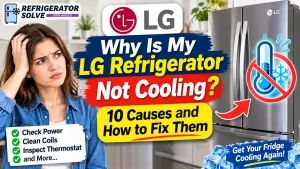
An LG refrigerator that suddenly stops cooling can put your food at risk and leave you wondering whether an expensive repair is necessary. Sometimes, the cause is something simple, such as Demo Mode, an incorrect temperature setting, or blocked air vents. Other times, a faulty fan, defrost system, sensor, or compressor may be responsible.
The important thing is to identify the symptoms before replacing any parts. In this guide, I’ll explain the common reasons an LG refrigerator stops cooling, how to perform a few safe checks, what certain error codes mean, and when professional repair is the better option.
Quick Answer: Why Is My LG Refrigerator Not Cooling?
An LG refrigerator may stop cooling because Demo Mode is enabled, the temperature is set incorrectly, air vents are blocked, or the doors are not sealing properly. A faulty evaporator fan, condenser fan, defrost system, temperature sensor, or compressor can also cause cooling problems. Start with the simple checks before assuming an internal component has failed.
What Does Your LG Refrigerator’s Cooling Problem Look Like?
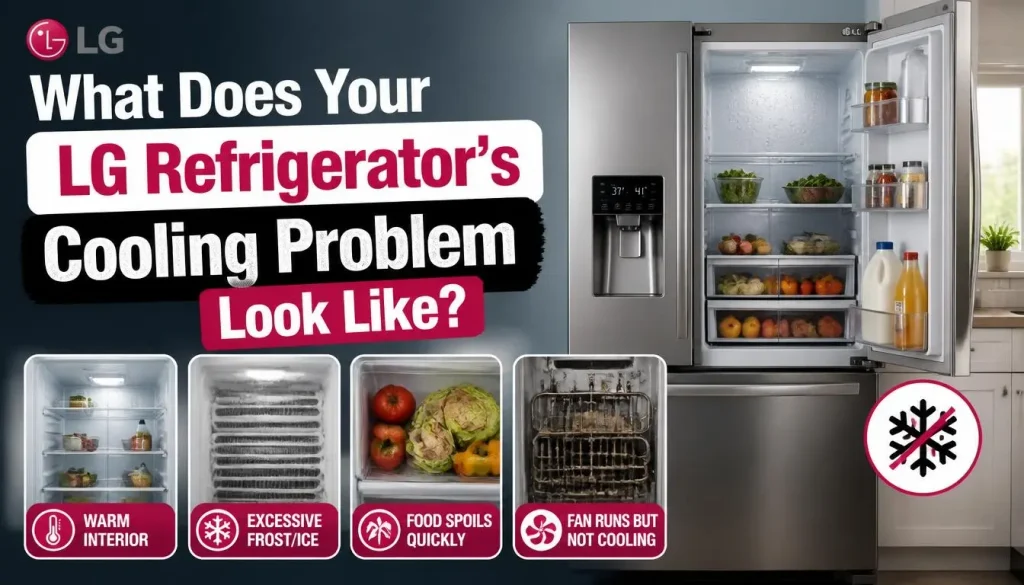
Before troubleshooting, pay attention to what is happening inside the appliance. Different symptoms can point toward different problems.
The Refrigerator Is Warm but the Freezer Is Cold
When the freezer works but the refrigerator compartment is warm, cold air may not be circulating properly.
Possible causes include:
- Blocked air vents
- A faulty refrigerator or evaporator fan
- Ice buildup around the evaporator
- A defrost system problem
- A damper or airflow-control issue, depending on the model
This symptom does not automatically mean the compressor is bad. The compressor may still be producing cold air for the freezer while the refrigerator compartment is not receiving enough of it.
Both the Refrigerator and Freezer Are Warm
When neither compartment is cooling, check the power supply, Demo Mode, temperature controls, and any error codes first.
If those checks do not identify the problem, a condenser fan, compressor, control board, or sealed-system fault may be involved.
The Refrigerator Is Running but Not Cooling
You may hear the refrigerator operating or see its display and lights working, but the inside remains warm.
This can happen when the fans are not circulating air, the cooling system is not operating correctly, or the appliance is in Demo Mode. A running sound alone does not prove that the refrigerator is producing enough cold air.
The Lights Are On but the Refrigerator Is Not Cold
Working lights only confirm that some electrical power is reaching the refrigerator. They do not prove that the compressor and cooling system are functioning.
Start by checking the display for OF F, then inspect the temperature settings and airflow. You can also read our guide on why a fridge is not cooling even though the light is on.
10 Common Reasons Your LG Refrigerator Is Not Cooling
1. LG Refrigerator Is in Demo Mode (OF F)
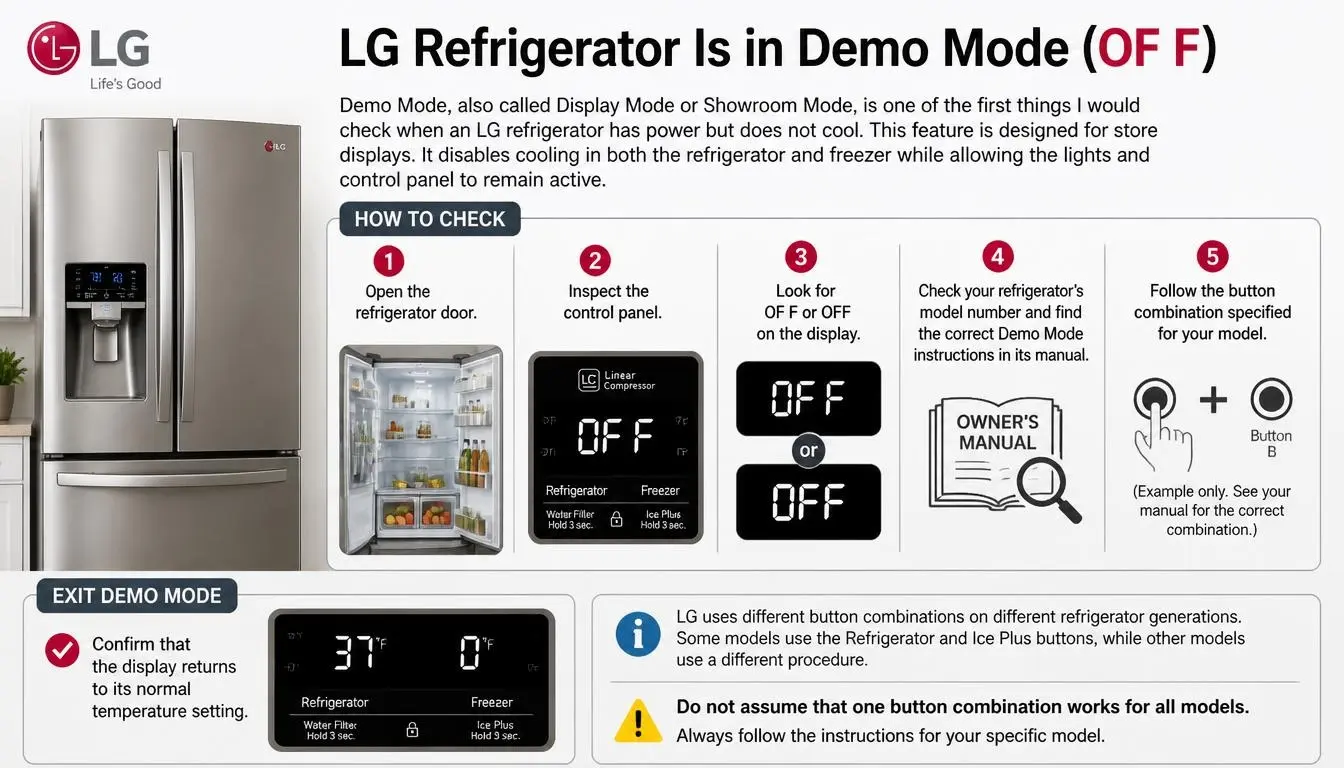
Demo Mode, also called Display Mode or Showroom Mode, is one of the first things I would check when an LG refrigerator has power but does not cool.
This feature is designed for store displays. It disables cooling in both the refrigerator and freezer while allowing the lights and control panel to remain active.
If your LG display shows OF F or OFF, Demo Mode may be enabled.
How to check it:
- Open the refrigerator door and inspect the control panel.
- Look for OF F or OFF on the display.
- Check your refrigerator’s model number and find the correct Demo Mode instructions in its manual.
- Follow the button combination specified for your model.
- Confirm that the display returns to its normal temperature setting.
LG uses different button combinations on different refrigerator generations. Some models use the Refrigerator and Ice Plus buttons, while other models use a different procedure.
Do not assume that one button combination works for every LG refrigerator. Follow the instructions in LG’s official guide to disabling refrigerator Demo Mode.
2. Incorrect Temperature Settings or a Locked Control Panel
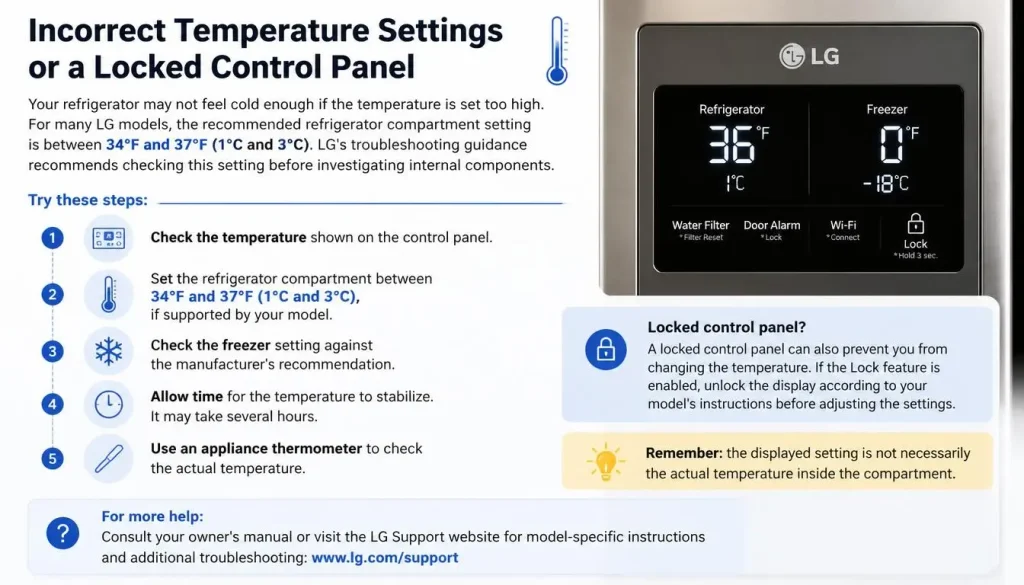
Your refrigerator may not feel cold enough if the temperature is set too high.
For many LG models, the recommended refrigerator compartment setting is between 34°F and 37°F (1°C and 3°C). LG’s troubleshooting guidance recommends checking this setting before investigating internal components.
Try these steps:
- Check the temperature shown on the control panel.
- Set the refrigerator compartment between 34°F and 37°F (1°C and 3°C), if supported by your model.
- Check the freezer setting against the manufacturer’s recommendation.
- Allow time for the temperature to stabilize.
- Use an appliance thermometer to check the actual temperature.
A locked control panel can also prevent you from changing the temperature. If the Lock feature is enabled, unlock the display according to your model’s instructions before adjusting the settings.
Remember that the displayed setting is not necessarily the actual temperature inside the compartment.
For more help understanding refrigerator temperature, see our ideal refrigerator temperature setting guide.
3. Blocked Air Vents or an Overloaded Refrigerator
Your LG refrigerator needs enough space for cold air to circulate. When food containers, boxes, or large items block the vents, some areas may become warm even when the cooling system is running.
An overloaded freezer can also restrict airflow and affect the refrigerator compartment.
How to fix it:
- Find the air vents inside the refrigerator and freezer.
- Move food containers away from the vents.
- Avoid packing items tightly against the rear interior wall.
- Leave enough room between stored food for air to move.
- Check again after the refrigerator has had time to cool.
LG recommends keeping the refrigerator around 70% full to support proper air circulation. The exact arrangement depends on the model and its vent locations.
Do not remove interior covers just to inspect the fan or evaporator. Those parts may require professional access.
4. The Refrigerator Door Is Not Closing or Sealing Properly
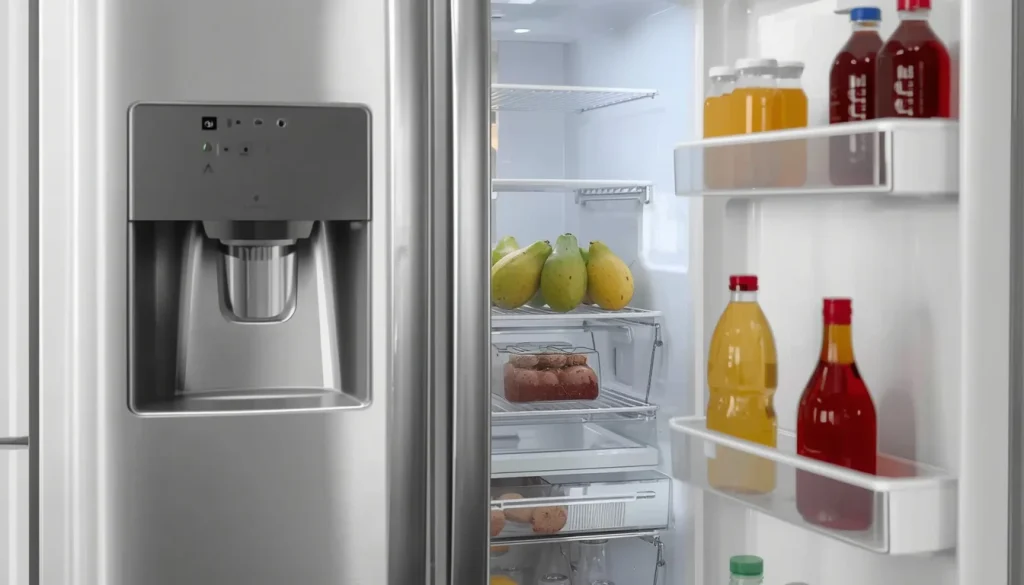
A refrigerator door that does not close completely allows warm, humid air to enter. The cooling system then has to work harder to maintain the temperature.
Check for these common problems:
- Food containers sticking out beyond the shelves
- A drawer or shelf installed incorrectly
- Bottles preventing the door from closing
- A dirty or damaged door gasket
- A refrigerator that is not properly leveled
Try the paper test:
- Open the refrigerator door.
- Place a sheet of paper between the door and the gasket.
- Close the door over the paper.
- Pull the paper gently.
- Repeat the test at several points around the door.
If the paper slides out easily in certain areas, the gasket may not be sealing properly.
Clean a dirty gasket with a soft cloth and mild soapy water, then dry it. If the seal is torn, loose, or permanently deformed, check the correct replacement part for your model.
Also inspect the freezer door. A freezer door left slightly open can create heavy frost that blocks airflow.
5. Poor Ventilation or Dust Around the Condenser Area
An LG refrigerator needs room to release heat. If it is pushed too close to a wall or installed in a poorly ventilated space, heat may build up around the mechanical compartment.
Dust around accessible condenser areas can also reduce heat dissipation.
What you can do:
- Check whether the refrigerator has the clearance recommended in its installation manual.
- Make sure curtains, cabinets, and stored items are not blocking ventilation openings.
- Look for dust around accessible external ventilation areas.
- If the manual permits user cleaning, disconnect power before cleaning the accessible area.
- Do not remove the mechanical-compartment cover or sealed-system panels yourself.
Some internal components and refrigerant pipes are located behind the rear cover. Removing it without the correct training can damage the refrigerator or create an electrical or physical hazard.
If the area is heavily contaminated or the refrigerator remains warm, arrange a professional inspection.
6. A Faulty LG Evaporator Fan or Refrigerator Fan
The evaporator fan moves cold air through the refrigerator’s compartments. If it stops working, the refrigerator may become warm even though another compartment still feels cold.
On some LG models, the display may show a fan-related error code.
Two codes worth recognizing are:
- Er FF or E FF: Generally indicates a problem with the freezer fan.
- Er rF or E rF: Generally indicates a problem with the refrigerator compartment fan.
Ice or frost around a fan can prevent its motor from turning. A damaged motor or wiring problem may also cause the error.
What should you check?
Listen for unusual fan noises, such as scraping, buzzing, or repeated clicking. Also notice whether cooling improves or worsens when the refrigerator or freezer door is opened.
Do not remove internal fan covers or touch the motor wiring while the appliance is connected to power.
LG provides model-dependent instructions for FF and rF errors. On supported models, its guidance recommends moving food to another refrigerator or insulated cooler, unplugging the unit, and allowing ice to melt naturally with the doors open. If the error returns, professional inspection is necessary.
You can read LG’s official FF and rF error-code troubleshooting guide.
7. Defrost System Failure and Excessive Frost Buildup
An automatic defrost system prevents excessive ice from collecting on the evaporator.
If the defrost system stops working correctly, frost can build up around the evaporator and restrict airflow. The refrigerator may become warm even though the freezer appears to be running.
Possible causes include:
- A faulty defrost heater
- A defective defrost sensor or thermostat
- A control-system problem
- Damaged wiring
- An issue with the defrost cycle
Signs to look for:
- Heavy frost on the freezer’s interior rear panel
- Cooling that gets weaker over time
- A fan making contact with ice
- A refrigerator compartment that becomes warm while the freezer remains cold
Do not use a knife, screwdriver, or other sharp object to remove ice. You could puncture a refrigerant line or damage internal components.
A manual defrost may temporarily restore airflow in certain situations, but it will not repair a failed defrost component. If frost returns, the underlying problem needs diagnosis.
For a more detailed explanation of these components, see our guide on why a refrigerator is not defrosting.
8. Faulty Temperature Sensor or Main Control Board
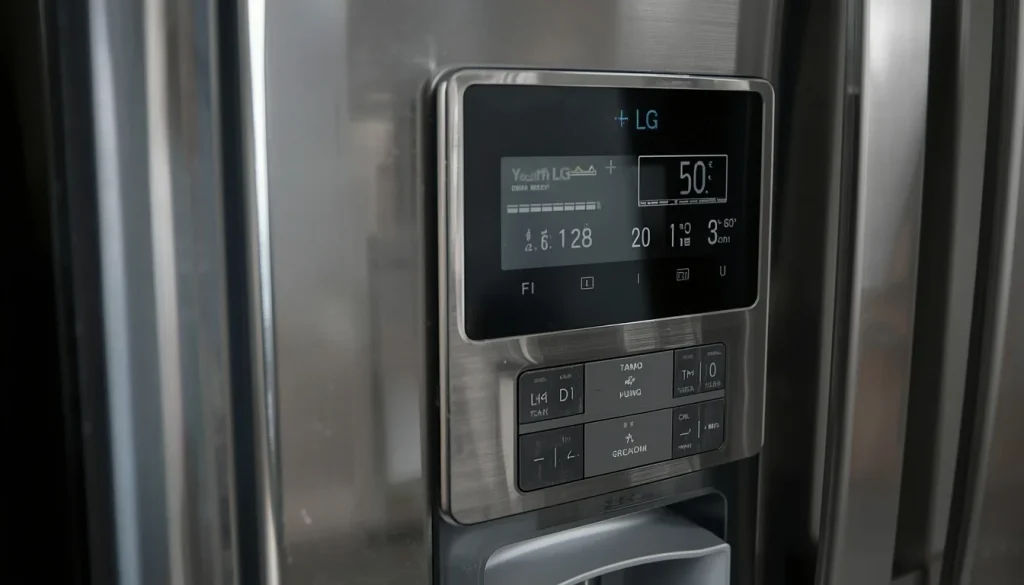
Modern LG refrigerators use electronic sensors and control boards to monitor temperatures and manage cooling.
A temperature sensor provides information about the conditions inside a compartment. The control board uses that information to manage components such as fans and the compressor.
If a sensor gives an incorrect reading, the refrigerator may respond incorrectly. A faulty control board can also interrupt normal cooling operation.
Possible warning signs include:
- Temperature readings that do not match the actual compartment temperature
- Cooling that starts and stops unexpectedly
- Repeated error codes
- Fans or other components behaving abnormally
- Temperature changes without an obvious reason
These symptoms are not enough to confirm a defective sensor or control board.
A technician may need to check the sensor’s resistance against the correct temperature chart, inspect wiring, and test the control system using model-specific service information.
Do not replace a control board based only on a general online error-code list.
9. Condenser Fan Motor Problem
The condenser fan helps remove heat from the refrigeration system. If it stops operating correctly, the refrigerator may struggle to maintain the required temperature.
On some LG models, a condenser fan problem can produce a CF error.
LG explains that a CF code can indicate a problem with the fan motor in the sealed system at the rear of the refrigerator. Disconnected wiring or a main control board problem may also be involved.
If the refrigerator is running but both compartments are getting warm, and you notice a persistent unusual sound near the rear, this issue deserves attention.
You can check whether the refrigerator has enough ventilation and whether accessible external areas are dusty. However, internal fan testing and electrical diagnosis should be left to a qualified technician.
10. Compressor or Sealed-System Failure
The compressor is a central part of the refrigerator’s cooling system. It circulates refrigerant through the sealed system so heat can be removed from the interior.
If the compressor or another part of the sealed system fails, the refrigerator may stop cooling properly.
Possible symptoms include:
- Both refrigerator and freezer compartments becoming warm
- The compressor repeatedly attempting to start
- Unusual buzzing or clicking around the lower rear area
- Cooling that becomes progressively weaker
- A related error code or diagnostic warning
However, a warm refrigerator does not automatically mean that the compressor has failed. A fan, electrical connection, sensor, control board, or other component can produce similar symptoms.
A technician needs to check the appliance’s electrical and refrigeration systems before recommending compressor replacement.
Never attempt to open the sealed refrigerant system, release refrigerant, or repair compressor wiring yourself.
If your LG refrigerator is also making an unusual sound, our guide on why an LG refrigerator makes a buzzing noise may help you understand which symptoms deserve attention.
LG Refrigerator Not Cooling After a Power Outage
If your LG refrigerator stopped cooling after a power outage, begin with the electrical supply.
Try these checks:
- Make sure the refrigerator’s power cord is firmly connected.
- Check whether the circuit breaker has tripped.
- If the outlet has no power, have the electrical supply checked.
- Inspect the control panel for an error code.
- Confirm that Demo Mode is not enabled.
- Check the actual refrigerator and freezer temperatures with an appliance thermometer.
Once power returns, the appliance may need time to restore its normal temperature. Avoid opening the doors repeatedly while it cools.
Also pay attention to food safety. According to FoodSafety.gov’s power-outage guidance, an unopened refrigerator generally keeps food cold for about four hours during an outage.
Perishable food that has been above 40°F (4°C) for two hours or more should be discarded. When in doubt, do not taste food to decide whether it is safe.
If the refrigerator has power but remains warm, or the same error code keeps returning, arrange a proper diagnosis rather than repeatedly disconnecting and reconnecting the appliance.
LG Refrigerator Not Cooling After Moving or Installation
A newly installed or recently moved LG refrigerator may not cool to its normal operating temperature immediately.
LG explains that cooling may begin to develop within approximately one to two hours after the power is connected, but the appliance may need two to three days to reach a stable operating temperature. The time can vary depending on the model, room conditions, and amount of food stored.
After installation or moving:
- Check that the refrigerator is positioned according to its installation instructions.
- Make sure the doors close properly.
- Confirm that the power supply is stable.
- Set the refrigerator temperature according to the manual.
- Keep air vents clear.
- Allow the appliance time to cool before loading it with a large amount of food.
If the refrigerator was transported on its side, follow LG’s instructions for how long to leave it upright before connecting power. Do not assume the correct waiting time is the same for every model.
If cooling has not improved after two to three days, contact LG support or a qualified technician.
You can also review LG’s official refrigerator cooling troubleshooting guide.
LG Refrigerator Error Codes Related to Cooling Problems
An error code can help narrow down the problem, but it does not always identify the exact failed part.
Here are some LG refrigerator codes that may be relevant to cooling problems.
| Error code | What it may indicate |
|---|---|
| OF F / OFF | Demo or Display Mode is enabled; cooling is disabled. |
| Er FF / E FF | Freezer fan motor problem. |
| Er rF / E rF | Refrigerator compartment fan motor problem. |
| Er CF / E CF | Condenser fan motor problem. |
| Er dH and related defrost codes | A defrost-system or defrost-cycle fault may need inspection. |
Important: The display format and code meanings can vary by model and region. Some LG refrigerators use digital codes, while others display errors through illuminated temperature indicators.
Do not replace a part simply because a code appears. Record the complete code, check your model’s manual, and use LG’s official refrigerator error-code list to find the correct guidance.
If an error remains after following the instructions for your model, request professional service.
How to Troubleshoot an LG Refrigerator That Is Not Cooling
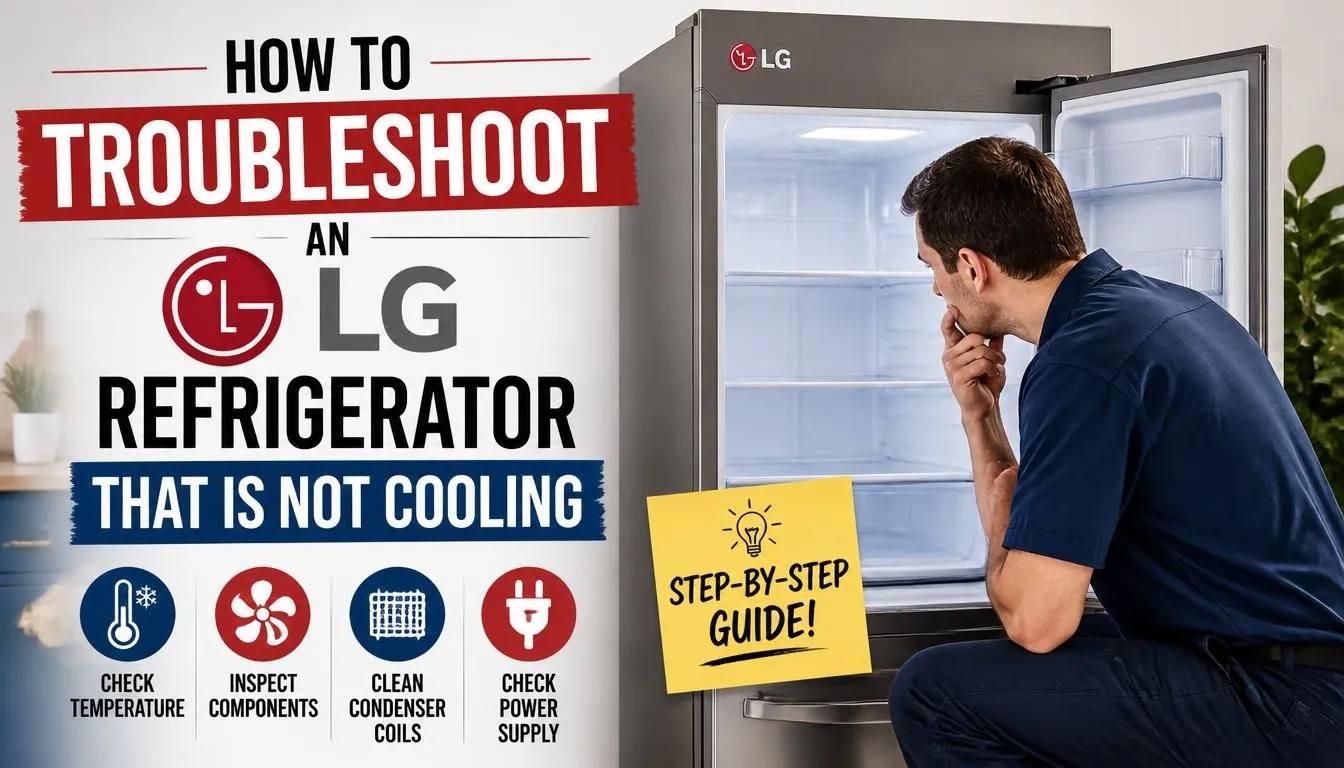
If you are unsure where to start, follow this checklist in order.
Step 1: Check the power supply.
Make sure the refrigerator is plugged in and the outlet is working. Check the circuit breaker if necessary.
Step 2: Look for Demo Mode.
Check the display for OF F or OFF. If it appears, follow the model-specific instructions to disable Demo Mode.
Step 3: Verify the temperature settings.
Check that the refrigerator setting is within the recommended range for your model. Unlock the control panel if necessary.
Step 4: Inspect the air vents.
Move food away from the vents and avoid overfilling the compartments.
Step 5: Check the doors and gaskets.
Make sure both doors close fully and the seals are clean and undamaged.
Step 6: Look for unusual frost or fan noise.
Heavy frost, scraping, or repeated buzzing may point toward a fan or defrost-system problem.
Step 7: Record any error code.
Write down the complete code before resetting the appliance or contacting support.
Step 8: Monitor the actual temperature.
Use an appliance thermometer instead of relying only on the display.
Step 9: Arrange service if cooling does not return.
If both compartments remain warm, an error keeps returning, or an internal component appears to have failed, contact LG support or a qualified refrigerator technician.
How Long Does an LG Refrigerator Take to Cool Down?
After installation or repair, an LG refrigerator may need approximately two to three days to stabilize at its operating temperature, depending on the model and the amount of food inside.
The cooling system may begin producing cold air much sooner, but reaching a stable temperature throughout the compartments takes longer.
Keep the doors closed as much as possible and avoid loading the refrigerator with a large quantity of warm food during the initial cooling period.
Use a thermometer to confirm that the refrigerator reaches a safe temperature. Do not store perishable food in a compartment that is still too warm.
When Should You Call an LG Refrigerator Repair Technician?
Some refrigerator checks are safe to perform at home. Internal electrical and sealed-system repairs are different.
Contact a qualified technician when:
- Both refrigerator and freezer compartments remain warm.
- The compressor repeatedly buzzes and clicks without restoring cooling.
- An FF, rF, CF, or defrost-related error returns after the recommended troubleshooting.
- Heavy frost keeps returning after defrosting.
- You suspect a faulty temperature sensor or control board.
- The refrigerator needs internal fan, compressor, wiring, or refrigerant-system repairs.
- You notice burning smells, sparking, or damaged electrical wiring.
If you see sparking or smell something burning, disconnect power only if it is safe to do so. Do not continue operating the refrigerator until it has been inspected.
Frequently Asked Questions
Why Is My LG Refrigerator Not Cooling but the Freezer Works?
This often points to an airflow problem rather than a complete cooling-system failure. Blocked vents, a faulty refrigerator fan, ice buildup around the evaporator, or a defrost-system problem can prevent cold air from reaching the refrigerator compartment.
Why Is My LG Refrigerator Not Cooling but the Lights Are On?
Working lights do not prove that the cooling system is operating. Check for OF F or OFF on the control panel first. If Demo Mode is not active, inspect the temperature settings, airflow, fan symptoms, and error codes.
Why Is My LG Refrigerator Running but Not Getting Cold?
The refrigerator may be running without circulating enough cold air. A fan problem, blocked vent, defrost failure, condenser fan fault, or compressor-related problem could be responsible. The exact cause depends on the symptoms and model.
Why Is My LG Refrigerator Not Cooling After a Power Outage?
Check the outlet, circuit breaker, display, and temperature settings. Once power returns, allow time for cooling to recover while keeping the doors closed. If the appliance remains warm or displays a recurring error, contact LG support.
How Do I Reset an LG Refrigerator That Is Not Cooling?
Some LG troubleshooting instructions recommend disconnecting power for approximately five minutes before reconnecting the refrigerator when dealing with certain persistent error codes. However, a reset will not repair a faulty fan, sensor, compressor, or defrost component.
Record any error code first and follow the instructions for your specific model. If the same error returns, arrange service.
How Long Does an LG Refrigerator Take to Get Cold After Installation?
LG indicates that an initial installation or recent repair may require two to three days for the temperature to stabilize, depending on the model and stored food. Follow the installation manual and check the actual temperature before storing perishable items.
Can a Bad Compressor Cause an LG Refrigerator to Stop Cooling?
Yes. A compressor problem can prevent the refrigerator from removing heat properly. However, similar symptoms can come from a fan, control board, wiring, or sealed-system fault. A technician should confirm the cause before the compressor is replaced.
What Temperature Should an LG Refrigerator Be Set To?
For many LG models, a refrigerator setting between 34°F and 37°F (1°C and 3°C) is recommended. Use an appliance thermometer to check the actual temperature and keep it at or below 40°F (4°C) for food safety.
Final Thoughts
When your LG refrigerator is not cooling, do not assume the compressor has failed. Start with Demo Mode, temperature settings, blocked air vents, and door seals. These checks can help you identify some problems without taking the appliance apart.
If you notice fan-related error codes, heavy frost, repeated cooling failures, or signs of a compressor or sealed-system problem, the refrigerator may need professional attention.
Most importantly, use an appliance thermometer to protect your food. A refrigerator that looks like it is running is not necessarily keeping food at a safe temperature. Identify the symptoms, check the simple causes first, and use model-specific repair information before replacing any parts.

Hi, I’m the lead researcher and appliance enthusiast behind RefrigeratorSolve. With years of hands-on experience troubleshooting cooling systems and testing home appliances, I am dedicated to bringing you honest reviews, energy-saving tips, and practical solutions to keep your refrigerator running perfectly.