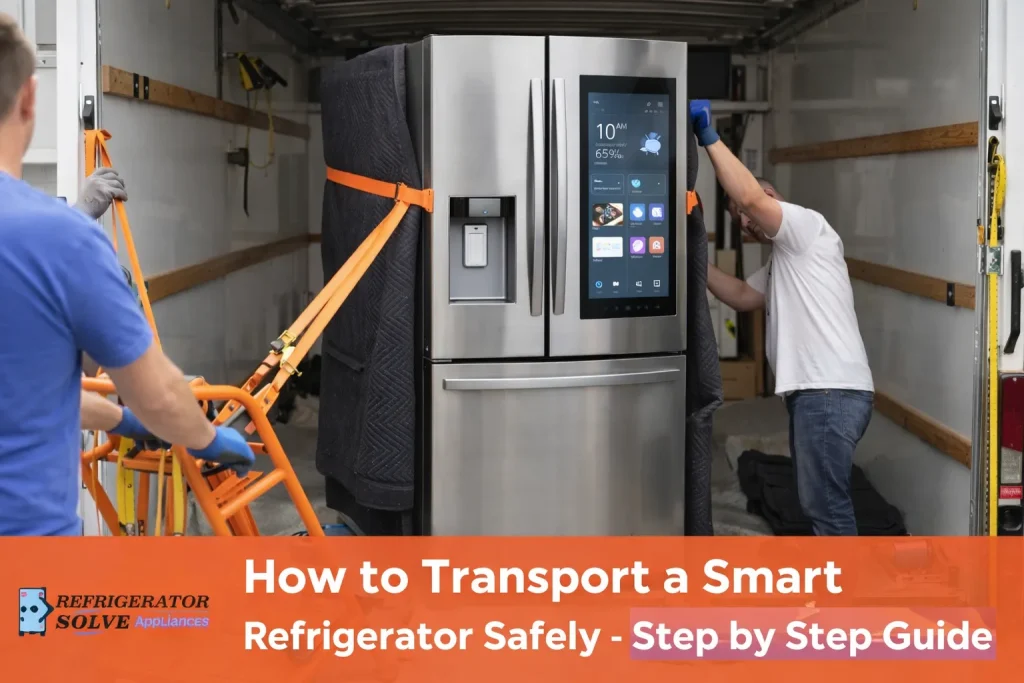
To transport a smart refrigerator safely, unplug it at least 24 hours before moving, secure all internal and external components, keep it upright at all times, and wait 12–24 hours before turning it back on.
This protects sensitive electronics and the compressor. The main risk is tilting or powering it on too quickly, which can cause hidden long-term damage.
Why Transporting a Smart Refrigerator Is Different
A smart refrigerator is not just a cooling appliance, it’s a connected electronic system. Unlike standard refrigerators, it includes:
- Digital control boards
- Touchscreens and sensors
- Wi-Fi modules and diagnostic software
Because of this, physical shock, vibration, or improper positioning during transport can damage components that may not fail immediately. Many smart fridge issues appear days or weeks later, including cooling instability and software errors, which I’ve seen repeatedly while researching smart refrigerator reliability issues.
My Real-World Observation
From personal experience helping with home moves, the most common mistake is laying the fridge on its side “just briefly.” Even short tilting can allow compressor oil to move into cooling lines.
What consistently works:
- Upright transport only
- Proper strapping and padding
- Waiting a full day before powering on
When these steps are followed, post-move failures are extremely rare.
Step-by-Step: Safe Smart Refrigerator Transport
1. Unplug and Prepare in Advance
I always unplug a smart refrigerator 24 hours before moving. This allows internal systems to stabilize and prevents moisture buildup.
Preparation checklist:
- Remove all food and shelves
- Empty ice maker and water lines
- Dry interior completely
- Disable smart features if possible
“Allowing appliances time to stabilize before and after transport reduces mechanical failure,”
— U.S. Department of Energy, Office of Energy Efficiency
2. Protect Doors, Screens, and Sensors
Smart fridge touchscreens are fragile. I recommend:
- Securing doors with painter’s tape
- Padding the display with foam or cardboard
- Wrapping the unit in moving blankets
This prevents display cracks and internal connector damage—two of the most expensive repairs.
3. Keep the Refrigerator Upright (Critical Rule)
A smart refrigerator should remain upright during the entire move.
Why this matters:
- Prevents compressor oil displacement
- Protects tilt and temperature sensors
- Reduces vibration stress on electronics
“Modern refrigerators rely on precision electronics not designed for prolonged tilting,”
— Keith Barry, Appliance Expert, Consumer Reports
4. Wait Before Turning It Back On
After placement, patience is essential.
Best practice:
- Wait 12–24 hours before plugging in
- Ensure the fridge is level
- Check for condensation or visible damage
Turning it on too soon is one of the top causes of post-move cooling failure.
Pros and Cons of Moving a Smart Refrigerator Yourself
| Pros | Cons |
|---|---|
| Saves money | Higher risk of damage |
| Full control | No insurance |
| Faster scheduling | Requires equipment |
| Familiar handling | Heavy and complex |
My Honest Take After Researching This
My strong opinion: Upright transport and delayed power-on matter more than anything else.
My caution: Smart refrigerators fail quietly—damage isn’t always immediate.
My recommendation: For large or high-end smart fridges, professional appliance movers are often worth the cost.
Common Mistakes to Avoid
- Laying the fridge flat
- Plugging it in immediately
- Skipping screen protection
- Dragging instead of using a dolly
- Not leveling after placement
Each of these increases the risk of long-term failure.
Who This Is Best For / Not Ideal For
Best for
- Short-distance moves
- Single-level homes
- People with appliance dollies
Not ideal for
- Large French-door smart fridges
- Stair-heavy or long-distance moves
- Homes without climate-controlled transport
FAQs on How to Transport a Smart Refrigerator Safely
Can a smart refrigerator be transported on its side?
No, unless the manufacturer explicitly allows it.
How long should I wait before turning it on?
At least 12–24 hours.
Can moving damage smart features?
Yes, sensors and Wi-Fi modules are vulnerable.
Are smart refrigerators more fragile than normal ones?
Yes, due to added electronics.
Conclusion
Transporting a smart refrigerator safely requires planning, patience, and respect for its electronics. From my experience, most damage is avoidable when the fridge stays upright, is well-protected, and isn’t rushed back into operation. Treat it like the advanced appliance it is, and it will continue to perform reliably long after the move.

Hi, I’m the lead researcher and appliance enthusiast behind RefrigeratorSolve. With years of hands-on experience troubleshooting cooling systems and testing home appliances, I am dedicated to bringing you honest reviews, energy-saving tips, and practical solutions to keep your refrigerator running perfectly.