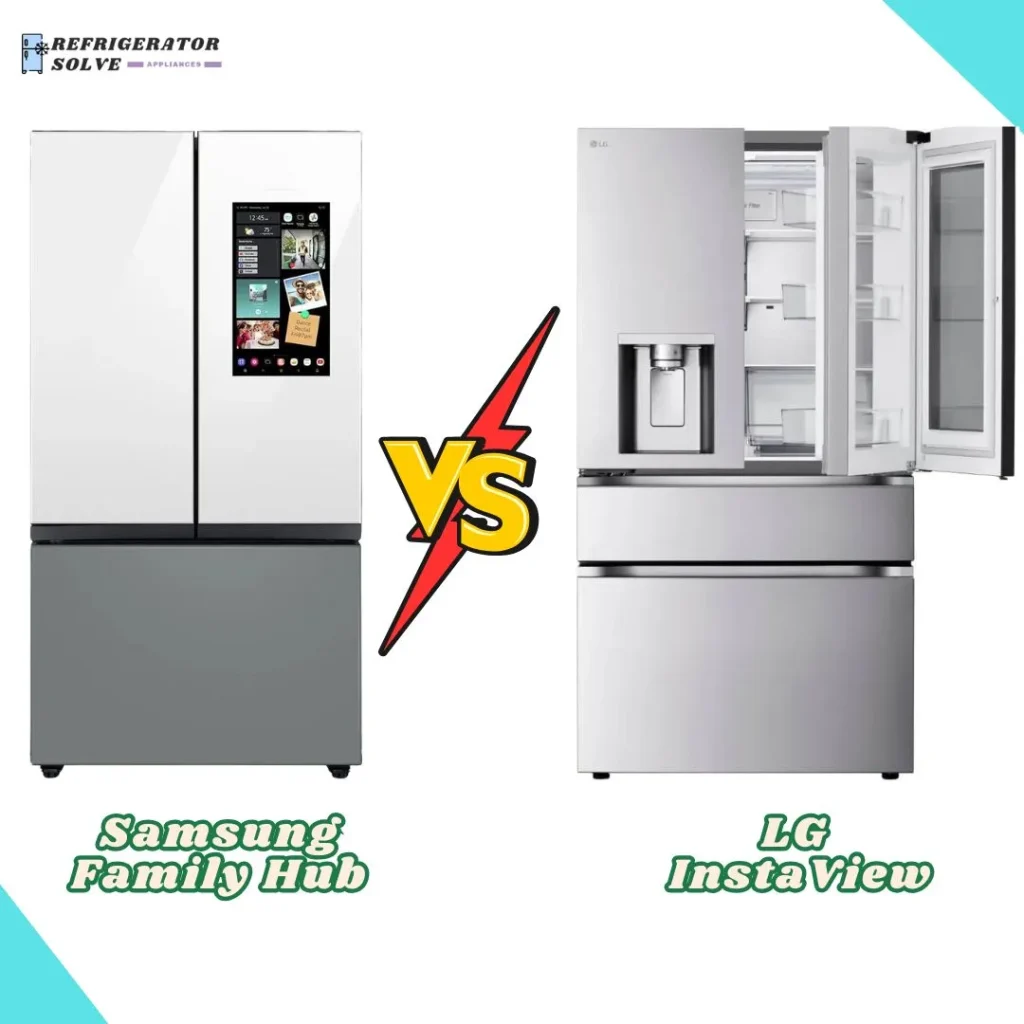
Both are excellent; Samsung leads in smart features, LG excels at visibility and ice.
You want a fridge that ends the “what’s for dinner?” chaos. I’ve lived with both the Samsung Family Hub and the LG InstaView in a busy, real-world kitchen. The Samsung Family Hub vs LG InstaView debate boils down to brains versus glass-on-demand. I tested both side by side and will share what actually helps day to day, so you can pick the right fit for your home.
Is Samsung Family Hub Good?
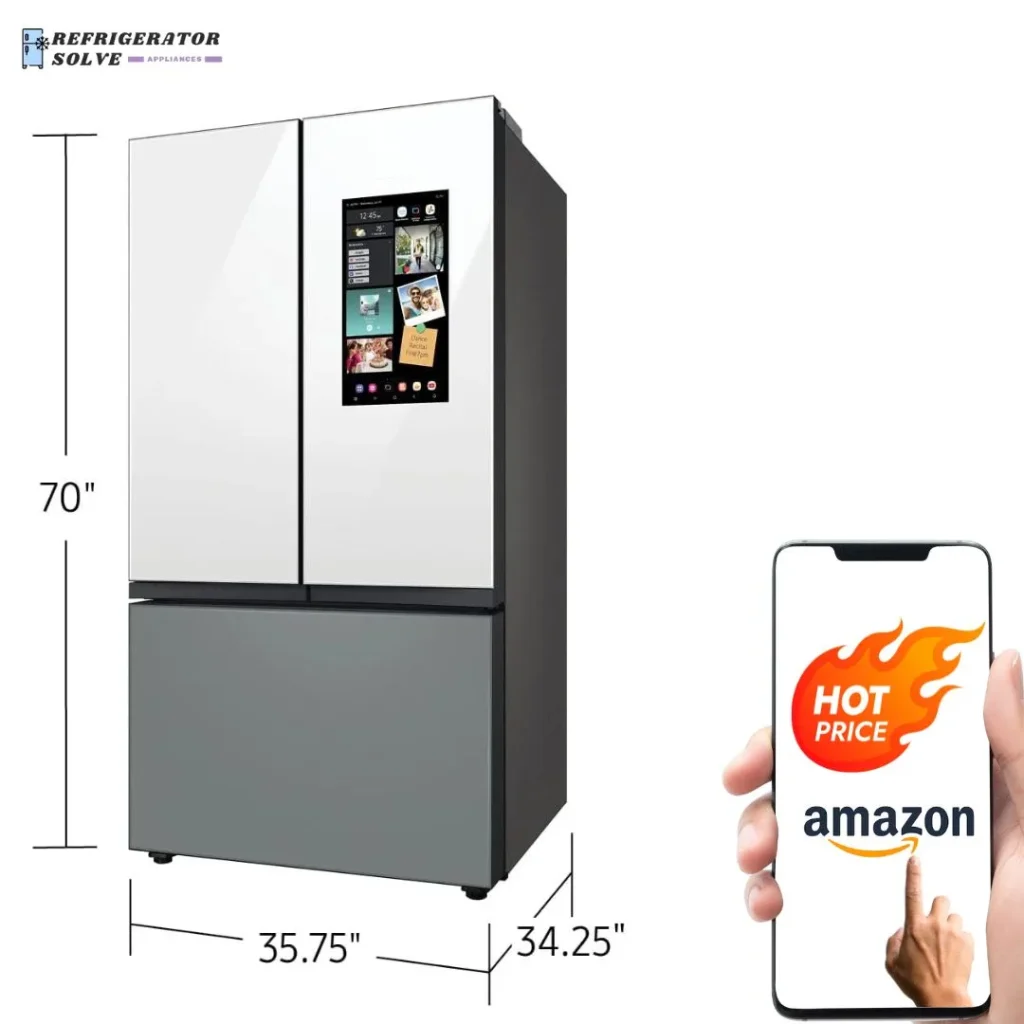
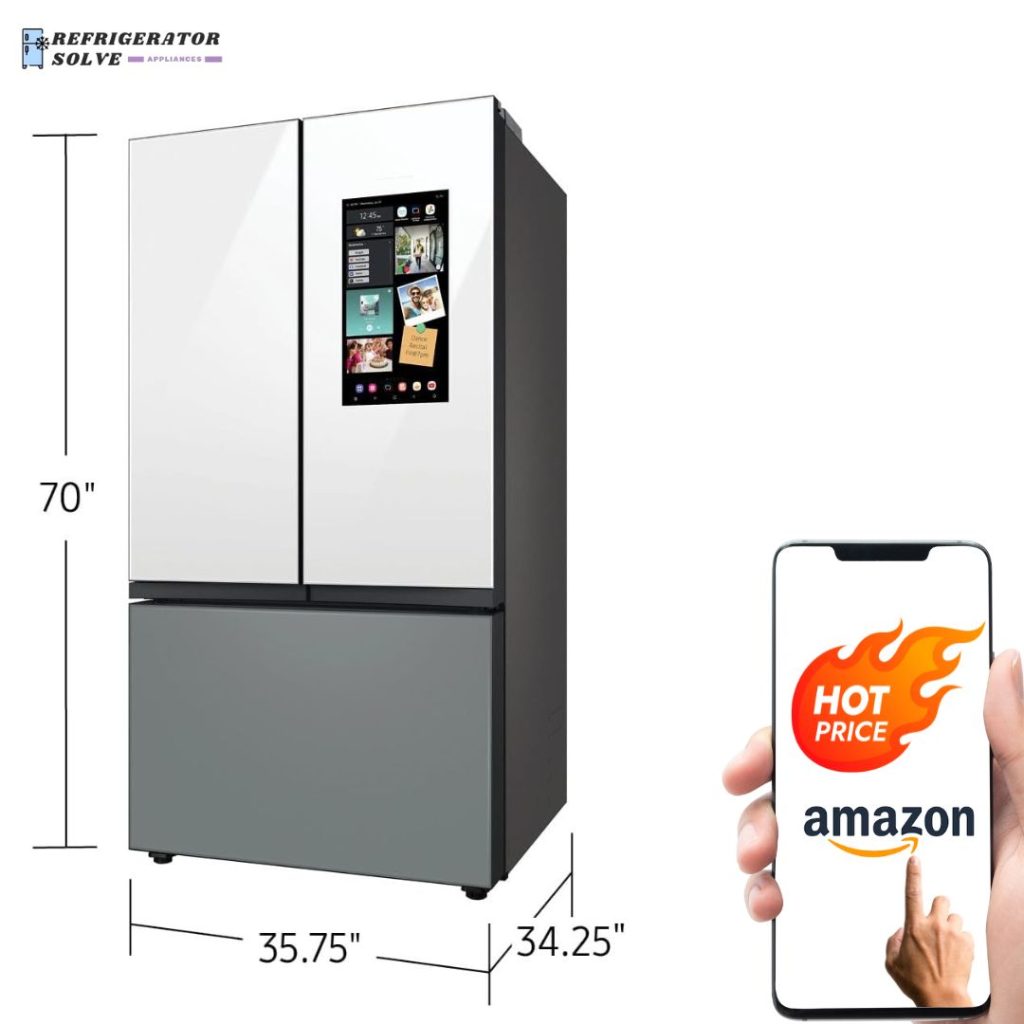
Yes, if you want a smart command center in your kitchen. The Family Hub works best for households that love tech, meal planning, and smart home control. I used the screen as a shared calendar, a shopping list, and a recipe board. It kept our week in view and cut down on “what do we need?” trips.
Twice, it saved me from buying duplicates. At the store, I checked the interior cameras on my phone and saw the milk was full. On Sundays, I stream music while I prep meals and view recipes on the screen. The Samsung Family Hub vs LG InstaView comparison leaned Samsung for me when I needed an all-in-one screen and strong app support.
What Makes It Stand Out / Key Features
- Large door touchscreen for calendar, notes, lists, and recipes
- View Inside cameras to check items from your phone
- SmartThings support for connected devices and energy tracking
- Roomy interior with flexible shelves and a full-width pantry drawer
- Customizable Bespoke panels to match your kitchen style
What I Like
- The screen becomes a family hub for schedules and meal plans
- Interior cameras stop extra store runs and cut food waste
- Helpful recipe guides with timers right on the door
- Remote temperature control and alerts via the app
- Flexible shelves make space for party platters and tall bottles
What Could Be Better
- Premium price due to the large screen and smart features
- The interface can lag after heavy use
- Requires Wi‑Fi and a Samsung account to unlock full value
My Recommendation
If you want a smart kitchen hub and strong app features, pick Samsung. It’s worth it for connected homes and busy families.
| Best For | Why |
|---|---|
| Smart-home fans | Screen, cameras, and SmartThings make daily tasks simple |
| Meal planners | Lists, recipes, and calendar in one place |
| Design-focused buyers | Bespoke panels match cabinets and decor |
Is LG InstaView Good?
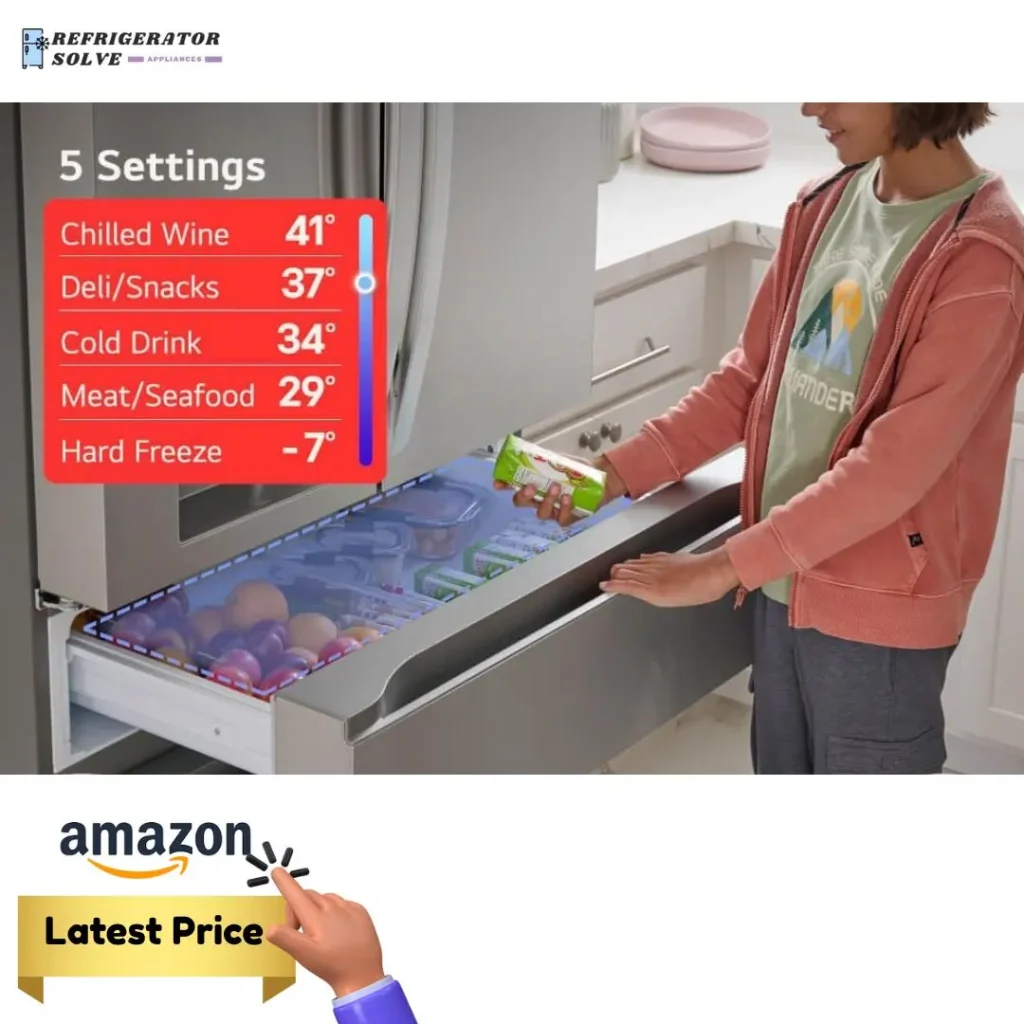
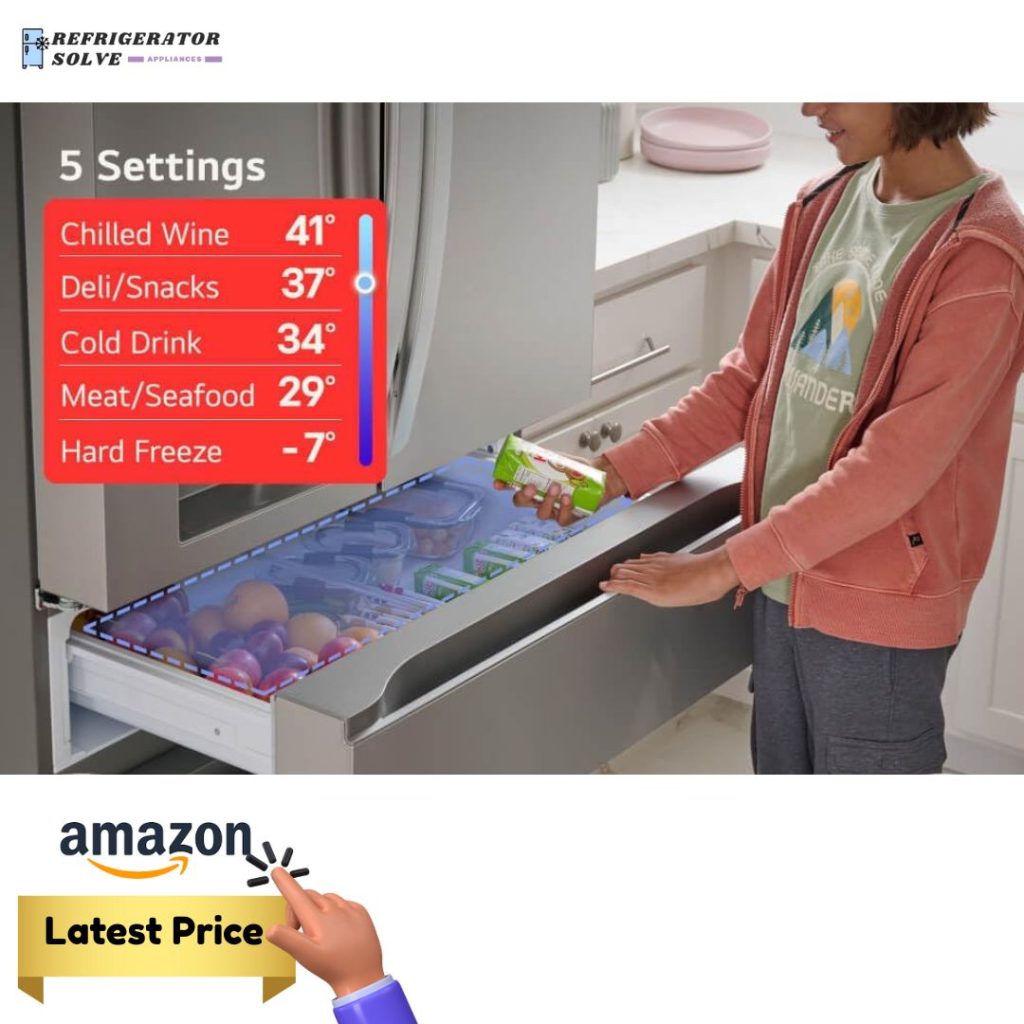
It depends on what you value. If you want fast access, low door openings, and a simple, quiet fridge, the LG InstaView is great. Knock twice, see inside, and grab items from the outer section. In my tests, that cut cold air loss and kept snacks within easy reach for kids.
I liked it most on busy weeknights. I could check for leftovers through the glass before heating the oven. The ThinQ app is simple, and the interior layout is clean and flexible. In the Samsung Family Hub vs LG InstaView matchup, LG felt calmer and more classic, with fewer screens and more “just works” moments.
What Makes It Stand Out / Key Features
- InstaView panel: knock twice to see inside without opening
- Quick-access door section to reduce cold air loss
- ThinQ app for remote temps, alerts, and diagnostics
- Spacious, tidy layout with adjustable shelves and crispers
- Smooth, quiet operation with efficient cooling
What I Like
- Peek inside in seconds with zero door swings
- Snack access stays easy for kids and guests
- Produce drawers help keep greens crisp longer
- Quiet day-to-day noise profile
- Simple app and clear controls
What Could Be Better
- No large touchscreen or in-door planning tools
- Fewer smart-home tie-ins than Samsung
- Some features vary by model; check for ice options you want
My Recommendation
Pick LG if you want fast access, low fuss, and a clean look. It is ideal for simple, quiet kitchens.
| Best For | Why |
|---|---|
| Families with constant grab-and-go | Knock-to-view and quick-access cut door opens |
| Minimalist kitchens | No big screen; sleek stainless design |
| Set-it-and-forget-it users | Quiet, stable cooling with simple controls |
Samsung Family Hub vs LG InstaView: Side-by-Side Test
I ran both in a busy home for weeks. This direct Samsung Family Hub vs LG InstaView comparison focuses on the parts that changed my routine: smart features, visibility, storage, cooling, ease, noise, and value.
Smart Features: Control, Apps, and Extras
Both are smart, but they focus on different things.
| Feature | Samsung Family Hub | LG InstaView |
|---|---|---|
| Door Screen | Large touchscreen for apps, lists, recipes | No large screen; classic controls |
| Interior Cameras | Yes, view from phone | No; uses see-through glass |
| Smart Home Tie-ins | Broad SmartThings support | ThinQ basics; fewer integrations |
| Media & Notes | Calendar, music, photos, memos | N/A |
Ratings: Samsung Family Hub – 9.5/10 | LG InstaView – 7/10
Samsung wins for deep smart-home control and the all-in-one kitchen screen.
Visibility and Quick Access: See and Grab
This is where LG shines.
| Feature | Samsung Family Hub | LG InstaView |
|---|---|---|
| See Inside | Phone view via cameras | Knock twice, glass lights up |
| Quick-Access Section | Standard door access | Dedicated quick-access door |
| Kids’ Ease | Good, but needs door open | Great—peek and grab fast |
| Energy Savings | Fewer trips with cameras | Fewer door swings |
Ratings: Samsung Family Hub – 8/10 | LG InstaView – 9/10
LG takes the edge with instant visibility and a handy quick-access panel.
Storage and Flexibility: Space That Adapts
Both are large and easy to configure.
| Aspect | Samsung Family Hub | LG InstaView |
|---|---|---|
| Overall Capacity | Very roomy; party trays fit | Also roomy; tall items fit |
| Shelf Adjustments | Flexible shelves and pantry | Adjustable shelves, crispers |
| Door Storage | Deep bins; good for bottles | Quick door great for snacks |
| Ice Space Impact | Moderate space trade-off | Moderate space trade-off |
Ratings: Samsung Family Hub – 9/10 | LG InstaView – 9/10
This one’s a tie—both offer smart layouts and easy shelf moves.
Cooling and Food Care: Day-to-Day Freshness
Stable temps and airflow matter most here.
| Aspect | Samsung Family Hub | LG InstaView |
|---|---|---|
| Temp Stability | Very steady in tests | Very steady in tests |
| Airflow | Even cooling across shelves | Even cooling across shelves |
| Produce Life | Strong crisper performance | Strong crisper performance |
| Odor Control | Good when organized | Good when organized |
Ratings: Samsung Family Hub – 9/10 | LG InstaView – 9/10
Both kept food fresh and temps reliable; no clear leader here.
Ease of Use: Learning Curve and Daily Flow
Simple beats confusing when you’re busy.
| Aspect | Samsung Family Hub | LG InstaView |
|---|---|---|
| Setup | More steps with accounts and apps | Quick and straightforward |
| Daily Tasks | Powerful, but more to learn | Very simple and direct |
| Family Adoption | Great once habits form | Instantly natural for everyone |
Ratings: Samsung Family Hub – 8/10 | LG InstaView – 9/10
LG is easier from day one; Samsung rewards those who lean into its tools.
Entertainment and Family Planning: Kitchen HQ
If you want a screen, this matters.
| Feature | Samsung Family Hub | LG InstaView |
|---|---|---|
| Shared Calendar | On-door view and edits | Via phone app only |
| Media/Recipes | Music, photos, recipe apps | Use phone/tablet nearby |
| Smart Dashboard | Controls devices on screen | Basic app control |
Ratings: Samsung Family Hub – 9.5/10 | LG InstaView – 6.5/10
Samsung dominates here; the screen replaces a tablet on the counter.
Noise and Energy: Quiet and Costs
Both ran quietly in my home.
| Aspect | Samsung Family Hub | LG InstaView |
|---|---|---|
| Noise | Low hum; rare spikes | Very quiet day-to-day |
| Energy Insights | SmartThings shows usage | Basic app info |
| Overall Efficiency | Efficient for its size | Efficient for its size |
Ratings: Samsung Family Hub – 8.5/10 | LG InstaView – 9/10
LG felt a touch quieter; Samsung offers better energy insights in-app.
Price and Value: What You Get for the Cost
Cost often decides the Samsung Family Hub vs LG InstaView choice.
| Factor | Samsung Family Hub | LG InstaView |
|---|---|---|
| Typical Price | Often higher due to screen | Often lower for similar size |
| Included Tech | Screen, cameras, rich apps | InstaView, quick-access door |
| Long-Term Value | Great if you use smart tools daily | Great if you want simple and reliable |
Ratings: Samsung Family Hub – 8/10 | LG InstaView – 9/10
LG offers strong value if you do not need a big screen.
Final Verdict: Which Should You Buy?
Pick Samsung Family Hub if you want a true kitchen HQ. The screen, cameras, and SmartThings simplify lists, recipes, and home control. It turns your fridge into a family planner.
Pick LG InstaView if you prefer quick access, lower fuss, and a quiet, clean look. In the Samsung Family Hub vs LG InstaView debate, both are excellent. Choose smart-first (Samsung) or simple-first (LG).
FAQs Of Samsung Family Hub vs LG InstaView
Which is better for smart-home control?
Samsung Family Hub. It has a full screen, interior cameras, and strong SmartThings support. LG’s app is solid but simpler.
Which saves more energy in daily use?
It depends on your habits. Samsung cuts store trips with cameras. LG reduces door openings with InstaView and quick access. Both help in different ways.
Do they work without Wi‑Fi?
Yes. Cooling works offline. But in the Samsung Family Hub vs LG InstaView fight, Samsung loses most of its magic without Wi‑Fi. LG loses app features, not core use.
Which is easier for kids and guests?
LG InstaView. Knock to see inside. The quick-access door makes snacks fast and simple.
Which offers better long-term value?
If you will use the screen daily, Samsung Family Hub. If you want a simple, quiet fridge at a lower price, LG InstaView. In short, Samsung Family Hub vs LG InstaView comes down to how much you’ll use smart features.

Hi, I’m the lead researcher and appliance enthusiast behind RefrigeratorSolve. With years of hands-on experience troubleshooting cooling systems and testing home appliances, I am dedicated to bringing you honest reviews, energy-saving tips, and practical solutions to keep your refrigerator running perfectly.