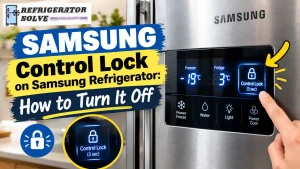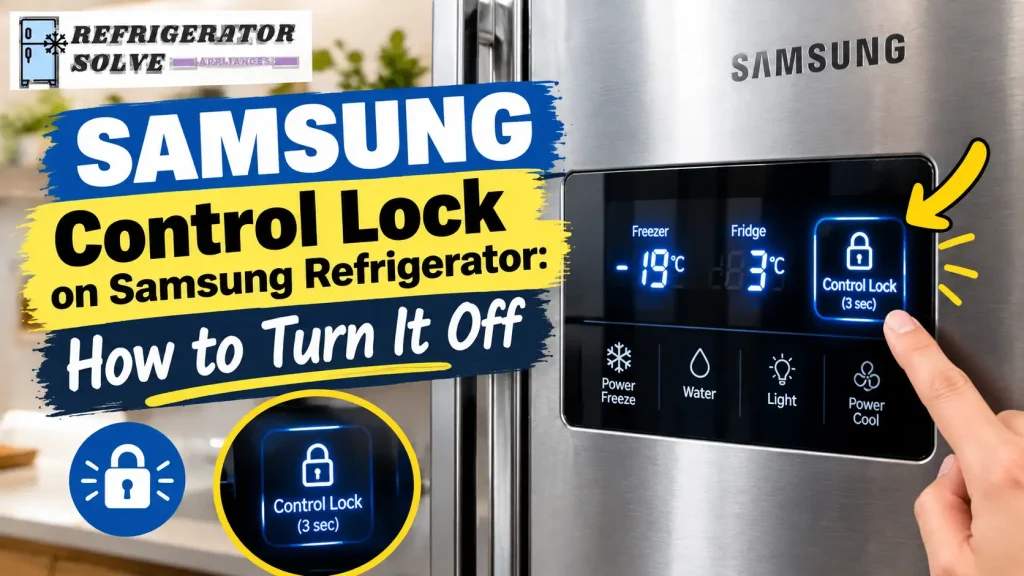
Quick Answer: To turn off Control Lock on a Samsung refrigerator, press and hold the correct lock button until you hear a chime or the lock indicator disappears. Depending on your model, this may be the Control Lock, Ice Maker Off, Door Alarm, or Lock/Unlock button. On many compatible models, you need to hold the button for about three seconds. If the controls still do not respond, check your refrigerator’s model-specific instructions.
Finding a lock symbol on your Samsung refrigerator can be confusing, especially when the temperature buttons stop responding or the water dispenser will not work. You might press several buttons without getting the result you expect.
The good news is that an active lock setting is often responsible for this behavior. The important thing is to identify which lock your refrigerator uses before trying to disable it.
In this guide, I will explain how to turn off Control Lock on different Samsung refrigerator models, what to do when the lock will not turn off, and how to distinguish a locked control panel from a separate dispenser problem.
What Does Control Lock Mean on a Samsung Refrigerator?
Control Lock is a feature that prevents accidental changes to refrigerator settings. Depending on your model, it may disable some or all of the buttons on the control panel.
For example, you might notice that the refrigerator temperature cannot be adjusted, the display makes a sound when you touch a button, or a lock indicator appears on the panel.
Samsung refrigerators can have different locking functions, including Control Lock, Child Lock, and Dispenser Lock. Some models use these terms differently, so the exact meaning depends on the refrigerator’s design.
According to Samsung’s official guide to unlocking refrigerator control panels, certain lock functions disable the control panel, while Dispenser Lock prevents water and ice dispensing without necessarily disabling the other controls.
Here is how these functions generally differ.
| Lock type | What it does |
|---|---|
| Control Lock | Disables specified control-panel functions to prevent accidental changes. |
| Child Lock | On some models, locks the control panel and dispenser together. |
| Dispenser Lock | Prevents water and ice dispensing on supported models while other controls may remain usable. |
| Automatic Control Lock | Automatically locks certain interior or top-mounted control panels after a period of inactivity. |
Before following any unlocking procedure, check which indicator or button label appears on your refrigerator.
How to Turn Off Control Lock on a Samsung Refrigerator
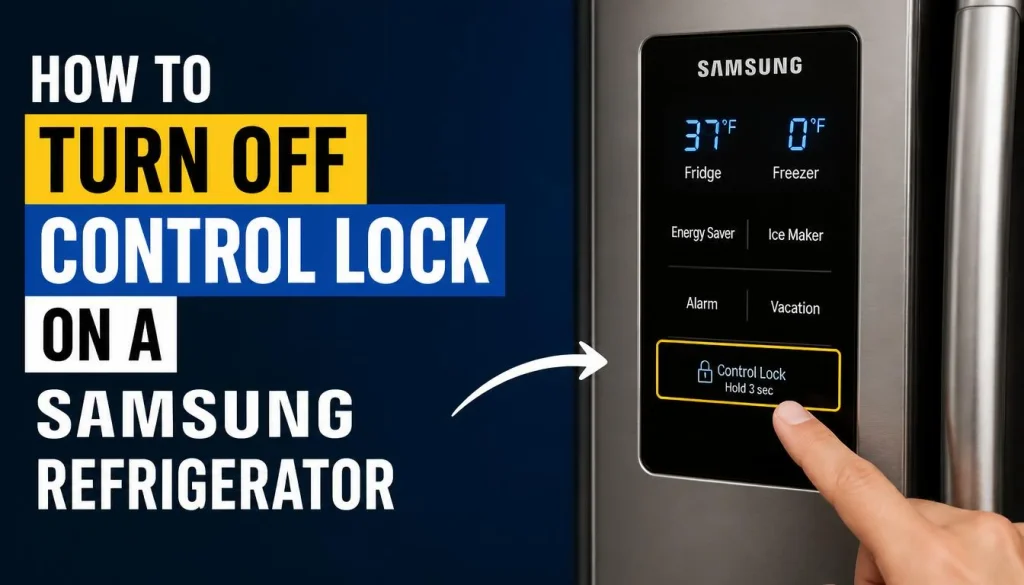
The correct procedure depends on the control panel. Start with the method that matches the buttons on your appliance rather than trying every possible combination.
Method 1: Unlock a Samsung Refrigerator With a Control Lock Button
Some Samsung refrigerators have a dedicated button labeled Control Lock.
Follow these steps if your model has this control:
- Locate the Control Lock button on the refrigerator’s control panel.
- Press and hold the button for approximately three seconds, or for the duration specified in your owner’s manual.
- Listen for a chime or check whether the lock indicator turns off.
- Press a temperature button to confirm that the control panel responds.
If the lock symbol disappears and the temperature controls work again, the panel is unlocked.
One important detail: certain models automatically reactivate the lock after a period without button input. If the control panel locks again after about a minute, check whether your refrigerator uses an automatic locking feature before assuming something is broken.
If your panel does not have a dedicated Control Lock button, move to the next method that matches your refrigerator.
Method 2: Unlock a Samsung Refrigerator With the Door Alarm Button
Some Samsung refrigerators have an automatic control lock on a panel located inside the refrigerator compartment or at the top of a door.
On these models, the Door Alarm button may also control the locking function.
Here is what to do:
- Locate the Door Alarm button on the control panel.
- Press and hold it for about three seconds.
- Wait for the chime that indicates the lock has been released.
- Check whether the control panel now responds normally.
Samsung documents this procedure for compatible automatic-lock models in its official refrigerator control-panel instructions.
Important: Do not assume that holding Door Alarm for three seconds will unlock every Samsung refrigerator. On some models, that button controls a different function, such as the door alarm or temperature display format. If the lock remains active, check the button labels and your model’s manual.
Method 3: Unlock a Samsung Refrigerator With the Ice Maker Off Button
Some Samsung refrigerators use Child Lock, also referred to as Control Lock, to lock both the exterior control panel and the water or ice dispenser.
On compatible models, the Ice Maker Off button is used to release this lock.
Follow these steps:
- Find the Ice Maker Off button on the refrigerator’s exterior control panel.
- Press and hold it for approximately three seconds.
- Listen for a chime.
- Check whether the lock indicator disappears and the controls begin responding again.
This method applies to specific Samsung models, particularly certain refrigerators with an exterior dispenser panel.
If your refrigerator does not have an Ice Maker Off button, do not substitute another button at random. Check the owner’s manual for the correct control.
Method 4: Unlock a Samsung Refrigerator With a Lock/Unlock Button
Some Samsung refrigerator models have a button labeled Lock/Unlock or a similar control.
If your model includes this button, consult the panel markings or owner’s manual to confirm its function and the required hold duration.
For models that specify a three-second hold:
- Locate the Lock/Unlock button.
- Press and hold it for three seconds.
- Watch for the lock indicator to change.
- Test the refrigerator’s controls.
Not every Samsung refrigerator uses this layout. If the button does not release the lock, stop and check the model-specific instructions instead of repeatedly pressing unrelated controls.
How to Find the Correct Unlock Method for Your Samsung Model
If none of these methods works, the next step is to identify your refrigerator’s exact model number.
You can usually find the model code on a label inside the refrigerator compartment or in another location specified in your owner’s manual.
Once you have the model number:
- Visit Samsung Support.
- Search for your refrigerator model.
- Open the matching owner’s manual.
- Look for the Control Lock, Child Lock, Dispenser Lock, or control-panel section.
This is especially useful if you have an older refrigerator, a French-door model, or a refrigerator purchased outside the United States. Button names and functions can differ between models and markets.
How to Turn Off Dispenser Lock on a Samsung Refrigerator
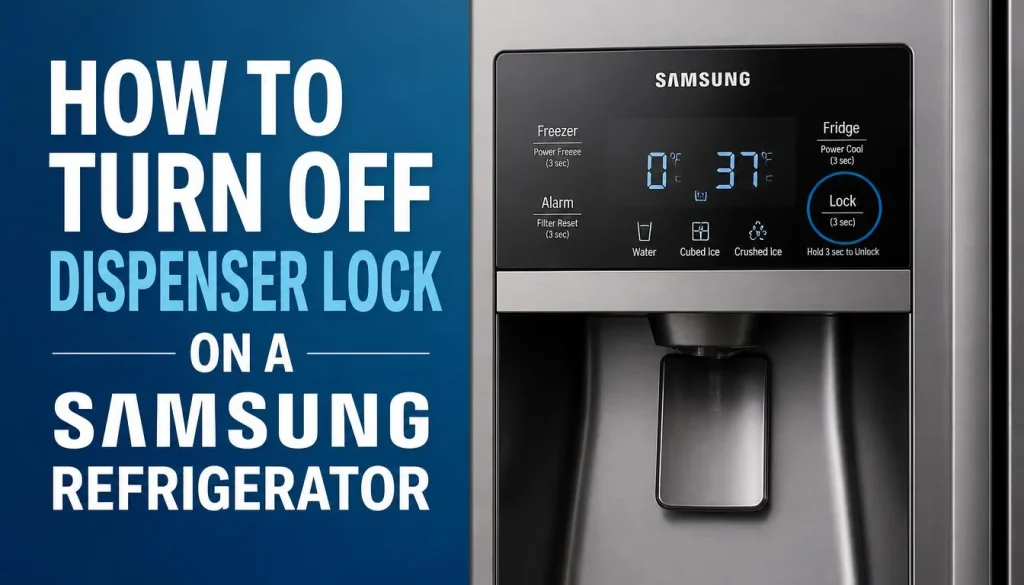
If your refrigerator’s temperature buttons work but you cannot dispense water or ice, the problem may be Dispenser Lock rather than Control Lock.
The correct procedure depends on the dispenser design.
Check for a Physical Dispenser Lock Switch
Some Samsung refrigerators have a physical lock switch near the water and ice dispenser.
If yours has one:
- Inspect the area around the dispenser for a lock switch.
- Check the markings beside the switch.
- Move it to the Unlock position if the instructions for your model specify this procedure.
- Test the water and ice dispenser again.
Samsung describes this type of physical switch in its Canadian refrigerator control-panel guide.
Not every refrigerator has a physical switch, so do not force any part of the dispenser.
Unlock the Dispenser on a Samsung Family Hub Refrigerator
On compatible Family Hub refrigerators, you can manage Dispenser Lock through the touchscreen.
Follow these steps:
- Open Apps on the Family Hub display.
- Select Fridge Manager.
- Open Fridge Settings.
- Find Dispenser Lock and select the lock control to unlock the dispenser.
- Check the displayed status to confirm that the dispenser is unlocked.
Samsung explains that the option may display Unlock when the dispenser is already unlocked. Menu wording can vary depending on the model and software version.
If the dispenser remains inactive after unlocking it, consult your owner’s manual to check for another cause.
Why Is the Lock Icon Blinking on My Samsung Refrigerator?
A blinking lock indicator does not automatically mean your refrigerator has a faulty control panel.
On some models, the lock indicator blinks when you press a button while Control Lock is active. This is a warning that the command cannot be carried out while the panel remains locked.
Other models may use different indicators or display messages.
Here is what to check:
- The lock icon blinks when you press a button: Check whether Control Lock or Child Lock is active.
- You hear a chime but cannot change the temperature: Confirm that you are using the correct unlocking procedure.
- Only the water and ice dispenser is unavailable: Check Dispenser Lock separately.
- The screen is frozen or completely unresponsive: The problem may involve the display or control system rather than the lock alone.
Try the appropriate unlocking method first. If the display remains unresponsive after the lock has been released, follow the troubleshooting steps below.
What to Do if Samsung Refrigerator Control Lock Won’t Turn Off
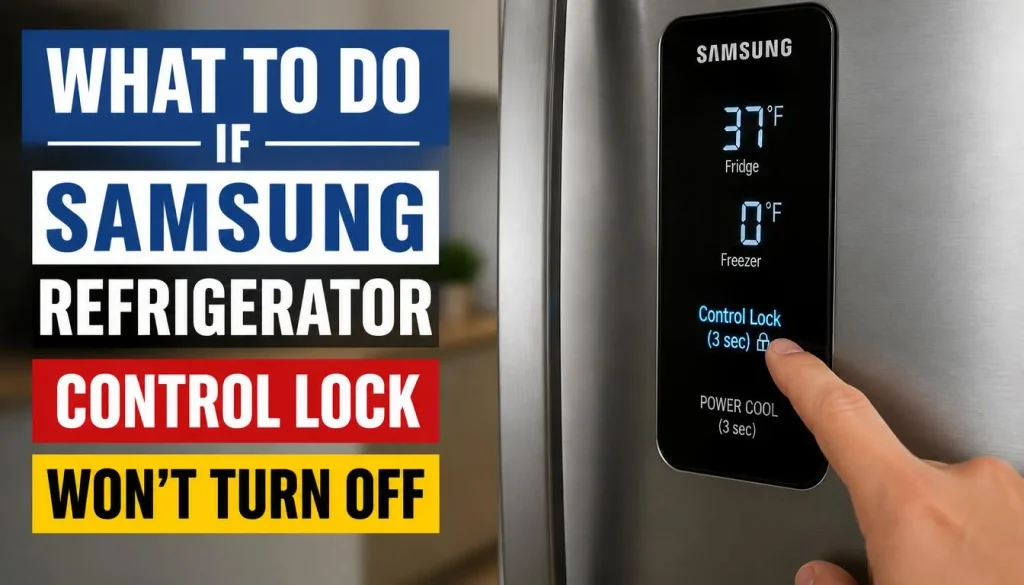
If you have tried the correct button and the lock remains active, work through these checks in order.
1. Make Sure You Are Using the Correct Button
This is the first thing to check.
Samsung uses different locking controls across refrigerator models. A Door Alarm button on one model may release the automatic lock, while another model may require Ice Maker Off or a dedicated Control Lock button.
Check the model number and owner’s manual before trying another combination.
2. Hold the Button for the Required Duration
Some locking functions require you to hold a button for around three seconds. A quick tap may only activate the button’s normal function.
Press and hold the correct button for the duration specified in your model’s manual. Listen for a chime or watch for the indicator to change.
Avoid pressing several buttons at once unless your owner’s manual specifically calls for a combination.
3. Check Whether the Control Panel Is Actually Locked
Look for a lock icon, a Control Lock or Child Lock indicator, or an on-screen message.
If the panel responds to some commands but the dispenser does not work, check Dispenser Lock instead.
If there is no lock indicator and the panel does not respond to any buttons, the issue may be more than a locking setting.
4. Power-Cycle the Refrigerator if the Panel Remains Unresponsive
A power cycle may help if the control panel is frozen after you have ruled out an active lock.
Samsung’s official guide for a refrigerator panel that will not respond recommends checking the lock first, then restarting the appliance if necessary.
For many non–Family Hub models, the recommended process is:
- Disconnect the refrigerator from its electrical supply, or switch off the appropriate circuit breaker.
- Leave the power off for 60 seconds.
- Restore power.
- Allow the refrigerator to restart before testing the controls.
If you cannot safely reach the plug, use the appropriate circuit breaker instead of pulling the appliance out unsafely.
For Family Hub models: Samsung provides a separate display power switch on compatible models, located behind a small panel near the inside top of the upper-right door. Follow the instructions for your particular model rather than assuming a full refrigerator power reset is necessary.
If the panel remains unresponsive after restarting it, the issue may require further diagnosis.
For additional guidance on smart refrigerator screens, see our article on smart refrigerator screens that are not responding.
5. Contact Samsung Support if the Lock Still Will Not Turn Off
If the correct button does not release the lock, a model-specific reset does not help, or the panel repeatedly stops responding, contact Samsung Support or a qualified appliance technician.
Explain which buttons you have tried, what appears on the display, and whether the dispenser or temperature controls work.
This information can help narrow down the problem without unnecessary part replacements.
Why Does Samsung Refrigerator Control Lock Keep Turning On?
Some owners notice that their refrigerator appears to lock itself again shortly after they unlock it.
This can be normal on models with automatic Control Lock.
Samsung explains that certain interior or top-mounted control panels automatically lock after approximately one minute of inactivity to prevent accidental contact.
If your refrigerator follows this pattern, it may not have a fault at all.
However, if the lock activates immediately after you release it, behaves differently from the owner’s manual, or prevents normal operation even while you are using the controls, check the instructions for your specific model.
Do not assume that every Samsung refrigerator allows its automatic lock feature to be disabled permanently.
Control Lock vs. Child Lock vs. Dispenser Lock
These terms can be confusing because Samsung does not use exactly the same locking arrangement across every model.
| Feature | Typical purpose | What to check |
|---|---|---|
| Control Lock | Prevents accidental changes to specified settings | Lock indicator and control-panel buttons |
| Child Lock | Prevents accidental operation by locking selected controls; sometimes called Control Lock | Child Lock or Control Lock indicator |
| Dispenser Lock | Prevents water or ice dispensing | Dispenser lock setting or physical switch |
| Automatic Control Lock | Locks certain control panels after inactivity | Door Alarm control and model-specific manual |
The main point is to identify the function that is actually active. Unlocking the dispenser will not necessarily release the entire control panel, and unlocking the control panel will not always release a separately locked dispenser.
Frequently Asked Questions About Control Lock on Samsung Refrigerator
How do I unlock my Samsung refrigerator without a Lock button?
Check whether your model uses Door Alarm, Ice Maker Off, or another designated control. The correct procedure depends on the refrigerator’s control-panel layout, so consult the model-specific owner’s manual rather than trying random button combinations.
Why are my Samsung refrigerator buttons not working?
An active Control Lock or Child Lock is one possible reason. Check for a lock indicator first. If the panel remains unresponsive after you release the lock, Samsung recommends a model-appropriate power cycle and further troubleshooting if the problem continues.
Why is my Samsung refrigerator water dispenser locked?
The dispenser may have a separate Dispenser Lock or a physical lock switch. Check the dispenser’s controls and your owner’s manual. On supported Family Hub models, Dispenser Lock can be managed through Fridge Manager and Fridge Settings.
Does Control Lock stop a Samsung refrigerator from cooling?
Control Lock normally prevents changes to selected controls rather than turning off the cooling system. The refrigerator can continue operating with its existing settings while the panel is locked. If the refrigerator is not cooling, investigate that as a separate problem.
Can I turn off Control Lock permanently?
That depends on your refrigerator’s design. Some models have a user-controlled lock, while certain automatic control panels relock after a period of inactivity. Check your owner’s manual to determine whether the automatic behavior can be changed.
What should I do if my Samsung refrigerator lock icon keeps blinking?
First, check whether Control Lock or Child Lock is active and follow the correct unlocking procedure. If the icon continues blinking after the lock is released, consult your model’s manual or Samsung Support to determine whether another control-panel issue is present.
Final Thoughts
When Control Lock is on your Samsung refrigerator, the solution is often simpler than it first appears. The key is to identify the locking function and use the correct button or setting for your model.
Start with the dedicated Control Lock button, Door Alarm, or Ice Maker Off control, depending on your panel. If only the water or ice dispenser is affected, check Dispenser Lock separately.
If the lock will not turn off after you follow the model-specific instructions, do not keep experimenting with unrelated button combinations. Check the owner’s manual, try Samsung’s recommended troubleshooting procedure, and contact support if the panel remains unresponsive.
That approach will help you resolve the problem safely without mistaking a normal lock feature for a refrigerator fault.
SEO Meta Title: Control Lock on Samsung Refrigerator: How to Unlock
Meta Description: Is Control Lock on your Samsung refrigerator? Learn how to unlock the panel, fix blinking lock icons, and restore water and ice dispensing.

Hi, I’m the lead researcher and appliance enthusiast behind RefrigeratorSolve. With years of hands-on experience troubleshooting cooling systems and testing home appliances, I am dedicated to bringing you honest reviews, energy-saving tips, and practical solutions to keep your refrigerator running perfectly.