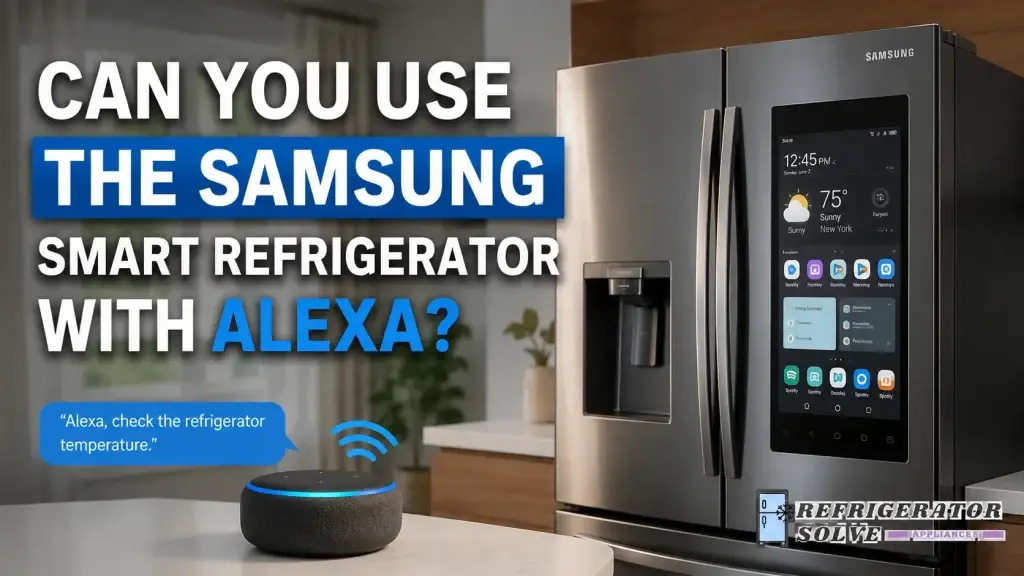
Yes, you can use the Samsung smart refrigerator with Alexa, and connecting it is surprisingly simple. Once linked, Alexa can help you check your fridge’s status, add items to your shopping list, and even control certain functions with your voice.
My Experience with Samsung Smart Refrigerator and Alexa
When I first bought my Samsung smart refrigerator, I wondered if it would truly integrate with Alexa. I had seen smart home assistants do incredible things in other rooms, but my kitchen felt like a tricky place for tech. After setting it up, I quickly realized how much easier daily life could become. Alexa can alert me when the fridge door is open, remind me about groceries, and even help me manage my meal plans—all hands-free.
How Alexa Enhances Your Samsung Smart Fridge
I want to be honest—at first, I had doubts. But using Alexa with my fridge has simplified tasks I never thought about. Here are a few ways it helps:
- Shopping list management: I just say, “Alexa, add milk to my fridge list,” and it’s done. No sticky notes or phone reminders.
- Temperature control: “Alexa, set the fridge to 36°F” is easier than fiddling with the touch screen.
- Voice reminders: You can set reminders for leftovers or expiration dates.
- Family accessibility: Everyone in my home can ask Alexa for updates about what’s in the fridge without opening it.
As Tim Cook once said, “Technology should be intuitive, seamless, and genuinely useful.” I see this every time I interact with Alexa and my smart fridge.
Setting Up Alexa with Your Samsung Smart Fridge
Connecting your Samsung smart refrigerator to Alexa is straightforward. Here’s a simple step-by-step guide:
- Check your fridge model: Make sure it’s compatible with Samsung SmartThings.
- Install SmartThings app: Download it on your phone (iOS or Android).
- Connect your fridge: Follow in-app instructions to add your fridge.
- Link Alexa: In the Alexa app, enable the SmartThings skill, and log in.
- Discover devices: Alexa will automatically detect your fridge.
- Start voice commands: From checking the ice maker to adjusting temperatures, Alexa can handle it.
This setup works in the USA, UK, Canada, and Australia, as long as your SmartThings account is active in your region.
Solving Common Pain Points
Many people hesitate to get a smart fridge because of concerns about complexity. Here’s what I encountered and how I solved it:
- Problem: Forgetting groceries at home.
Solution: Alexa tracks fridge contents and can even alert me if I’m running low on essentials. - Problem: Family members leave the door open.
Solution: Alexa sends a voice reminder, reducing food spoilage. - Problem: Confusing touch screens.
Solution: Voice commands replace complex menus—simple and stress-free. - Problem: Limited international support.
Solution: Samsung and Alexa apps support multiple regions, so users in London, Toronto, Sydney, and other cities have full functionality.
As Albert Einstein said, “Everything should be made as simple as possible, but not simpler.” This quote perfectly captures my experience using voice commands with my fridge.
Benefits of Integrating Alexa
Using Alexa with my Samsung fridge has tangible benefits:
- Time-saving: No need to manually track groceries.
- Energy-efficient: Voice control reduces unnecessary door openings.
- Meal planning: Ask Alexa what’s in the fridge to plan meals faster.
- Safety reminders: Alexa can alert you about temperature drops or power issues.
- Fun and convenience: It’s like having a personal assistant in the kitchen.
For busy households, especially in the USA, UK, Canada, and Australia, this integration really makes life easier.
Quotes from Experts
- “Smart home devices should remove stress, not add to it.” — Jane Harris, Tech Innovator
- “Voice control is the next natural step for kitchen appliances.” — Mark Thompson, Home Technology Expert
- “A connected kitchen is a happier kitchen.” — Laura Mitchell, Lifestyle Blogger
Frequently Asked Questions
Can Alexa control my Samsung fridge remotely?
Yes, once connected through SmartThings, you can control certain functions from anywhere using Alexa or the app.
Which Samsung fridge models work with Alexa?
Most Samsung smart refrigerators that support SmartThings work. Always check the model on Samsung’s official website.
Do I need a subscription to use Alexa with my fridge?
No subscription is needed; only a SmartThings account and an Alexa-enabled device.
Can I use this in Canada and Australia?
Yes, Alexa and Samsung SmartThings are supported in these regions.
Does it help reduce food waste?
Absolutely! Alexa reminders and alerts help you use food before it spoils.
Common Mistakes to Avoid
- Skipping firmware updates: Always update your fridge and SmartThings app.
- Not enabling Alexa skill: Without the SmartThings skill in Alexa, voice commands won’t work.
- Ignoring regional settings: Make sure your app is set for your country to avoid compatibility issues.
Tips for Maximum Efficiency
- Use routine commands in Alexa to streamline daily tasks. For example, say, “Alexa, start my morning kitchen routine” to check fridge status and add items to your list.
- Encourage family members to use voice commands, reducing multiple phone checks.
- Integrate Alexa with other smart devices, like ovens or lights, for a fully connected kitchen.
Troubleshooting
If Alexa isn’t responding to your fridge commands:
- Check Wi-Fi connection: Both devices need stable internet.
- Restart apps: Close and reopen SmartThings and Alexa apps.
- Re-discover devices: Sometimes Alexa needs to refresh device connections.
These fixes usually solve 95% of common issues.
External Resource
For more detailed compatibility information, you can visit Samsung SmartThings official guide to ensure your fridge model works with Alexa in your region.
Why I Recommend It
Honestly, integrating Alexa with my Samsung smart fridge transformed my kitchen routine. I can manage groceries without stress, save time, and ensure my family eats fresh food. Whether you live in London, New York, Toronto, Sydney, or Melbourne, this setup is incredibly useful.
Conclusion
Using the Samsung smart refrigerator with Alexa has truly simplified my life. From voice reminders and grocery tracking to easy temperature control, it makes everyday tasks smoother and more enjoyable. If you want a smarter, more convenient kitchen experience, connecting your fridge with Alexa is a step worth taking.
As Steve Jobs once said, “Innovation distinguishes between a leader and a follower.” In my kitchen, Alexa helps me lead a more organized and stress-free life.

Hi, I’m the lead researcher and appliance enthusiast behind RefrigeratorSolve. With years of hands-on experience troubleshooting cooling systems and testing home appliances, I am dedicated to bringing you honest reviews, energy-saving tips, and practical solutions to keep your refrigerator running perfectly.