Is your GE Monogram refrigerator showing a Control Lock indicator, or has the water and ice dispenser stopped responding? In most cases, you can unlock it by touching and holding the CONTROL LOCK pad. However, the exact procedure depends on your refrigerator’s control panel and model. Here’s how to turn off the lock and what to check if the controls still do not respond.
Quick Answer: How Do You Turn Off Control Lock on a GE Monogram Refrigerator?
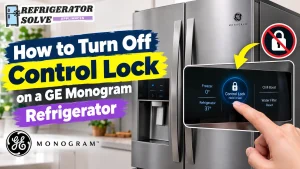
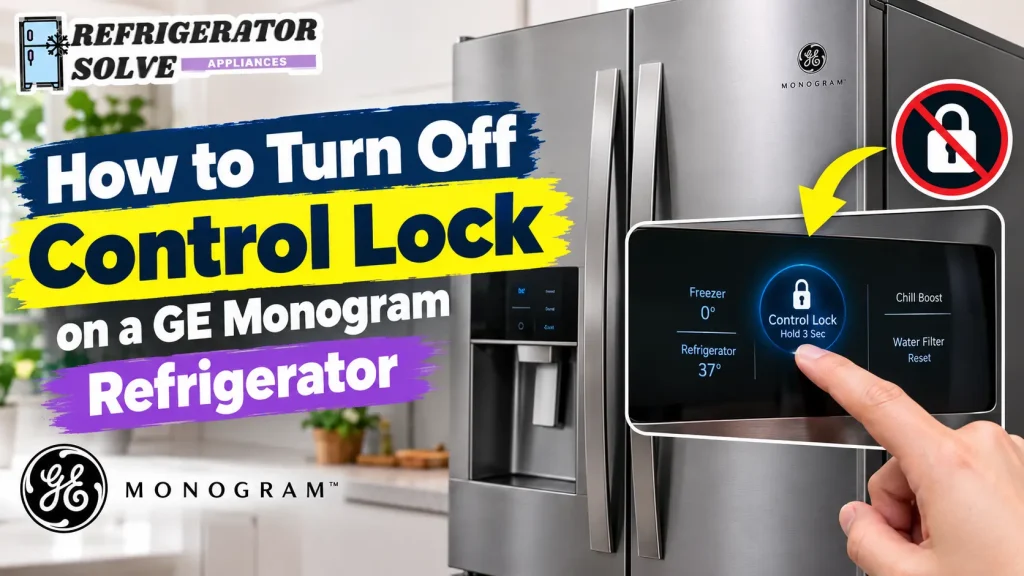
On select GE Monogram side-by-side refrigerators with glass-touch dispenser controls, touch and hold the CONTROL LOCK pad until the halo stops flashing and stays off. Some models specify a three-second hold instead. Once unlocked, test the water and ice dispenser to confirm that it works.
Where Is the Control Lock Button on a GE Monogram Refrigerator?
The Control Lock button is usually located on the refrigerator’s dispenser control panel or, on models with a Climate Control Drawer, on the drawer’s separate control panel.
Its exact location depends on the refrigerator design.
Control Lock on the Glass-Touch Dispenser
Some GE Monogram side-by-side refrigerators have a glass-touch control panel above the water and ice dispenser.
Look for a pad labeled CONTROL LOCK with a small lock symbol. On these models, the control panel may light up when you approach it because it uses a proximity sensor.
When Control Lock is active, the dispenser controls cannot be operated normally.
GE explains this feature in its official guide to Monogram side-by-side glass-touch dispenser controls.
How to Recognize the Control Lock Indicator
Look closely at the dispenser panel for the following signs:
- A light or halo around the CONTROL LOCK symbol.
- A flashing control-lock indicator.
- Water or ice dispenser buttons that do not respond.
- Dispenser functions that remain unavailable even when you press the selection pads.
On select glass-touch models, the halo around the Control Lock pad indicates whether the feature is active.
Control Lock on the Climate Control Drawer
Some GE Monogram built-in refrigerators include a separate Climate Control Drawer in the fresh-food compartment.
This drawer may have its own CONTROL LOCK pad. It prevents accidental changes to settings such as Select Temp, Express Chill, and Express Thaw.
Keep in mind that unlocking the dispenser does not necessarily unlock the Climate Control Drawer. They are separate controls.
How to Turn Off Control Lock on a GE Monogram Refrigerator (Step-by-Step)
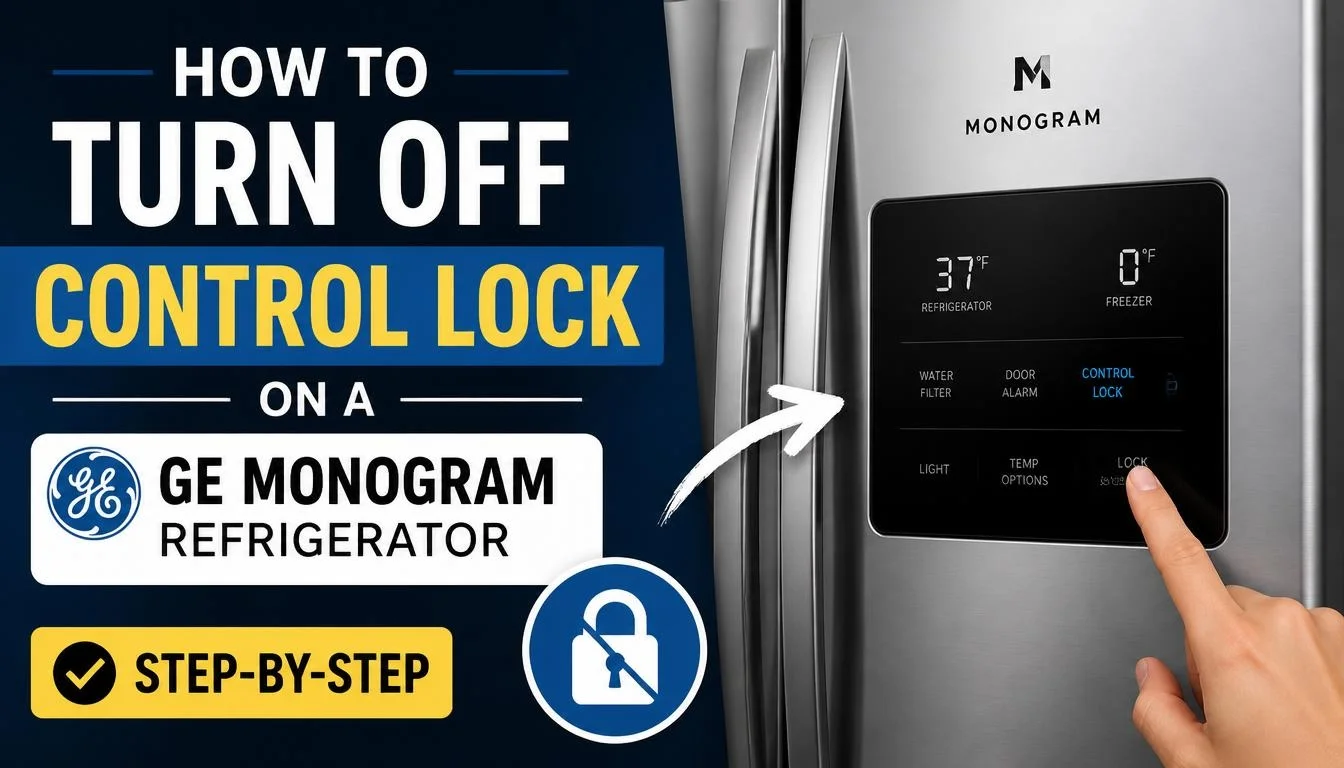
Follow these steps to unlock the dispenser on a compatible GE Monogram model.
Step 1: Wake Up the Dispenser Control Panel
Walk up to the refrigerator and move your hand close to the glass-touch dispenser panel.
On models with a proximity sensor, the control graphics should illuminate as you approach.
If the panel does not light up, check whether the refrigerator has power before assuming that Control Lock is the problem.
Step 2: Find the CONTROL LOCK Pad
Look for the button labeled CONTROL LOCK.
Do not press the Water, Cubed Ice, Crushed Ice, or Dispenser Light pad by mistake.
The Control Lock pad is the one you need to use to restore access to the locked dispenser controls.
Step 3: Touch and Hold the CONTROL LOCK Pad
For select Monogram glass-touch models, touch and hold the CONTROL LOCK pad.
Keep your finger on the pad until the halo stops flashing and remains off.
Some Monogram owner manuals specify a three-second hold to unlock the dispenser. Follow that timing when it is listed in your model’s manual.
Step 4: Wait Until the Halo Turns Off
Release the pad and check the indicator.
On the glass-touch models covered by GE’s support instructions, the halo should stop flashing and remain off when Control Lock is deactivated.
If the indicator stays illuminated, repeat the procedure once, making sure you are touching the correct pad.
Step 5: Test the Water and Ice Dispenser
Place a glass under the dispenser and select Water.
Then press the dispenser cradle gently to check whether water flows.
You can also test the Cubed Ice or Crushed Ice selection.
If the dispenser works normally, the lock has been turned off.
If the controls are unlocked but water or ice still does not dispense, the refrigerator may have a separate water-supply, filter, or ice-maker issue.
A locked dispenser and a faulty dispenser are not the same problem. Confirm that the lock is off before investigating other components.
— Refrigerator Solve Editorial Team
How Long Should You Hold the Control Lock Button on a GE Monogram Refrigerator?
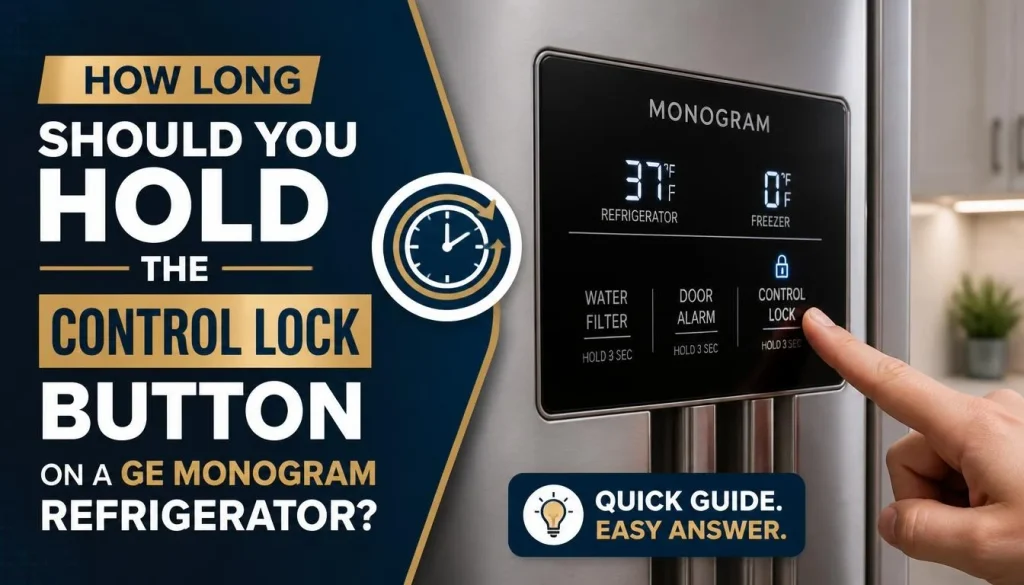
This is an important question because GE Monogram refrigerators do not all use exactly the same control instructions.
The correct timing depends on the control panel and the model’s owner’s manual.
Models That Require a Three-Second Hold
Some Monogram built-in refrigerator manuals specifically instruct owners to touch the CONTROL LOCK pad for three seconds to unlock the dispenser.
For example, GE’s built-in refrigerator owner’s manual describes a three-second hold for the glass-touch dispenser.
The Climate Control Drawer on the same family of refrigerators also uses a three-second hold to lock or unlock its settings.
Glass-Touch Models That Use the Halo Indicator
GE’s current support instructions for select side-by-side glass-touch models describe a slightly different method.
Instead of specifying a fixed number of seconds, GE instructs owners to hold the Control Lock pad until the halo stops flashing and remains off.
This indicator-based method is useful when the exact hold time is not stated in the support instructions for your model.
What About a Five-Second Hold?
Do not assume that every GE Monogram refrigerator requires five seconds.
Online instructions for different refrigerator models may show different timings. Use five seconds only when your specific model’s owner’s manual instructs you to do so.
The safest approach is to identify the model number before trying a different button combination.
You can find model-specific documentation through GE Appliances’ official support page for Monogram refrigerators.
How to Unlock the GE Monogram Climate Control Drawer
If the dispenser is working but the Climate Control Drawer buttons are not responding, check the drawer’s separate Control Lock feature.
The drawer lock is designed to prevent accidental changes to its temperature and operating settings.
Follow these steps on applicable models:
- Open the fresh-food compartment and locate the Climate Control Drawer.
- Find the CONTROL LOCK pad on the drawer’s control panel.
- Press and hold the pad for three seconds.
- Release it and check whether the drawer controls respond.
- Try changing the Select Temp, Express Chill, or Express Thaw setting.
On models covered by the relevant built-in refrigerator owner’s manual, holding the Control Lock pad for another three seconds unlocks the drawer.
GE also explains the drawer’s functions in its official Monogram Climate Control Drawer guide.
If your drawer controls remain unresponsive, check the owner’s manual for your exact model before attempting other button combinations.
GE Monogram Refrigerator Control Lock Won’t Turn Off? Try These Fixes
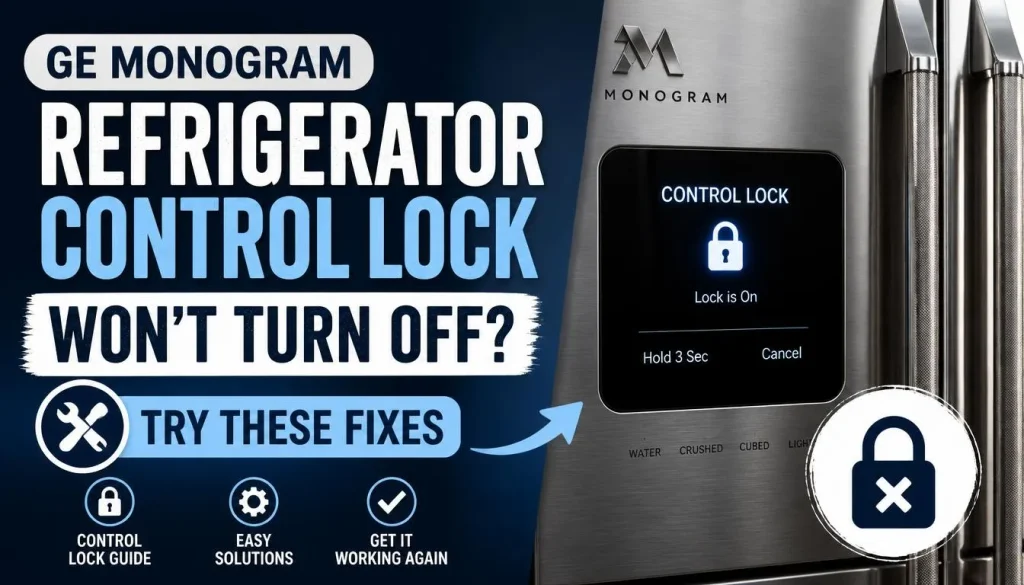
Sometimes the Control Lock indicator remains active even after you try to unlock it. Before assuming that a control board has failed, work through these checks.
1. You Are Using the Wrong Control Lock Button
Some Monogram refrigerators have separate locks for the water and ice dispenser and the Climate Control Drawer.
Pressing the wrong control will not unlock the feature you are trying to use.
Check which part of the refrigerator is locked and locate the matching Control Lock pad.
2. The Glass-Touch Panel Is Not Waking Up
The glass-touch dispenser panel on select models uses a proximity sensor to illuminate the controls as you approach.
Move your hand close to the panel and wait for the graphics to light up.
If the panel remains dark, check the refrigerator’s power supply and display before attempting to unlock it.
3. The Control Lock Halo Remains Illuminated
If the halo around CONTROL LOCK remains lit, the dispenser may still be locked.
Touch and hold the correct pad again, following the instructions for your model.
On GE glass-touch models covered by the official support guide, the halo should stop flashing and remain off after successful deactivation.
4. The Touch Panel Is Not Responding
A dirty, wet, or damaged control surface may interfere with normal operation.
Try the following:
- Wipe the glass-touch surface gently with a soft, clean cloth.
- Make sure your hands are dry before using the controls.
- Check for visible damage around the touch buttons.
- Try the unlocking procedure again after cleaning the surface.
Avoid spraying cleaning liquid directly onto the control panel.
If the panel still does not respond, it may need further diagnosis.
5. The Display Shows SAb Instead of a Normal Lock Indicator
If your GE Monogram refrigerator displays SAb, the appliance may be in Sabbath Mode rather than ordinary Control Lock.
These are two different functions.
Sabbath Mode changes how certain refrigerator controls, displays, alarms, and lights respond. The refrigerator may continue cooling even though the controls do not respond to normal input.
The deactivation procedure depends on the model.
For example, GE specifies holding the Alarm and + pads together for five seconds on its Monogram 30-inch integrated bottom-freezer model covered by the relevant instructions.
Other Monogram refrigerators may use a different procedure or a separately installed Sabbath Mode kit.
Check GE’s Monogram Sabbath Mode instructions or your owner’s manual before pressing a button combination.
6. The Control Lock Remains Active After a Power Interruption
A power interruption can sometimes be followed by unusual control-panel behavior.
First, check whether the display has returned to normal and whether the correct Control Lock procedure works.
Do not repeatedly unplug the refrigerator as your first troubleshooting step. A power reset does not replace the model-specific unlocking procedure.
If the display remains unresponsive, contact GE support for further instructions.
Before considering a repair, identify which control is locked. The dispenser, Climate Control Drawer, and Sabbath Mode can involve different operating instructions.
— Refrigerator Solve Editorial Team
GE Monogram Water or Ice Dispenser Not Working After Unlocking
What if you successfully turn off Control Lock but still cannot get water or ice?
In that situation, stop troubleshooting the lock. Check the dispenser system separately.
Check the Water Supply Valve
Make sure the refrigerator’s water supply valve is fully open.
A closed valve, restricted supply line, or kinked water tube can prevent water from reaching the refrigerator.
If you recently moved or installed the refrigerator, inspect the accessible water line for bends or crushing.
Check the Water Filter
A clogged or incorrectly installed water filter can reduce or stop water flow.
Check the filter’s condition and make sure it is seated correctly.
Some Monogram refrigerator designs also require a compatible filter bypass plug when the filter cartridge is removed.
For additional guidance, see our article on how to replace a refrigerator water filter.
Check for Air Trapped in the Water Line
If your refrigerator was recently installed or the water filter was replaced, air may be trapped in the water system.
Some Monogram built-in refrigerator manuals recommend pressing the dispenser cradle for at least two minutes to remove trapped air after a new installation.
Follow the flushing instructions in your specific manual. The manual for certain built-in models also recommends discarding the first gallon of water.
Check the Ice Maker and Ice Bin
If water works but ice does not, check the ice maker separately.
Make sure:
- The ice maker is switched on.
- The ice bin is properly installed.
- Ice is not jammed in the dispenser chute.
- The water supply is available.
- The freezer is cold enough for normal ice production.
Never put your fingers into the ice crusher opening.
For more troubleshooting steps, read our guide on how to troubleshoot a refrigerator ice maker.
Once the lock indicator turns off, a dispenser that still fails to operate needs a separate diagnosis. Changing random control settings will not fix a blocked water supply or a jammed ice dispenser.
— Refrigerator Solve Editorial Team
How to Find Your GE Monogram Refrigerator Model Number and Owner’s Manual
If the Control Lock will not turn off, finding the model number is one of the most useful steps you can take.
GE Monogram refrigerators have different control panels and operating instructions. The model number helps you locate the correct unlocking procedure.
Try these steps:
- Look inside the fresh-food compartment for the model identification label.
- Check the location identified in your refrigerator’s documentation. On some older side-by-side built-in models, the label is above the freezer compartment behind the grille. On other models, it is inside the fresh-food compartment beneath the Climate Control Drawer.
- Write down the complete model number, including the letters and numbers at the end.
- Visit the GE Appliances support website.
- Search for your model and open its owner’s manual.
For example, GE provides a dedicated owner support page for the Monogram ZISP420DTSS refrigerator, where owners can access model-specific documentation.
This is particularly useful when the dispenser panel has a different layout or the usual unlocking procedure does not work.
When Should You Contact GE Monogram Support?
Most ordinary Control Lock problems can be resolved by following the correct unlocking instructions.
However, you should consider professional assistance when:
- The control panel remains completely unresponsive.
- The CONTROL LOCK indicator will not turn off despite following the owner’s manual.
- The touch panel has visible cracks or physical damage.
- Several control functions have stopped working.
- The refrigerator displays an unfamiliar error code.
- The dispenser and other electronic controls fail even after the lock has been deactivated.
Avoid removing the dispenser panel or opening the refrigerator’s electronic control housing to investigate wiring yourself.
Use GE Appliances service and support to locate the appropriate troubleshooting or service option.
Frequently Asked Questions
How Do I Unlock My GE Monogram Refrigerator Dispenser?
Find the CONTROL LOCK pad on the dispenser panel and touch and hold it. On select glass-touch models, keep holding until the halo stops flashing and remains off. Other models may specify a three-second hold.
How Long Do You Hold Control Lock on a GE Monogram Refrigerator?
It depends on your model. Some Monogram built-in refrigerator manuals specify three seconds, while select glass-touch models use the halo indicator to confirm that the lock has been deactivated. Follow your owner’s manual.
Why Won’t My GE Monogram Control Lock Turn Off?
You may be pressing the wrong pad, using an incorrect unlocking procedure, or dealing with an unresponsive touch panel. First identify the exact control panel and follow the instructions for your model.
What Does the Flashing Halo Light Mean on a GE Monogram Refrigerator?
On select Monogram glass-touch dispenser models, the halo provides feedback when Control Lock is activated or deactivated. To unlock, hold the Control Lock pad until the halo stops flashing and remains off.
Can I Unlock a GE Monogram Refrigerator Without Unplugging It?
Yes. The normal unlocking procedure uses the designated Control Lock pad. You generally do not need to disconnect the refrigerator from power just to deactivate this feature.
Why Is My GE Monogram Water Dispenser Not Working After Unlocking?
The problem may be a closed water supply valve, clogged filter, air trapped in the water line, or another dispenser fault. Check the water supply and filter before considering a component repair.
What Does SAb Mean on a GE Monogram Refrigerator?
SAb usually indicates that Sabbath Mode is active on a compatible model. This feature changes how the refrigerator responds to user input. Its deactivation instructions vary by model, so consult the appropriate owner’s manual.
Does the GE Monogram Climate Control Drawer Have a Separate Lock?
Yes, select Monogram refrigerators have a separate Control Lock for the Climate Control Drawer. On models covered by the built-in refrigerator manual, holding its Control Lock pad for three seconds unlocks the drawer settings.
Final Thoughts
Turning off Control Lock on a GE Monogram refrigerator is usually straightforward once you identify the correct control panel.
On select glass-touch dispenser models, hold the CONTROL LOCK pad until the halo stops flashing and remains off. On other models, follow the hold time specified in the owner’s manual.
Remember that the dispenser and Climate Control Drawer can have separate locks. If the controls unlock but water or ice still does not work, check the water supply, filter, and ice maker separately.
Most importantly, use the instructions for your exact GE Monogram model rather than guessing at button combinations.

Hi, I’m the lead researcher and appliance enthusiast behind RefrigeratorSolve. With years of hands-on experience troubleshooting cooling systems and testing home appliances, I am dedicated to bringing you honest reviews, energy-saving tips, and practical solutions to keep your refrigerator running perfectly.