Is your Samsung ice maker taking forever to make ice? You rely on it to keep your drinks cool, but slow ice production can be frustrating.
You might wonder why it’s happening and how to fix it quickly. You’ll discover simple reasons behind the delay and easy steps you can take to get your ice maker back to speed. Keep reading to bring the chill back to your kitchen without hassle.
Common Causes Of Slow Ice Production
Samsung Refrigerator Ice Maker slow ice production can disrupt daily routines. Understanding the common causes of slow ice production helps solve the problem quickly. The ice maker depends on several factors to work properly. Issues like clogged water filters, low water pressure, freezer temperature problems, or faulty components can reduce ice output. Identifying these causes leads to effective Ice Maker Repair and Ice Maker Troubleshooting.

Clogged Water Filter
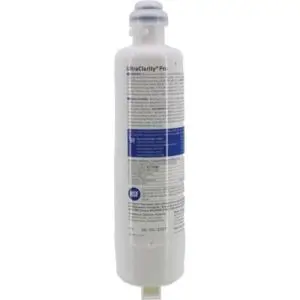
A clogged water filter is a frequent reason for slow ice production. Over time, the water filter collects impurities, reducing water flow to the ice maker motor. This limits ice formation and causes delays. Water Filter Replacement is necessary every 6 months or when recommended by the manufacturer.
Signs of a clogged water filter include:
- Slow ice production
- Weak water flow from the dispenser
- Odd taste or odor in ice
Ignoring a clogged filter can lead to a clogged water line, worsening the problem. Here is a simple maintenance table:
| Maintenance Task | Frequency |
|---|---|
| Water Filter Replacement | Every 6 months |
| Check Water Flow | Monthly |
| Inspect Water Line | Every 3 months |
Regular filter changes keep water clean and prevent low water flow. This simple step often fixes slow ice production causes without complex Ice Maker Repair.
Low Water Pressure
Low water pressure reduces water flow into the ice maker. The ice maker motor needs steady water pressure to fill the ice mold completely. Without enough pressure, ice cubes form slowly or not at all. Low water flow can come from:
- Partially closed water valves
- Leaks in water lines
- Faulty water inlet valve
Check the water valve position first. Ensure it is fully open. Look for water leaks or kinks in the water line. If leaks exist, repair or replace the damaged parts. Testing water pressure requires a pressure gauge. Ideal pressure ranges from 20 to 120 psi.
Low water pressure causes:
- Slow ice production
- Smaller ice cubes
- Ice maker not freezing properly
Fixing water pressure problems often ends the need for extensive Ice Maker Repair. Regular inspection of water flow helps catch issues early and improves ice production speed.
Freezer Temperature Issues
Proper freezer temperature is crucial for ice production. If the freezer is too warm, the ice maker will not freeze water quickly. This causes slow ice production or no ice at all. The recommended freezer temperature settings for Samsung refrigerators are between 0°F (-18°C) and 5°F (-15°C).
Common freezer temperature problems include:
- Incorrect thermostat settings
- Blocked air vents inside the freezer
- Faulty door seals causing warm air leaks
Check the temperature with a freezer thermometer. Adjust settings as needed. Clear any food blocking air vents. Replace door seals if damaged. These steps improve cooling and ice freezing speed.
Remember, Ice Maker Not Freezing often relates to freezer temperature problems. Monitoring and adjusting temperature prevents slow ice production and maintains ice quality.
Faulty Ice Maker Components
Faulty components inside the ice maker can cause slow ice production. Parts like the ice maker motor, water inlet valve, or sensors may wear out over time. Ice Maker Motor Issues are common and require Ice Maker Repair or replacement.
Signs of faulty components include:
- Ice maker stops working completely
- Ice cubes are misshapen or incomplete
- Unusual noises from the ice maker
Common parts to check during Ice Maker Troubleshooting:
| Component | Issue | Solution |
|---|---|---|
| Ice Maker Motor | Does not rotate or runs slow | Replace motor |
| Water Inlet Valve | Fails to open or leaks | Replace valve |
| Temperature Sensor | Inaccurate readings | Replace sensor |
Regular inspections and timely repairs keep the ice maker functioning well. Addressing faulty parts quickly prevents slow ice production and extends the appliance’s life.
Troubleshooting Water Supply Problems
Samsung ice makers sometimes face slow ice production due to water supply problems. These issues stop the ice maker from making ice fast or at all. Proper water flow is essential for the Samsung refrigerator ice maker to work well. Troubleshooting water supply problems can help identify and fix common causes. This guide covers key steps to solve water line connection issues, clogged water filter replacement, and water pressure testing. Following these ice maker troubleshooting tips can improve ice production and avoid costly Samsung ice maker repair.
Checking Water Line Connections
Water line connection issues are a common cause of slow ice production in Samsung ice makers. The water line delivers water from your home supply to the ice maker. If the line is kinked, loose, or damaged, water flow reduces or stops. This leads to ice maker not making ice or producing very little ice.
Steps to check water line connections:
- Unplug the refrigerator for safety before inspection.
- Locate the water line at the back of the fridge.
- Look for any bends, kinks, or cracks in the line.
- Check the connection points where the line attaches to the refrigerator and water valve.
- Tighten any loose fittings carefully using pliers.
- Replace damaged tubing immediately.
Use the table below to identify common signs and solutions for water line connection issues:
| Problem | Cause | Solution |
|---|---|---|
| No water flow | Kinked or pinched water line | Straighten or replace the tubing |
| Water leaks | Loose or damaged connections | Tighten fittings or replace damaged parts |
| Slow ice production | Partial blockage or small leak | Inspect and fix leaks or replace tubing |
Regular refrigerator ice maker maintenance includes checking water line connections to prevent slow ice production causes related to poor water flow.
Replacing The Water Filter
A clogged water filter can slow water flow to the Samsung ice maker. Over time, filters gather dirt and particles. This reduces water pressure and causes slow ice production. Replacing the water filter is an important ice maker troubleshooting tip to maintain good water supply.
Signs that indicate a clogged water filter:
- Ice maker not making ice or making small amounts
- Water has bad taste or odor
- Slow water flow from the dispenser
Steps for clogged water filter replacement:
- Locate the water filter in your Samsung refrigerator. It is often inside the fridge or at the base.
- Turn off the water supply or ice maker.
- Twist the old filter counterclockwise and pull it out carefully.
- Insert a new compatible filter and twist clockwise to secure.
- Flush water through the dispenser for a few minutes to remove air and impurities.
- Reset the water filter indicator if your fridge has one.
Replacing the water filter every six months is a good habit for Samsung refrigerator ice maker maintenance. It helps avoid slow ice production causes related to dirty filters and ensures clean water for ice.
Testing Water Pressure
Proper water pressure is essential for the Samsung ice maker to fill the ice mold quickly. Low water pressure causes slow ice production and can stop ice maker not making ice. Testing water pressure identifies if the home supply delivers enough force.
Normal water pressure for most ice makers ranges between 20 and 120 psi. Below this range, problems occur.
How to test water pressure:
- Turn off the ice maker and water supply valve.
- Disconnect the water line at the valve.
- Attach a water pressure gauge to the valve.
- Turn on the water supply slowly and read the gauge.
- Compare the reading to the recommended pressure range.
Low water pressure can result from:
- Home plumbing issues
- Partially closed water valve
- Clogged pipes or filters
Steps to improve water pressure:
- Open the water valve fully.
- Replace clogged water filters.
- Call a plumber for home plumbing inspection if pressure remains low.
Regular water pressure testing helps avoid water supply problems and reduces the need for Samsung ice maker repair due to slow ice production causes.
Optimizing Freezer Settings
Optimizing freezer settings plays a key role in improving Samsung ice maker slow ice production. The ice maker depends heavily on the freezer’s environment. Incorrect temperature and overloading can reduce ice production efficiency. Adjusting settings helps solve Samsung ice maker issues and boosts overall ice maker performance. Understanding how freezer conditions affect ice making prevents common refrigerator ice maker problems. Proper settings keep the ice maker running smoothly, making ice faster and in better quality.
Adjusting Temperature For Ice Making
Correct freezer temperature settings are essential for optimizing ice maker performance. The ideal freezer temperature usually ranges between 0°F (-18°C) and 5°F (-15°C). Temperatures above this range slow down ice production. Temperatures below may cause the ice maker to freeze up or work inefficiently.
Follow these tips to improve ice production efficiency through temperature control:
- Set freezer temperature to about
0°F (-18°C)for balanced ice making. - Check temperature settings monthly to maintain consistency.
- Avoid frequent changes in temperature settings as it disrupts ice formation.
- Use a freezer thermometer to verify actual temperature.
Here is a quick reference table for freezer temperature settings and their impact on ice making:
| Temperature Setting | Effect on Ice Production |
|---|---|
| Above 5°F (-15°C) | Slow ice production, soft ice cubes |
| 0°F (-18°C) | Optimal ice production and cube hardness |
| Below 0°F (-18°C) | Possible ice maker freeze-up, reduced efficiency |
Adjusting the temperature is a simple ice maker troubleshooting step that solves many slow ice production causes. Setting the right temperature improves ice maker reliability and reduces the need for frequent ice maker repair guide assistance.
Avoiding Overloading The Freezer
Freezer overloading effects directly impact Samsung ice maker issues. Too many items block air circulation, which slows cooling and ice making. Good airflow is necessary for the ice maker to work fast and efficiently. Overloading also stresses the freezer’s compressor, causing inconsistent temperatures.
Use these ice maker maintenance tips to prevent overloading problems:
- Keep freezer shelves organized and avoid stacking items tightly.
- Leave space between items for air to flow freely.
- Do not block freezer vents with food packages or containers.
- Remove old or unused frozen goods regularly.
Here is a simple checklist to help avoid freezer overloading:
- Is the freezer packed tightly? Avoid this.
- Are vents clear and unobstructed? Ensure this.
- Is there enough space for air circulation? Maintain this.
Reducing freezer load improves ice production efficiency and helps fix refrigerator ice maker problems. Keeping the freezer organized supports smooth operation and extends the life of the ice maker. This step is a key part of any ice maker repair guide and essential for ice maker troubleshooting.
Inspecting And Repairing Ice Maker Parts
Slow ice production in Samsung ice makers often signals an underlying issue with key parts. Inspecting and repairing ice maker parts helps identify problems early and restores normal function. Regular checks can prevent bigger issues and reduce repair costs. Focus on common trouble spots like the ice mold, ejector, and control settings. Proper maintenance and timely repairs keep your ice maker running smoothly and reduce Samsung fridge ice maker problems.
Examining The Ice Mold And Ejector
The ice mold and ejector are critical for ice formation and release. Dirt, mineral buildup, or damage can slow ice production. Start by inspecting the ice mold for cracks or residue. Ice mold cleaning improves freezing efficiency and prevents thin or misshaped ice cubes.
- Check the mold surface for scale or deposits.
- Look for cracks or warping that cause leaks.
- Inspect the ejector arm for smooth movement.
- Ensure no ice blocks or jams in the ejector.
Cleaning the mold with warm water and mild detergent helps clear mineral buildup. Avoid harsh chemicals that can damage parts. Test the ejector by gently moving it; it should rotate freely without resistance.
| Part | Common Issue | Repair Tip |
|---|---|---|
| Ice Mold | Scale buildup, cracks | Clean regularly, replace if cracked |
| Ice Ejector | Frozen jams, arm stuck | Free ice jams, lubricate arm |
Regular inspection reduces slow ice production causes linked to the mold and ejector. Keep these parts clean and functional to avoid ice ejector issues and improve ice maker freezing cycle.
Resetting The Ice Maker
A refrigerator ice maker reset often fixes minor glitches causing slow ice production. Resetting clears error codes and restarts the ice maker’s freezing cycle. This step is simple and can resolve many common Samsung ice maker troubleshooting issues.
Follow these steps to reset your ice maker:
- Locate the reset button or switch on the ice maker module.
- Press and hold the reset button for 10 seconds.
- Release the button and wait 5 minutes for the ice maker to restart.
- Check if ice production improves over the next hour.
If your model lacks a reset button, unplug the refrigerator for 5 minutes, then plug it back in. This action forces a system reset.
Resetting helps resolve issues like:
- Ice maker freezing cycle stuck
- Sensor errors affecting ice mold filling
- Temporary ice ejector issues
Remember, resetting is an ice maker repair tip for minor problems. Persistent problems may need deeper inspection or part replacement.
When To Call A Technician
Some Samsung fridge ice maker problems require professional help. Knowing when to replace ice maker parts or call a technician prevents further damage. Call a technician if:
- Ice mold has serious cracks or damage
- Ice ejector is broken or won’t move
- Resetting doesn’t improve ice production
- Ice maker water supply is blocked or leaking
- Electrical or control board issues appear
Technicians can perform advanced Samsung ice maker troubleshooting and fix parts safely. They have tools to test the freezing cycle and water supply system accurately.
Trying DIY fixes on complex issues may void warranties or cause more problems. Use professional service for:
| Issue | Reason for Calling Technician |
|---|---|
| Ice Maker Freezing Cycle Failure | Needs specialized diagnostic tools |
| Water Supply Blockage | Requires plumbing skills and parts |
| Electrical Malfunctions | Safety and technical knowledge needed |
Timely professional help ensures your ice maker works well and lasts longer.
Preventive Maintenance Tips
Slow ice cube production can be frustrating, especially with a Samsung refrigerator ice maker. Many users face this issue due to lack of regular upkeep. Preventive maintenance tips help keep the ice maker running smoothly and reduce repair needs. Following simple steps like cleaning, replacing filters on schedule, and monitoring ice production rates prevents common problems. These tips are part of the Ice Maker Repair Guide and Ice Maker Maintenance Tips that improve performance and extend appliance life.
Regular Cleaning
Regular cleaning plays a vital role in avoiding slow ice production. Dirt, mold, and mineral buildup can block water flow and affect ice quality. A Samsung Appliance Cleaning Schedule ensures all parts stay clean and free from clogs.
Follow these cleaning steps every 3 to 6 months:
- Turn off the ice maker and unplug the refrigerator.
- Remove ice bin and clean it with warm soapy water.
- Wipe the ice mold and surrounding areas using a soft cloth.
- Check and clear the water line to prevent clogs.
- Use a mixture of vinegar and water to remove mineral deposits.
Ignoring cleaning can cause the ice maker not freezing fast and lead to slow ice cube production. Dirt buildup in the ice mold stops freezing at the right speed. In some cases, a clogged water line ice maker causes water to flow slowly or stop, reducing ice output.
| Cleaning Task | Frequency | Purpose |
|---|---|---|
| Ice bin washing | Monthly | Prevent bacteria and odors |
| Ice mold wiping | Every 3 months | Remove mineral and dirt buildup |
| Water line check | Every 6 months | Prevent clogs and water flow issues |
Replacing Filters On Schedule
Replacing water filters on schedule is crucial in the Ice Production Troubleshooting process. Old or clogged filters reduce water flow and affect ice quality. The Water Filter Replacement Samsung guidelines suggest changing filters every 6 months or sooner if water tastes odd or ice slows down.
Benefits of timely filter replacement include:
- Clean water supply to the ice maker.
- Improved ice taste and clarity.
- Prevention of slow ice production caused by poor water flow.
- Protection of internal components from mineral damage.
Ignoring filter replacement can cause the ice maker to produce smaller or cloudy ice cubes. This also increases the chance of the ice maker not freezing fast enough. Use genuine Samsung water filters and follow the Samsung Appliance Cleaning Schedule for best results.
| Filter Type | Replacement Interval | Signs to Replace |
|---|---|---|
| Standard water filter | 6 months | Low water flow, off taste |
| High-capacity filter | 12 months | Same as above but longer lifespan |
Monitoring Ice Production Rates
Monitoring ice production rates helps catch problems early. Slow ice cube production signals issues like freezer temperature settings or clogged water lines. Track ice output weekly to notice changes.
Steps to monitor ice production:
- Check ice bin level daily during heavy use.
- Note any delays in ice making cycles.
- Compare ice quality and quantity over time.
- Record freezer temperature settings to ensure optimal freezing.
Optimal freezer temperature settings range between 0°F (-18°C) and 5°F (-15°C). Too warm slows freezing; too cold may freeze water lines.
Use this simple log table to track ice production:
| Date | Ice Bin Level | Cycle Time (minutes) | Freezer Temp (°F) | Notes |
|---|---|---|---|---|
| 2024-06-01 | Full | 45 | 0 | Normal operation |
| 2024-06-08 | Half | 60 | 5 | Slow ice production |
Detecting slow ice cube production early avoids bigger repairs. Use Ice Maker Maintenance Tips and Ice Production Troubleshooting steps to maintain efficient Samsung refrigerator ice maker performance.

Credit: atechappliance.com
Frequently Asked Questions
Why Is My Samsung Ice Maker Slow To Produce Ice?
Slow ice production often results from low freezer temperature or a clogged water filter. Check the temperature settings and replace the water filter if necessary to improve ice output.
How Does Freezer Temperature Affect Ice Maker Speed?
A warmer freezer slows ice formation. The ideal freezer temperature is between 0°F and 5°F (-18°C to -15°C) for optimal ice production speed.
Can A Dirty Water Filter Cause Slow Ice Making?
Yes, a clogged water filter restricts water flow, reducing ice production. Replace the filter every six months or as recommended by Samsung.
Does Frequent Door Opening Impact Ice Maker Efficiency?
Opening the freezer door often raises the internal temperature, slowing ice production. Minimize door openings to maintain consistent cold temperatures.
Conclusion
Slow ice production in Samsung ice makers can frustrate anyone. Clean the filter and check the water supply regularly. Keep the freezer temperature at the right level. Avoid opening the door often to save cold air. Small fixes often solve the problem quickly.
Watch for ice buildup inside the machine. Regular care helps your ice maker work well. Follow simple steps to enjoy ice anytime. Don’t ignore early signs of trouble. A well-maintained ice maker lasts longer and works better.