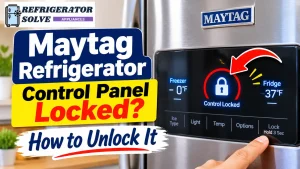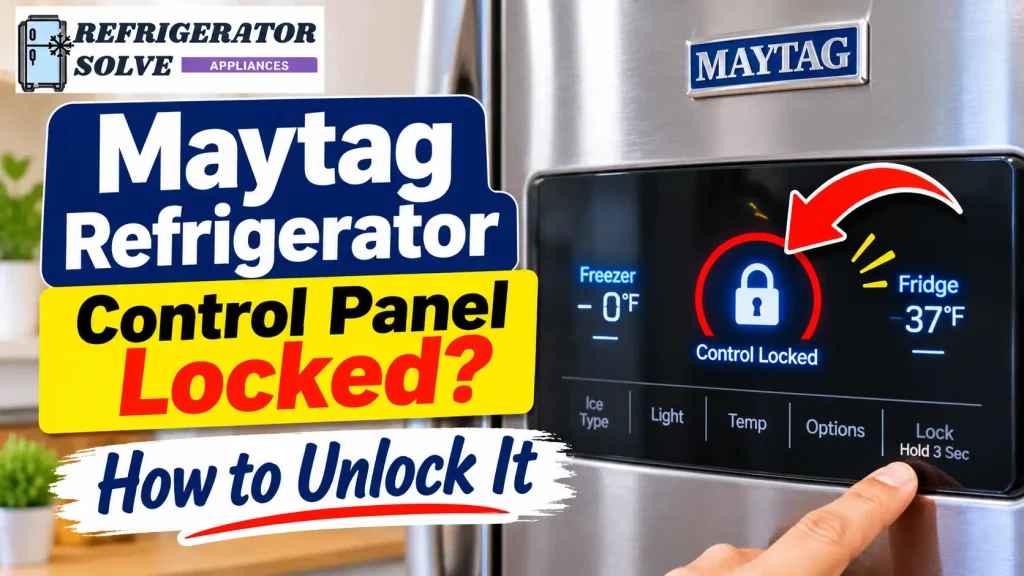
Is your Maytag refrigerator control panel locked, and are the buttons no longer responding? In many cases, you can unlock it by pressing and holding the correct Lock button for three seconds. However, the exact procedure depends on your refrigerator’s model and whether the lock controls the main panel or only the ice and water dispenser.
Before trying random button combinations or unplugging the refrigerator, identify which type of lock is active. This will help you avoid changing other settings or turning off the cooling system by mistake.
Quick Answer: How Do You Unlock a Maytag Refrigerator Control Panel?
To unlock a Maytag refrigerator, locate the Lock or TO LOCK button and press and hold it for about three seconds. On some models, the dispenser lock uses a different button, such as Fast Cool. Check that the lock indicator turns off, then test the controls. Always follow the instructions for your exact model.
What Does Control Lock Mean on a Maytag Refrigerator?
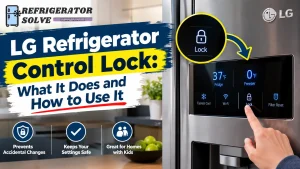
Control Lock is a safety feature that prevents accidental changes to refrigerator settings. It is useful when cleaning the control panel or when children might press the buttons.
When the feature is active, the refrigerator may ignore button presses, display a lock symbol, or show a message such as “CONTROL LOCKED.”
However, Maytag refrigerators do not all use the same type of lock. Some models have a separate Control Panel Lock for the main temperature controls, while others have a Dispenser Lock that disables the water and ice dispenser buttons.
This difference matters because unlocking the dispenser may not unlock the refrigerator’s internal control panel.
According to Maytag’s official Control Lock instructions, the dispenser lock prevents dispensing but does not switch off power to the refrigerator or ice maker.
How to Unlock a Maytag Refrigerator Control Panel
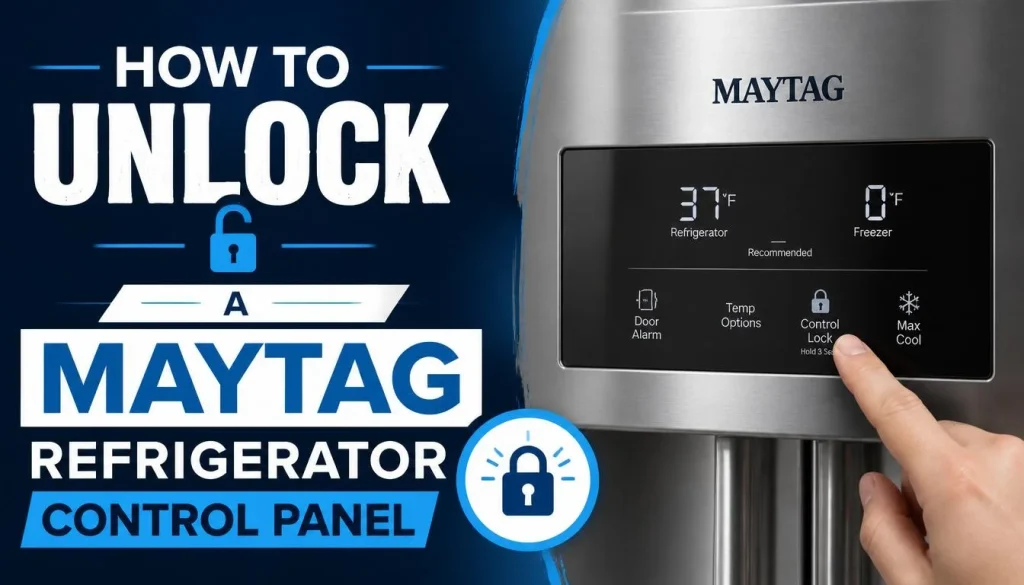
Start by looking at your control panel. Is it located inside the refrigerator compartment, usually near the top, or outside above the water and ice dispenser?
The location helps you identify which instructions may apply.
1. Unlock a Maytag Refrigerator With an Internal Control Panel
Some Maytag French door and bottom-freezer refrigerators have an internal control panel with a dedicated Lock button.
For models that use this arrangement:
- Open the refrigerator door and locate the internal control panel.
- Find the button labeled Lock.
- Press and hold it for approximately three seconds.
- Watch for the Lock icon to illuminate or turn off, depending on whether you are activating or deactivating the feature.
- To unlock an already locked panel, press and hold the same Lock button again for three seconds.
- Check whether the temperature and other control buttons respond normally.
Maytag’s instructions for applicable models confirm that the Lock button controls the panel and that holding it again for three seconds unlocks the controls.
One important point: not every Maytag refrigerator has this exact panel layout. Check your model’s manual before following these steps if the buttons look different.
2. Unlock a Maytag Refrigerator With an External Control Panel
Maytag side-by-side and French door refrigerators may have a control panel above the external water dispenser.
On some models, the button is labeled TO LOCK or Lock.
Try these steps:
- Locate the Lock or TO LOCK button on the dispenser panel.
- Press and hold it for three seconds.
- Release the button and check the display.
- If the dispenser is locked, press and hold the same button again for three seconds.
- Confirm that the lock indicator has disappeared.
Maytag explains that the dispenser lock can display a “CONTROL LOCKED” message when someone tries to change settings or dispense ice and water while the feature is active.
A model-specific example: In one Maytag French Door Bottom Mount Quick Start Guide, the external dispenser lock is operated using the Fast Cool button. Holding Fast Cool for three seconds locks the dispenser, and holding it again for three seconds unlocks it.
Do not assume Fast Cool is the correct button on every Maytag refrigerator. Use the button identified in your own model’s instructions.
3. Wake Up the Display Before Trying to Unlock It
Sometimes, the control panel is not locked at all. The display may simply be asleep.
Some Maytag external dispenser panels enter sleep mode after approximately two minutes without button or dispenser activity. When this happens, the first button press only wakes up the display. It does not change a setting.
Try this:
- Touch any control button once to wake the display.
- Wait for the screen to become active.
- Locate the Lock button.
- Press and hold the correct button for three seconds, if your model uses that procedure.
- Check the lock indicator again.
This small step can save you from repeatedly pressing buttons when the display is only in sleep mode.
Maytag Refrigerator Control Lock Won’t Unlock? Try These Fixes
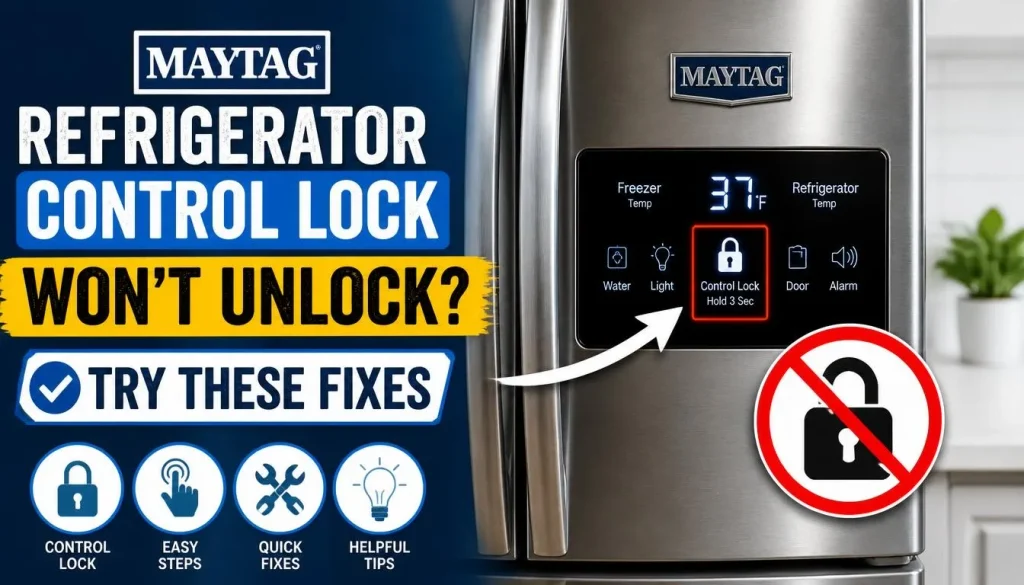
If your Maytag refrigerator control lock won’t turn off, do not immediately assume the control board has failed. Several simpler issues can prevent the panel from responding.
Work through these checks one at a time.
1. Make Sure You Are Using the Correct Lock Button
Maytag uses different control layouts across refrigerator models.
For example, one model may have a dedicated Lock button, while another may use a TO LOCK touchpad or a button combination.
If you hold the wrong button, the refrigerator may not respond as expected. You could also activate another feature accidentally.
Find your model number and check the correct instructions before trying another combination.
2. Check Whether the Dispenser Lock Is Active
If your refrigerator cools normally but the water and ice dispenser do not work, the problem may be the dispenser lock rather than the main control panel.
Look for a lock symbol near the dispenser controls.
When the dispenser lock is active, it disables the dispenser controls and pad. It does not normally turn off the refrigerator’s cooling system or the ice maker itself.
Try unlocking the dispenser using the button specified in your model’s manual.
You can also read Maytag’s official guide on troubleshooting a refrigerator that will not dispense ice or water.
3. Clean and Dry the Control Panel
Moisture, grease, food residue, or dirt around touch-sensitive controls can interfere with button response.
This is especially worth checking if the refrigerator was recently cleaned or someone touched the panel with wet hands.
Try the following:
- Use a soft, dry microfiber cloth to wipe the control area.
- Remove visible moisture and residue.
- Avoid spraying cleaner directly onto the display.
- Follow the cleaning instructions in your refrigerator’s manual.
- Allow the panel to dry before testing it again.
Now try the correct unlocking procedure once more.
If only part of a touchscreen responds, the problem may involve the display itself rather than the lock feature. Our guide to smart fridge touch screen problems explains other causes of an unresponsive refrigerator touchscreen.
4. Check for a Power Outage Message
Did your home recently lose electricity?
Some Maytag refrigerators have a Power Outage indicator. On supported models, the display may flash “PO” and show a red Power Outage icon after power returns.
When this indicator is active, other control and dispenser functions may remain disabled until you acknowledge the outage.
Check the display for the message and follow the instructions in your Owner’s Manual to clear it.
Do not keep trying to unlock the panel if the refrigerator is waiting for you to acknowledge a power interruption.
5. Check Whether Showroom or Demo Mode Is Active
Showroom Mode, also called Demo Mode on some models, is designed for refrigerators displayed in stores.
When this mode is active, the lights and display may work even though the refrigerator is not cooling normally. The control panel may also ignore many commands.
Look for messages such as:
- Showroom
- Demo
- Shwrm
If one of these appears, consult the model-specific instructions for exiting the mode.
Do not try random button combinations. Maytag uses different procedures across refrigerator types.
You can also check Maytag’s official guide to Demo Mode.
6. Check Whether Sabbath Mode Is Active
Some Maytag refrigerators include Sabbath Mode.
This feature is designed for households whose religious observances require certain lights, sounds, and dispenser functions to be disabled.
Depending on the model, Sabbath Mode may:
- Turn off interior lights.
- Disable ice and water dispensing.
- Turn off display lighting.
- Disable sounds and alarms.
- Keep the temperature settings unchanged.
If the refrigerator appears unresponsive but the cooling system is still operating, check whether Sabbath Mode is active.
The method for turning it off depends on the model. Look for the Sabbath button or consult your Owner’s Manual rather than testing unrelated button combinations.
7. Try a Power Reset if the Control Panel Still Does Not Respond
If the correct unlock procedure does not work and the control panel remains unresponsive, a power reset may help clear a temporary electronic issue.
However, Maytag’s reset instructions differ by refrigerator type.
For some French Door Bottom Mount refrigerators, Maytag recommends disconnecting power for one minute. Its Side-by-Side refrigerator guidance may specify a longer interval.
Follow the instructions for your exact refrigerator:
- Check the model-specific Maytag troubleshooting guide.
- Turn off the refrigerator’s circuit breaker or unplug the appliance, as instructed.
- Keep the power disconnected for the specified period.
- Restore power.
- Confirm that the cooling function is turned on.
- Test the control panel again.
Do not open the control panel or attempt to repair internal wiring yourself.
If the display remains locked after the recommended reset, further diagnosis may be necessary.
Control Lock vs. Dispenser Lock vs. Cooling Off
These features can look similar because they affect refrigerator controls, but they do different jobs.
| Feature | What It Does | Does It Stop Cooling? |
|---|---|---|
| Control Panel Lock | Deactivates the main control buttons on supported models | No |
| Dispenser Lock | Disables the external water and ice dispenser controls | No |
| Cooling Off | Turns off the refrigerator and freezer cooling function | Yes |
What If Your Maytag Display Says “Cooling Off”?
If the display shows “Cooling Off,” the refrigerator is not simply locked.
This message means the cooling function has been switched off. The refrigerator and freezer will not cool while this setting remains active.
Some Maytag French Door Bottom Mount models use different button combinations depending on the control panel location:
- Internal control panel: The documented guide uses Speed Cool and Moisture Control together.
- External control panel: The documented guide uses Freezer Temp and Fridge Temp together.
For those specific models, holding the relevant pair of buttons for three seconds toggles the cooling function.
These combinations are not universal. Check your Owner’s Manual before using them.
If the refrigerator has been in Cooling Off mode, restore cooling and verify that the compartments begin returning to their normal temperatures.
Why Does My Maytag Refrigerator Keep Showing Control Locked?
If the control panel unlocks but becomes locked again, consider these possibilities:
Accidental button presses: A family member may have activated the lock while cleaning the panel or changing settings.
Dispenser lock confusion: You may be checking the main control panel when the dispenser controls are the only feature locked.
Model-specific settings: Some refrigerators have separate locks or control combinations for different functions.
Unresponsive controls: If the lock button works inconsistently, the touchpad or control interface may need further inspection.
A different operating mode: Power Outage, Showroom, or Sabbath Mode can make the controls appear unavailable even when Control Lock is not the problem.
Pay attention to exactly what appears on the display. A lock icon, “CONTROL LOCKED,” “PO,” and “Cooling Off” do not mean the same thing.
How to Find the Correct Unlock Instructions for Your Maytag Model
The most reliable way to avoid incorrect instructions is to use your refrigerator’s model number.
You can usually find the model number in one of these locations:
- On the upper-left side of the refrigerator’s fresh-food compartment.
- Near the top front of the fresh-food compartment.
- On the food liner near the upper area of the crisper pan.
Once you have the model number:
- Visit the Maytag Manuals and Literature page.
- Enter the complete model number.
- Open the Owner’s Manual or Quick Start Guide.
- Search for terms such as “Control Panel Lock,” “Dispenser Lock,” or “Using the Controls.”
- Follow the instructions for your exact control-panel layout.
You can also visit the Maytag Owner’s Center for model-specific support and troubleshooting information. Canadian owners can use the Maytag Canada Owner’s Center.
When Should You Contact a Maytag Technician?
A locked refrigerator panel does not automatically mean you need a repair. However, professional help may be necessary when:
- The Lock button does not respond after following the correct model-specific instructions.
- The display stays frozen or completely blank.
- Several control buttons stop responding.
- The lock indicator keeps flashing or remains on after a proper reset.
- The refrigerator stops cooling unexpectedly.
- The same control problem returns repeatedly.
A technician can check the user interface, control board, wiring connections, and other electronic components.
Before requesting service, note your refrigerator’s model number, any message on the display, and what happened before the controls stopped working. This information can help narrow down the issue.
Frequently Asked Questions
1. How Do I Unlock My Maytag Refrigerator Control Panel?
Find the Lock button on the internal or external control panel. If your model uses a three-second hold, press and hold the button for three seconds. Check that the lock indicator turns off. Some models use a different button or combination, so verify the instructions in your Owner’s Manual.
2. Why Won’t My Maytag Refrigerator Control Lock Turn Off?
The wrong button may be selected, the display may be asleep, or the controls may be affected by another mode. Moisture, a power interruption, or a control-interface problem can also prevent normal operation.
3. What Does “CONTROL LOCKED” Mean on a Maytag Refrigerator?
It usually means a lock feature is preventing the relevant controls from operating. On some Maytag models, this message appears when someone tries to use the water or ice dispenser while the dispenser lock is active.
4. Why Are My Maytag Refrigerator Buttons Not Working?
First, check whether the Control Lock is active. Then check for a sleeping display, moisture on the panel, a Power Outage message, Showroom Mode, or Sabbath Mode. If none of these explains the problem, follow Maytag’s model-specific control-panel reset instructions.
5. How Do I Unlock the Ice and Water Dispenser on a Maytag Refrigerator?
Look for the Lock, TO LOCK, or model-specific dispenser-lock button. On supported models, holding the button for three seconds locks the dispenser, and holding it again for three seconds unlocks it. The exact button can vary by model.
6. Does Control Lock Turn Off a Maytag Refrigerator?
No. Control Lock is designed to deactivate certain controls and prevent accidental changes. It does not normally switch off the refrigerator’s cooling system. Cooling Off is a separate feature.
7. Can I Reset My Maytag Refrigerator if the Control Panel Is Locked?
A power reset may help if the panel is frozen or unresponsive. However, use the reset procedure specified for your refrigerator model. The recommended power-disconnection time can vary between French Door and Side-by-Side models.
Related Refrigerator Control Lock Guides
Troubleshooting steps vary by brand. If you are helping someone with a different refrigerator, these guides may be useful:
- How to Remove Control Lock on Samsung Refrigerator
- GE Refrigerator Control Locked? How to Unlock It
- Control Lock on Frigidaire Refrigerator: How to Unlock It
- Electrolux Refrigerator Control Lock: How to Unlock It
Final Thoughts
A Maytag refrigerator control panel that appears locked is often dealing with a simple setting rather than a serious mechanical problem. Start by identifying whether the main control panel or only the water and ice dispenser is locked. Then use the correct three-second button procedure for your model.
If the panel remains unresponsive, check the display for other operating modes and follow Maytag’s official troubleshooting instructions. Most importantly, use the correct Owner’s Manual before resetting the refrigerator or changing unfamiliar settings.

Hi, I’m the lead researcher and appliance enthusiast behind RefrigeratorSolve. With years of hands-on experience troubleshooting cooling systems and testing home appliances, I am dedicated to bringing you honest reviews, energy-saving tips, and practical solutions to keep your refrigerator running perfectly.