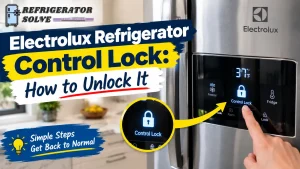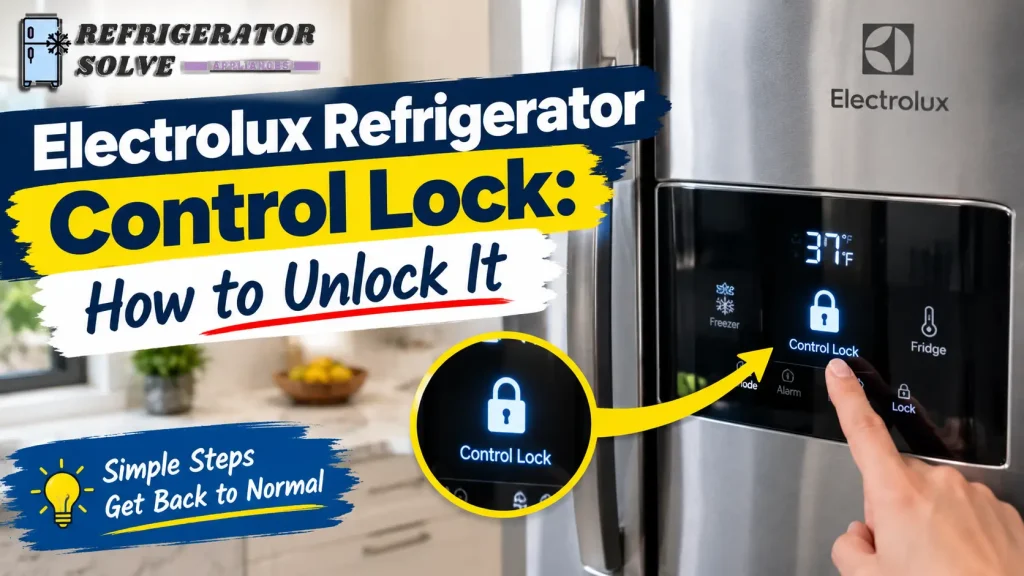
Is your Electrolux refrigerator showing a lock symbol, beeping when you press the buttons, or refusing to let you change the temperature? The control lock may be enabled. On many Electrolux models, you can unlock the panel by pressing and holding the Lock button for about three seconds, but the exact method depends on your refrigerator model.
Before trying a reset or changing any settings, identify the control panel you have. The steps below will help you unlock the panel, understand why it may not respond, and decide what to check if the usual method does not work.
Quick Answer: How to Unlock an Electrolux Refrigerator Control Lock
To unlock an Electrolux refrigerator control panel:
- Look for a Lock button, Display Lock button, or padlock symbol on the control panel.
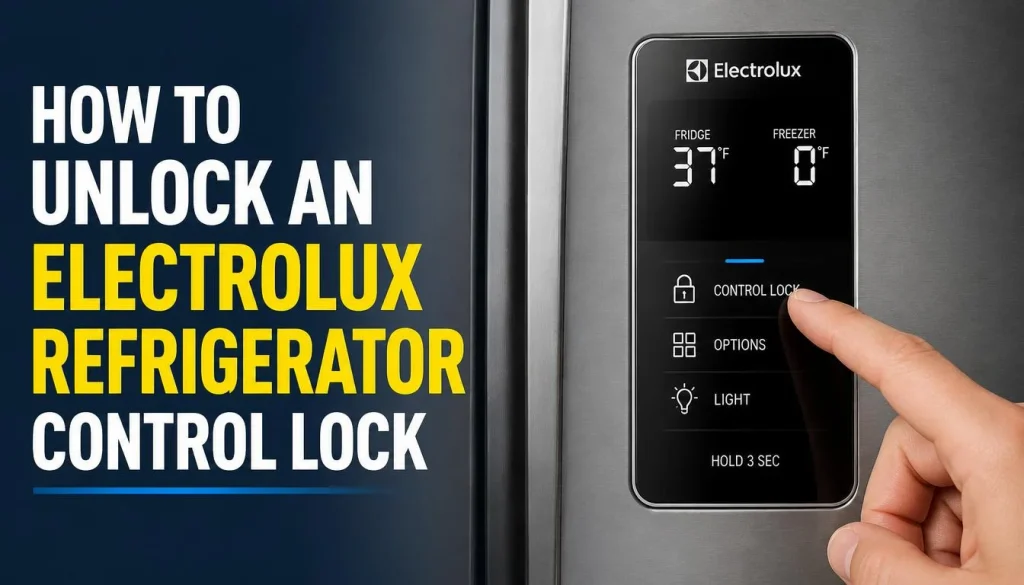
- If your model uses a dedicated Lock button, press and hold it for about three seconds.
- Check whether the lock indicator disappears.
- Try adjusting the refrigerator or freezer temperature to confirm that the controls work again.
- If the panel remains locked, check the owner’s manual for your exact model. Some models use a different button combination.
When the control lock is active, certain Electrolux refrigerators prevent changes to settings and disable ice and water dispensing. If the display shows an unusual code such as “Sb,” investigate Sabbath Mode rather than assuming the regular control lock is responsible.
What Does Control Lock Mean on an Electrolux Refrigerator?
Control Lock is a feature that helps prevent accidental changes to refrigerator settings. It is particularly useful in busy kitchens where someone might touch the control panel while cleaning or accidentally press buttons while using the dispenser.
Depending on the model, the feature may be called Control Lock, Display Lock, or have a similar name.
When the feature is enabled, you may notice one or more of these symptoms:
- A padlock icon appears on the display.
- The lock indicator flashes when you touch the panel.
- The refrigerator beeps but does not accept your input.
- You cannot change the temperature settings.
- The water or ice dispenser stops responding.
These symptoms do not automatically mean that the control panel is defective. They may simply indicate that the lock is doing its job.
For example, some Electrolux models produce an audible warning when someone tries to change settings while the controls are locked. Dispenser operation may also be disabled until the lock is turned off.
The important thing is to distinguish an activated lock from a genuine control-panel problem.
How to Unlock an Electrolux Refrigerator Control Lock
Follow these steps in order. You do not need to remove the refrigerator’s panels or buy replacement parts just to check whether the control lock is enabled.
Step 1: Check the Control Panel
Look at the refrigerator’s external display or internal control panel, depending on your model.
Search for a button marked:
- Lock
- Control Lock
- Display Lock
- A padlock symbol
Also check whether a lock indicator is illuminated or flashing.
If the display is completely blank, do not assume the control lock is responsible. The refrigerator may be in a display mode, have a power issue, or have another control-related problem.
Step 2: Press and Hold the Lock Button
If your Electrolux refrigerator has a dedicated Lock button, press and hold it for approximately three seconds.
Do not tap the button repeatedly or press it with excessive force. Many touch panels respond to a light touch or a sustained press.
Watch the display while holding the button. On applicable models, the lock indicator should disappear when the control lock is deactivated.
If nothing happens, move to the next step rather than repeating the same action indefinitely.
Step 3: Check Whether Your Model Uses a Different Button Combination
Not every Electrolux refrigerator has a separate Lock button.
Some models use a combination of temperature or function buttons to activate and deactivate particular modes. The exact buttons and timing can vary with the control-panel design.
Open your owner’s manual and look for instructions under terms such as “Control Lock,” “Display Lock,” “Lock/Unlock,” or “Controls and Settings.”
You can find manuals through the official Electrolux user manuals page. Enter the model code or Product Number (PNC) to locate the appropriate documentation.
Avoid trying random combinations. You could activate a different setting instead of unlocking the panel.
Step 4: Test the Refrigerator Controls
Once the lock indicator disappears, test the controls.
Try changing the refrigerator temperature or freezer temperature using the buttons provided on your model. Return the setting to the recommended value if you change it during testing.
If your refrigerator has a dispenser, check whether water or ice dispensing has resumed.
If the buttons work normally, the issue was probably the control lock. If the display remains unresponsive or the dispenser still does not work, continue with the troubleshooting steps below.
How to Turn On the Electrolux Refrigerator Control Lock
You may also want to activate the control lock after cleaning the panel or to prevent accidental button presses.
On models with a dedicated Lock or Display Lock button, pressing and holding it for about three seconds may activate the feature. A lock icon or indicator typically confirms that the controls are locked.
However, activation instructions are not identical across all Electrolux models. Some panels use different controls or button combinations.
To avoid locking yourself out of the controls unexpectedly, check the owner’s manual before using an unfamiliar combination. Make sure you know how to deactivate the lock again.
Electrolux Refrigerator Control Lock Not Working? Try These Fixes
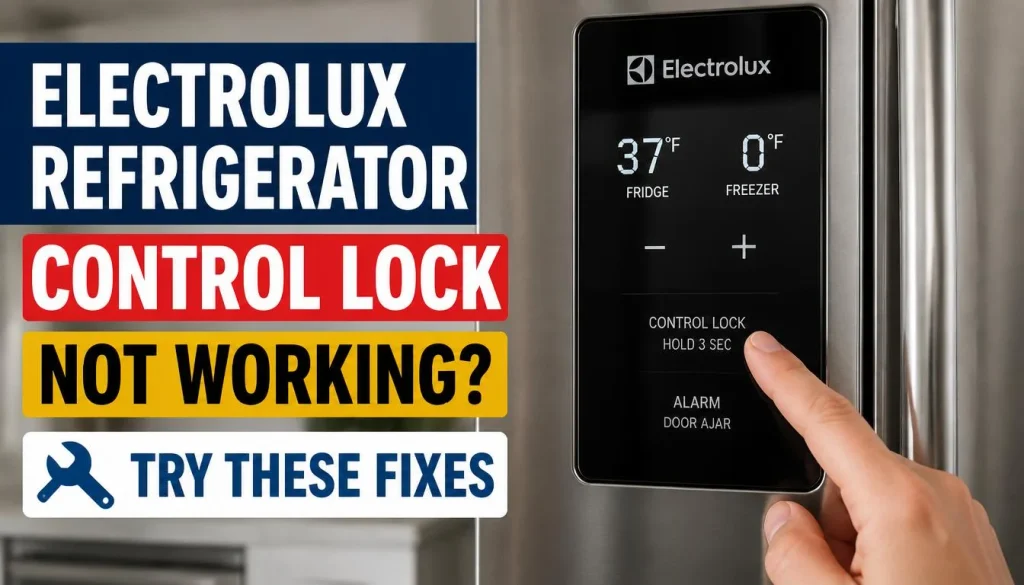
If the usual unlocking method does not work, do not immediately assume that the control board has failed. Several other conditions can cause similar symptoms.
1. The Lock Icon Keeps Flashing and the Refrigerator Beeps
A flashing lock indicator accompanied by a beep may mean that the control lock is still active.
Try the correct unlocking method for your model and hold the designated button for the required time.
If the indicator continues flashing, check the manual to confirm that you are using the correct button. Some Electrolux models use a warning tone to indicate that locked controls are not accepting input.
If the display remains locked despite following the exact instructions, consult Electrolux support rather than attempting to bypass the controls.
2. The Refrigerator Buttons Are Not Responding
First, determine whether the buttons are unresponsive because the controls are locked or because the panel has another issue.
Check the following:
- Is the lock icon illuminated?
- Does the panel beep when you touch a button?
- Is the display showing a code?
- Is the display completely blank?
- Did the problem begin after a power interruption or cleaning the panel?
If the lock icon is present, unlock the panel first. If the panel is still completely unresponsive, check the power supply and your model’s troubleshooting instructions.
Avoid opening the control-panel housing or touching internal wiring. Those tasks may require a qualified technician.
3. The Display Is in Sleep Mode
Some refrigerators reduce or switch off display illumination when the controls have not been used for a while.
A dark display does not necessarily mean the refrigerator is locked or broken.
Try touching a normal display button to wake the panel, following your model’s instructions. If the display becomes active, check whether the lock indicator is present.
If the panel remains blank, investigate the power supply or consult the owner’s manual before attempting more advanced troubleshooting.
4. The Refrigerator Is in Sabbath Mode
Sabbath Mode is different from Control Lock. On supported Electrolux models, it disables certain lights, controls, and dispenser functions according to the appliance’s Sabbath Mode design.
If your display shows “Sb,” or possibly “5b” on some displays, Sabbath Mode may be active.
Electrolux uses different button combinations for this mode depending on the model. For example, some North American models require two designated buttons to be held together for about five seconds. Other models use different combinations and timings.
Do not use a random combination to exit the mode. Check your model’s manual for the exact procedure.
You can also read Electrolux’s official guide to refrigerator Sabbath Mode for additional information.
5. The Control Interface May Be Frozen
If the display remains unresponsive after you confirm that Control Lock and Sabbath Mode are not responsible, a temporary interface problem may be involved.
Electrolux Australia advises switching the appliance off for five minutes in certain cases involving a frozen user interface, then turning it back on.
Before attempting a power reset, check your model’s manual and follow the manufacturer’s instructions for safely disconnecting and restoring power. Keep refrigerator and freezer doors closed as much as possible, and monitor food temperatures if cooling is interrupted.
A power reset is not guaranteed to unlock every Electrolux refrigerator. It can also clear settings or alarms on some models, so use it only when appropriate for your appliance.
If the interface remains frozen afterward, contact an authorized service centre.
6. The Control Panel May Have a Hardware Fault
A hardware problem becomes more plausible if the panel does not respond even when the correct unlocking instructions are followed, or if the display has persistent errors.
Possible causes include a faulty touch interface, an electrical connection issue, or a problem with the control board.
These symptoms are not enough to identify a failed part with certainty.
Do not order a replacement control board based only on a flashing icon or an unresponsive button. Have the refrigerator assessed by a qualified technician if basic, model-approved troubleshooting does not resolve the problem.
Electrolux Refrigerator Control Lock and Dispenser Problems
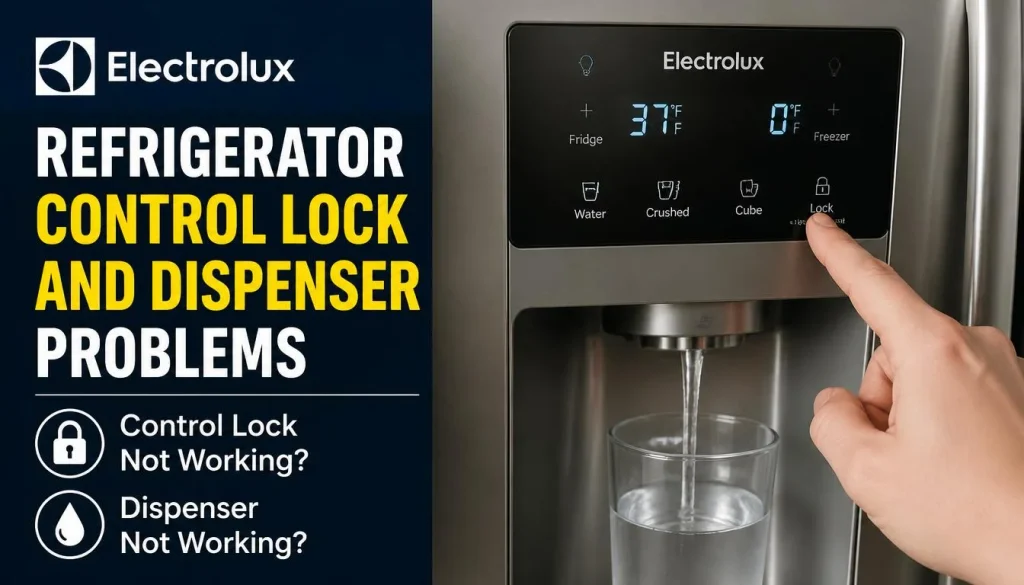
One of the confusing effects of Control Lock is that it can appear to cause a separate water or ice dispenser problem.
Before assuming that the dispenser is defective, check whether the control lock is enabled.
The Water Dispenser Is Not Working
On some Electrolux refrigerators, an active control lock disables water dispensing.
Check the panel for a lock icon and unlock the controls according to the owner’s manual. Then try dispensing water again.
If the dispenser works, the lock was likely responsible.
If it still does not work, look for another cause, such as a closed water supply valve, a kinked supply line, an incorrectly installed filter, or a water-flow restriction.
Do not replace the dispenser or water inlet valve until the simpler checks have been completed.
The Ice Dispenser Is Not Working
An active control lock can also prevent ice dispensing on compatible models.
Unlock the panel first, then check whether the dispenser operates normally.
If the control panel responds but ice still does not dispense, check whether the ice maker is switched on, the ice bin is properly installed, and ice is blocking the chute.
For more detailed help, see our guide on how to troubleshoot a refrigerator ice maker.
If your ice maker is not producing ice at all, our article on why an ice maker may not be making ice covers additional causes, including water-supply and temperature problems.
The Dispenser Still Does Not Work After Unlocking
If both the lock indicator has disappeared and the dispenser remains inactive, the problem may be unrelated to Control Lock.
Check the water supply, filter installation, ice bin, and dispenser settings where applicable. Some models also have a separate dispenser lock, which is not necessarily the same as the main control-panel lock.
Use the instructions for your exact model before changing additional settings.
If the dispenser remains inoperative despite these checks, the water system or dispenser mechanism may require professional diagnosis.
How to Find the Correct Electrolux Refrigerator Unlock Instructions
If you cannot find a Lock button or your panel does not respond to the usual method, finding the exact model information is the safest next step.
Find Your Model Number or Product Number (PNC)
Look for the refrigerator’s rating plate or identification label. Depending on the model, it may be located inside the refrigerator compartment or another manufacturer-designated area.
Record the complete model code and Product Number (PNC), if available. Similar-looking refrigerators can have different controls, so the full product information matters.
Download the Correct Owner’s Manual
Visit the official Electrolux manual search page and enter the available model information.
Find the relevant section for control settings, lock activation, or unlocking the display. If the search does not return a manual, use the official support options for your region.
For US customers, Electrolux’s refrigerator troubleshooting and support resources provide additional guidance. Australian customers can consult Electrolux Australia’s support hub.
Always follow the instructions written for your particular refrigerator rather than assuming that another Electrolux model operates in the same way.
When Should You Contact Electrolux Support?
Contact Electrolux or an authorized service centre if:
- The control panel remains locked after you follow the correct model-specific instructions.
- Buttons do not respond even after the panel is confirmed to be unlocked.
- The display repeatedly shows an error code.
- The dispenser remains inoperative after basic checks.
- The refrigerator is no longer maintaining safe temperatures.
- You suspect an electrical or control-board problem.
If the refrigerator is not cooling properly, treat that as a separate and potentially urgent problem. Do not spend time repeatedly trying to unlock the panel while food temperatures are rising.
If your appliance is still under warranty, review the warranty terms before arranging a repair or removing any components.
Frequently Asked Questions
How do I unlock my Electrolux refrigerator control panel?
On many models, pressing and holding the Lock button for about three seconds deactivates Control Lock. If your refrigerator has no dedicated Lock button, check its owner’s manual for the correct button combination.
How do I turn off Child Lock on an Electrolux refrigerator?
The method depends on the model and control-panel design. Look for the Lock or Display Lock function and follow the unlocking instructions in your owner’s manual. Do not assume that every model uses the same three-second procedure.
Why is the lock icon flashing on my Electrolux refrigerator?
The control lock may still be enabled, and the panel may be rejecting button presses. Try the correct unlocking procedure. If the icon continues flashing, consult the model-specific manual and check for other display messages.
Why does my Electrolux refrigerator beep when I press a button?
Some models produce an audible warning when a button is pressed while the control lock is active. If unlocking does not stop the beeping, check for another warning, display message, or control-panel issue.
How do I unlock an Electrolux refrigerator without a Lock button?
Your model may use a button combination instead of a dedicated Lock button. Check the owner’s manual for the correct procedure. Avoid random combinations because they may activate other settings.
Will unplugging an Electrolux refrigerator reset the control lock?
Not necessarily. Some models may benefit from a manufacturer-approved power reset when the control interface is frozen, but disconnecting power is not a universal unlocking method. Follow the manual and keep food safety in mind before interrupting power.
Does Control Lock stop an Electrolux refrigerator from cooling?
Control Lock is primarily intended to restrict control-panel operation. On many models, it prevents changes to settings and disables ice and water dispensing, but it does not mean the cooling system has stopped. If the refrigerator is getting warm, investigate the cooling problem separately.
Why is my Electrolux refrigerator water dispenser not working after unlocking?
The dispenser may have a separate lock, or there may be a problem with the water supply, filter, tubing, or dispenser components. Check these possibilities after confirming that the control panel is unlocked.
Why is my Electrolux refrigerator ice dispenser not working after unlocking?
Check that the dispenser is enabled, the ice bin is correctly positioned, and ice is not blocking the chute. If the ice maker itself has stopped producing ice, follow the troubleshooting steps for your model.
Final Thoughts
If your Electrolux refrigerator control lock will not turn off, start with the simplest explanation: the panel may still be locked, or you may be using the wrong unlocking method for your model.
Check the lock indicator, identify the correct button or button combination, and verify that the panel responds afterward. If you see “Sb” or “5b,” investigate Sabbath Mode rather than repeatedly trying the normal lock procedure.
When the correct instructions do not solve the problem, check the owner’s manual and work through the basic troubleshooting steps before considering a hardware fault.
Most importantly, avoid guessing at button combinations or replacing parts without a clear diagnosis. Your exact Electrolux model number is the best starting point for finding the right solution.

Hi, I’m the lead researcher and appliance enthusiast behind RefrigeratorSolve. With years of hands-on experience troubleshooting cooling systems and testing home appliances, I am dedicated to bringing you honest reviews, energy-saving tips, and practical solutions to keep your refrigerator running perfectly.