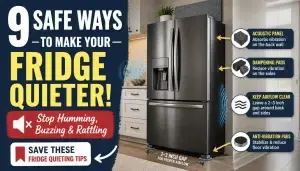
Your LG refrigerator is packed with smart features designed to make your life easier, and Smart Diagnosis is one of the best tools to keep it running smoothly. But what if a problem pops up?
Instead of stressing over complicated manuals or waiting on hold for customer support, you can quickly troubleshoot your fridge yourself. In this guide, you’ll learn exactly how to use LG Refrigerator Smart Diagnosis—step by step. Whether your model connects via Wi-Fi or not, you’ll discover simple ways to check for issues and get clear results right on your phone or fridge screen.
Keep reading to unlock this powerful feature and save time, money, and hassle on repairs. Your fridge’s health is just a few taps away!

Credit: www.youtube.com
Lg Smart Diagnosis Basics
Understanding LG Smart Diagnosis basics helps you solve fridge problems fast. This feature makes troubleshooting easy and saves time. It communicates issues directly to LG support or the app. No need to guess what’s wrong or wait long for help.
What Smart Diagnosis Does
Smart Diagnosis listens to your refrigerator’s sounds and data. It detects errors or malfunctions inside the appliance. Then, it sends this information to LG’s service center or your phone app. You get quick feedback on the problem and possible fixes. This feature reduces the need for service visits. It helps you understand the issue before calling for repair.
Models With Smart Diagnosis Feature
Not all LG refrigerators have Smart Diagnosis. Most new models include this feature, especially smart Wi-Fi-enabled fridges. It is common in LG’s top and mid-range refrigerators. You can check your model number in the user manual or LG website. If your fridge supports it, you will find Smart Diagnosis in the settings or app. This feature works with LG ThinQ app for easy control and diagnosis.

Credit: www.youtube.com
Using Smart Diagnosis Via Thinq App
Using Smart Diagnosis via the ThinQ app makes troubleshooting your LG refrigerator easy and fast. This feature helps detect problems early, saving time and effort. The app guides you through the process and provides clear results. Follow the steps below to use Smart Diagnosis with your ThinQ app.
Connecting Refrigerator To Wi-fi
First, connect your LG refrigerator to your home Wi-Fi network. Open the ThinQ app and sign in or create an account. Select your refrigerator from the device list. Follow the app instructions to connect the fridge to Wi-Fi. Ensure your phone and fridge use the same network for smooth communication.
Launching Diagnosis In The App
Open the ThinQ app on your smartphone. Tap on your refrigerator to open its control panel. Find and select the “Smart Diagnosis” option in the menu. Follow the on-screen instructions to start the diagnosis. The fridge will run a self-check and send data to the app.
Interpreting App Results
Once the diagnosis finishes, the app shows the results clearly. It lists any detected issues and suggests possible solutions. Some problems may need a technician, while others you can fix yourself. Use the app guidance to decide your next steps. Keep the app updated for accurate diagnostics and support.
Smart Diagnosis Without Wi-fi
LG refrigerators come with a Smart Diagnosis feature that helps solve issues quickly. This feature works even without Wi-Fi. You do not need an internet connection to use it. The fridge communicates problems through sounds. Your phone’s microphone picks up these sounds. This method is simple and effective for troubleshooting.
Using Phone Microphone Method
To use Smart Diagnosis without Wi-Fi, use your phone’s microphone. The refrigerator sends coded sounds that your phone records. These sounds carry information about the fridge’s status and issues. The LG ThinQ app decodes these sounds to identify problems. This method requires no internet connection, making it handy during outages or in remote areas.
Steps For Audible Diagnosis
- Open the LG ThinQ app on your smartphone.
- Select “Add Device” and choose the option for non-Wi-Fi devices.
- Place your phone’s microphone near the refrigerator’s Smart Diagnosis logo or speaker.
- Press and hold the Smart Diagnosis button on the fridge for a few seconds.
- The fridge will emit a series of beeps and tones.
- The app listens and records these sounds through your phone’s microphone.
- Once done, the app will analyze the data and show the results.
- Follow the app’s instructions to fix or understand the issue.
This process saves time and avoids waiting for a technician. It helps you understand your fridge better and keep it running well.
Running Diagnosis On Refrigerator Display
Running diagnosis on your LG refrigerator display helps spot problems fast. The smart diagnosis feature guides you through simple steps. It lets you check your fridge’s health without calling a technician. Use the display screen to access and start the diagnosis easily.
Accessing Smart Diagnosis Menu
Start by waking up your refrigerator’s display panel. Look for the settings or options icon on the screen. Tap this icon to open the main menu. Scroll through the menu until you find “Smart Diagnosis.” Select this option to enter the diagnosis menu. This menu lets you run tests and view alerts. The process is clear and simple to follow on screen.
Starting Audible Diagnosis On Screen
After opening the Smart Diagnosis menu, choose the audible diagnosis option. This feature uses sounds to communicate with your smartphone or service center. Tap the “Start” button to begin the test. Your fridge will make a series of beeps and tones. These sounds carry data about your fridge’s condition. Follow the on-screen instructions to complete the test. You will hear a final chime when the diagnosis ends. Results appear on your phone or the fridge display for quick review.
Common Lg Refrigerator Issues
LG refrigerators are popular for their reliability, but like all appliances, they can face issues. Knowing common problems helps users act quickly and avoid bigger repairs. LG’s Smart Diagnosis feature simplifies spotting these issues early. It scans the fridge and provides clear information about any faults. This saves time and helps decide the next steps.
Typical Problems Detected By Smart Diagnosis
Smart Diagnosis can detect several common LG refrigerator problems. Cooling issues are frequent, such as the fridge not maintaining the right temperature. The system also identifies problems with the ice maker, like ice not forming or dispensing correctly. Another typical issue is water leakage inside or around the fridge. The compressor and fan motor faults can also be detected early. Smart Diagnosis spots sensor errors that affect fridge performance. These alerts help users understand what part needs attention.
When To Contact Support
Smart Diagnosis gives a clear report about the problem. Some issues can be fixed by simple user steps, like cleaning vents or adjusting temperature settings. If the problem persists or involves parts like the compressor, contact LG support. Also, call support if the fridge makes unusual noises or leaks water steadily. Prompt service prevents damage and keeps the fridge working well. LG customer care can guide repairs or send a technician when needed.
Tips For Effective Troubleshooting
Troubleshooting your LG refrigerator with Smart Diagnosis works best when done carefully. Simple steps help you get accurate results fast. Follow these tips to make the process smooth and effective. Clear communication between your fridge and the app or call center is key. Prepare well, ensure good sound capture, and always follow up to solve issues quickly.
Preparing For Diagnosis
Start by reading your refrigerator’s user manual. Know the exact problem you want to check. Clear the area around the fridge to avoid noise interference. Have your phone or device ready with the LG ThinQ app installed. Make sure your fridge is powered on and stable. Close the fridge doors tightly before starting the diagnosis. These steps help the Smart Diagnosis system work correctly.
Ensuring Clear Sound Capture
Smart Diagnosis uses sound signals to detect issues. Keep your phone’s microphone close to the fridge’s speaker. Avoid background noise like TV, music, or conversations. Hold your phone steady during the entire test. Speak softly if you need to talk to customer support. Clear sound capture improves the accuracy of the diagnosis. A quiet environment helps the system hear all signals properly.
Following Up After Diagnosis
After the test, review the results shown on your app or given by support. Note any recommended actions or error codes. Try simple fixes like resetting the fridge or cleaning coils if suggested. Contact LG customer service if the problem persists or is unclear. Keep a record of your diagnosis reports for future reference. Timely follow-up ensures your refrigerator runs smoothly again.
Benefits Of Smart Diagnosis Feature
The Smart Diagnosis feature in LG refrigerators offers clear advantages. It helps users detect problems quickly and easily. This feature improves user experience and appliance care. Understanding its benefits shows why it is a useful tool.
Saving Time And Costs
Smart Diagnosis saves time by identifying issues fast. It avoids long waits for technician visits. Users get instant feedback through the LG ThinQ app. Early detection can prevent bigger, costly repairs later. This feature cuts down on unnecessary service expenses.
Reducing Service Calls
Smart Diagnosis reduces service calls by solving simple problems at home. The feature guides users step-by-step for troubleshooting. It filters out minor issues that do not need technician help. Service teams focus only on serious cases. This leads to faster, more efficient support for all customers.

Credit: www.reddit.com
Frequently Asked Questions
How Do I Use Smart Diagnosis On My Lg Fridge?
Open the LG ThinQ app and select your fridge. Tap Smart Diagnosis and follow prompts. For non-Wi-Fi models, hold phone mic near the fridge’s Smart Diagnosis logo. Listen for the sound, then check app results. The fridge signals analysis start and completion with chimes.
What App Do I Use For Lg Smart Diagnosis?
Use the LG ThinQ app for LG Smart Diagnosis. Connect your appliance to Wi-Fi, open the app, select your device, and start Smart Diagnosis.
What Is The Most Common Problem With Lg Refrigerators?
The most common problem with LG refrigerators is faulty or inconsistent cooling, often caused by compressor or thermostat issues.
Is Lg Smart Diagnosis Free?
LG Smart Diagnosis is a free feature within the LG ThinQ app. It helps troubleshoot appliance issues quickly without extra cost.
Conclusion
Using LG Refrigerator Smart Diagnosis saves time and effort. It helps spot issues quickly without expert help. Just follow simple steps on your phone or fridge screen. The tool guides you through easy fixes or tells you when to call support.
Regular use keeps your fridge running smoothly. Stay confident managing your appliance with this smart feature. Keep your fridge healthy and enjoy fresh food every day. Smart Diagnosis makes troubleshooting clear and stress-free. Try it today for better appliance care.

Hi, I’m the lead researcher and appliance enthusiast behind RefrigeratorSolve. With years of hands-on experience troubleshooting cooling systems and testing home appliances, I am dedicated to bringing you honest reviews, energy-saving tips, and practical solutions to keep your refrigerator running perfectly.