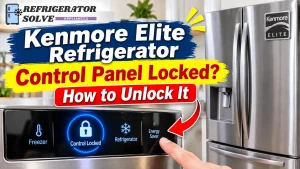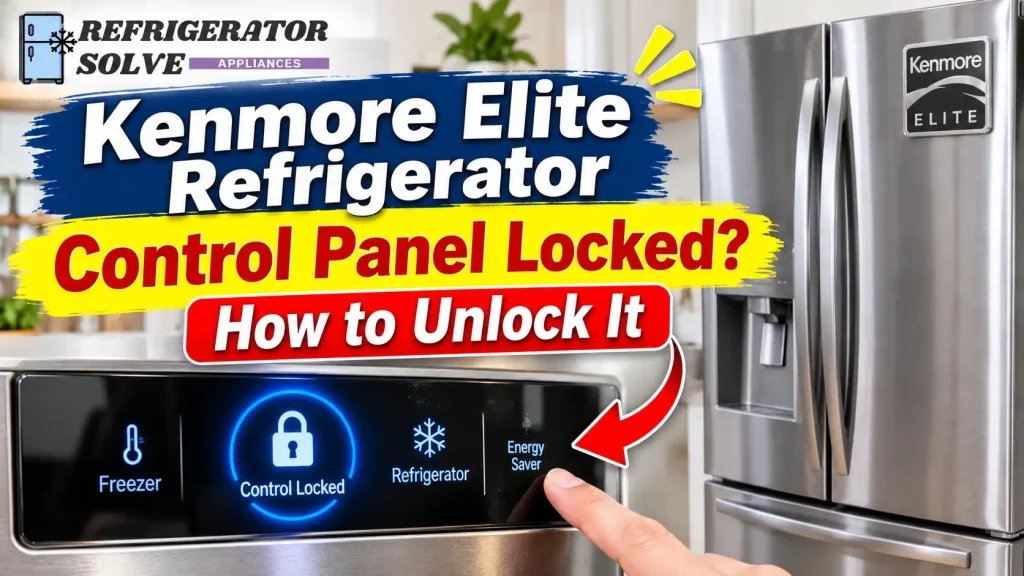
Is your Kenmore Elite refrigerator control panel locked, and none of the buttons seem to work? In many cases, you can fix this by pressing and holding the correct Lock, Control Lock, or Door Alarm button for a few seconds. However, the exact procedure depends on your refrigerator model.
Before trying anything, check which type of control panel your refrigerator has. Some Kenmore Elite models use a dedicated Control Lock button, others use the Door Alarm button, and certain touchscreen models have a separate display-lock function. Using the wrong button combination may not solve the problem.
In this guide, I’ll explain how to unlock different Kenmore Elite refrigerator control panels, what to check when the display will not respond, and how to tell a control panel lock from a separate dispenser lock.
What Does Control Lock Mean on a Kenmore Elite Refrigerator?
Control Lock is a safety feature that prevents accidental changes to refrigerator settings. It can be useful when children are around or when someone might accidentally touch the control panel while cleaning the refrigerator.
When Control Lock is active, you may notice one or more of these signs:
- A lock symbol appears on the display.
- The temperature buttons do not respond.
- Pressing a button produces a beep but does not change the setting.
- The dispenser may stop working.
- A touchscreen may display a message such as “Display is Locked!”
On some Kenmore Elite refrigerators, Control Lock disables the other control buttons and the dispenser pad. It does not necessarily mean the refrigerator has stopped cooling.
The first thing to understand is that a locked control panel, a locked water dispenser, and an unresponsive display are not always the same problem.
How to Unlock a Kenmore Elite Refrigerator Control Panel
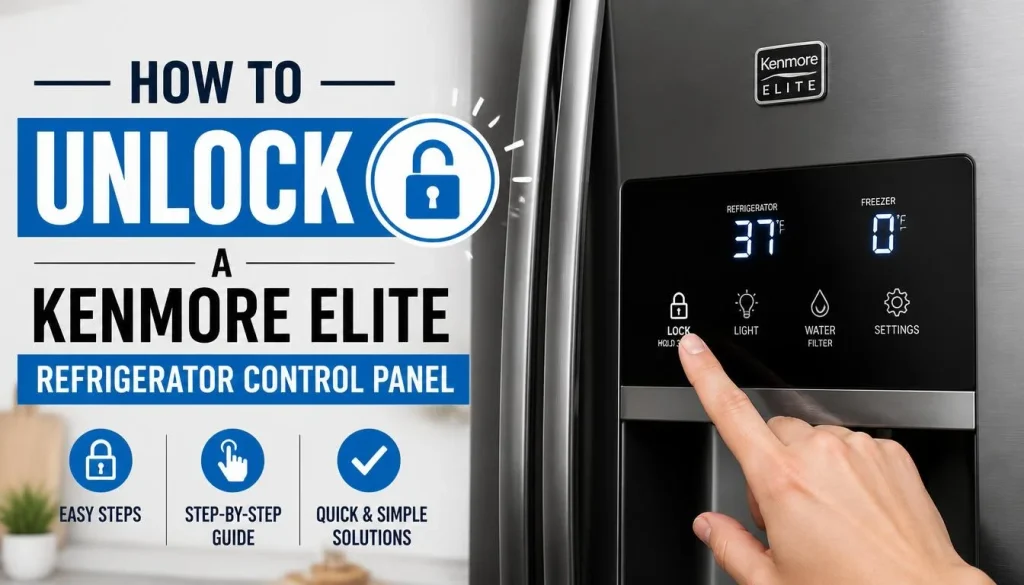
The correct unlocking method depends on the control panel installed on your refrigerator. Check the button labels before following any of the methods below.
1. Unlock a Model With a Dedicated Control Lock Button
Some Kenmore Elite refrigerators have a button specifically labeled Control Lock or Lock.
For example, the Kenmore Elite 795.7248 series owner’s manual describes a dedicated Control Lock button.
To unlock a compatible model:
- Locate the Control Lock button on the refrigerator’s control panel.
- Press and hold the button for approximately three seconds.
- Release it when the lock indicator turns off.
- Press a temperature button to check whether the controls respond.
On the Kenmore Elite 795.7248 series, the owner’s manual instructs users to hold the Control Lock button for approximately three seconds to disable the feature.
You can check the Kenmore 795.72483411 owner’s manual for the button layout and model-specific instructions.
Important: Do not assume this procedure applies to every Kenmore Elite refrigerator. Check your complete model number before following it.
2. Unlock a Kenmore Elite Refrigerator Using the Door Alarm Button
Some Kenmore Elite models use the Door Alarm button for two different functions: controlling the door alarm and locking or unlocking the control panel.
This design can be confusing because the button does not always have a separate Control Lock label.
For compatible models, follow these steps:
- Find the Door Alarm button on the control panel.
- Press and hold it for approximately three seconds.
- Release the button when the Control Lock indicator turns off.
- Test another control button.
For example, the Kenmore Elite 795.7218 series and certain 795.7205 models use the Door Alarm button to control the lock function. Their manuals specify holding the button for approximately three seconds to enable or disable Control Lock.
You can review the Kenmore Elite 795.7218 Series Use and Care Manual or the Kenmore Elite 795.72059113 owner’s manual to compare the instructions.
One thing to remember: pressing Door Alarm briefly may only turn the door alarm on or off. To operate Control Lock on these models, you need to follow the specified press-and-hold procedure.
3. Unlock a Kenmore Elite Touchscreen Display
Some Kenmore Elite refrigerators have a touchscreen instead of a traditional button-based control panel.
On these models, you may see a message such as:
“Display is Locked!”
When this message appears, the screen and other control buttons may not respond to normal touches.
For the Kenmore Elite 795.5109 series, the owner’s manual gives this procedure:
- Locate the Lock button on the display.
- Press and hold it for three seconds.
- Wait for the “Display is Unlocked!” message.
- Return to the home screen and test the controls.
The manual explains that the locked display disables the control buttons and touchscreen until the lock function is released.
You can check the Kenmore Elite 795.51093010 owner’s manual for the touchscreen instructions.
If your refrigerator displays a different message or has a different touchscreen layout, use the instructions for your exact model.
Control Lock vs. Dispenser Lock: What’s the Difference?
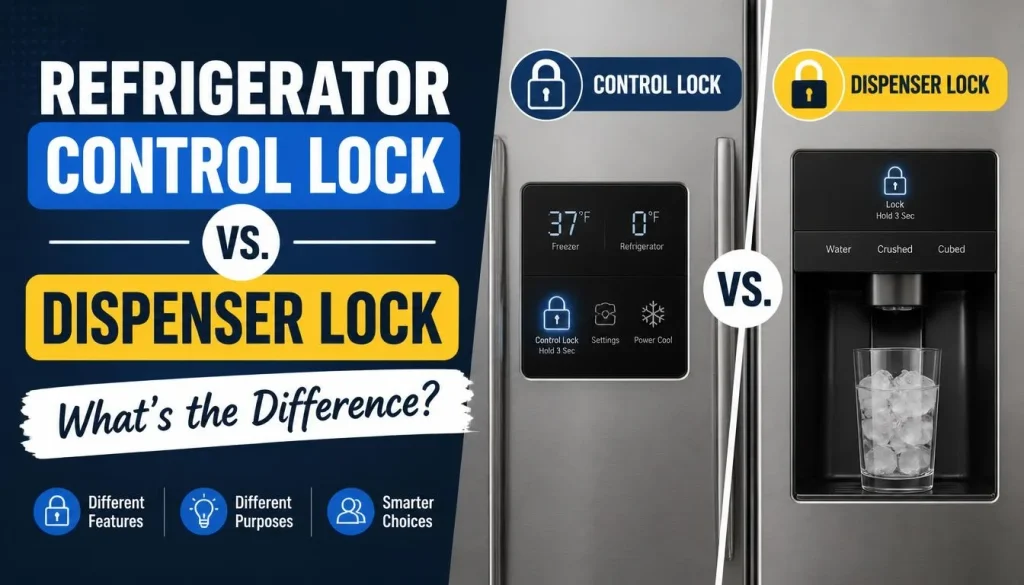
This is an important distinction because some Kenmore Elite refrigerators have a separate dispenser-lock feature.
A dispenser lock prevents people from accidentally dispensing water or ice. It does not necessarily lock the entire refrigerator control panel.
For example, some older Kenmore Elite side-by-side models have a button labeled LOCKED.
According to the applicable owner’s manual:
- Press and hold LOCKED for three seconds to lock the dispenser.
- Press and hold LOCKED again to unlock it.
On these models, the dispenser lock disables ice and water dispensing but does not shut off power to the refrigerator or the ice maker.
Here is a simple comparison:
| Feature | Control Lock | Dispenser Lock |
|---|---|---|
| Locks temperature controls | Yes, on supported models | Not necessarily |
| Disables water dispensing | Often | Yes |
| Disables ice dispensing | Often | Yes |
| Stops refrigerator cooling | No | No |
| Main purpose | Prevent accidental control changes | Prevent accidental dispensing |
If your refrigerator temperature buttons work normally but water and ice will not dispense, check the dispenser lock before assuming the entire control panel is locked.
Kenmore Elite Refrigerator Display Is Locked: What to Do
A locked touchscreen does not automatically mean the display is damaged.
If you see “Display is Locked!” on a Kenmore Elite touchscreen model, first check whether the Lock function is enabled.
On the compatible 795.5109 series, holding the Lock button for three seconds should unlock the display and show “Display is Unlocked!”
If the message remains:
- Confirm that you are pressing the correct Lock button.
- Hold the button for the full time specified in your manual.
- Make sure the display surface is clean and dry.
- Avoid pressing several buttons randomly.
- Check whether the display responds after the documented unlocking procedure.
If the screen remains completely unresponsive even after following the correct procedure, the issue may be more than an active lock setting.
Do not try to remove the touchscreen or repair internal wiring yourself.
Why Won’t My Kenmore Elite Refrigerator Control Panel Unlock?
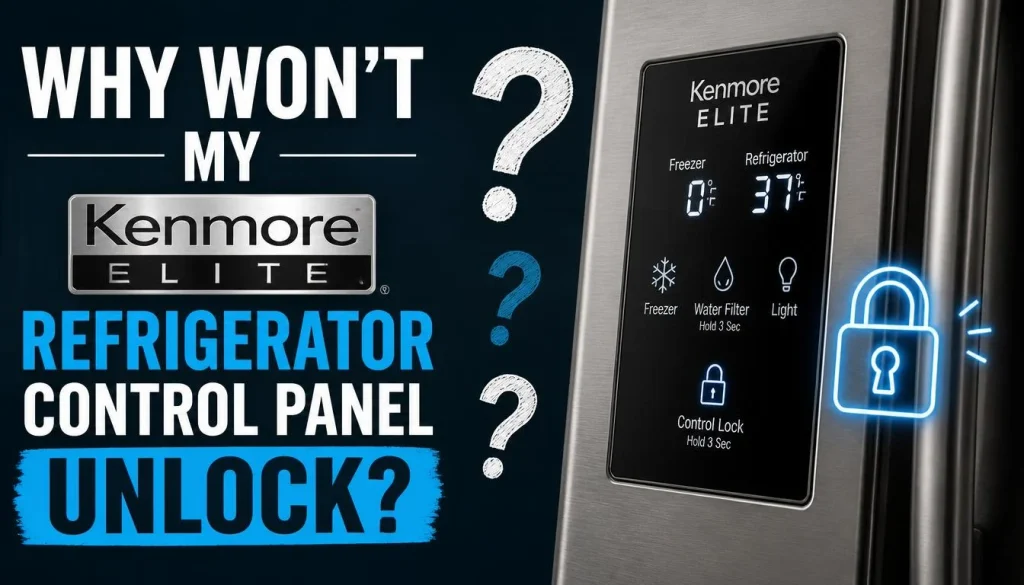
If the lock remains active after you try the correct method, the following checks may help.
1. You Are Using the Wrong Unlock Button
This is one of the first things to check.
A Kenmore Elite model may use a dedicated Control Lock button, while another model may use Door Alarm or a touchscreen Lock button.
Look at the labels on your control panel and compare them with the diagram in your owner’s manual.
Do not rely on an unlocking method simply because it worked on another Kenmore Elite refrigerator.
2. You Are Not Holding the Button Long Enough
Some Kenmore Elite manuals specify a press-and-hold period of approximately three seconds.
A quick tap may only activate another function or produce a confirmation beep.
Press and hold the correct button for the duration stated in your manual, then check whether the lock icon disappears.
3. Moisture or Dirt Is Affecting the Control Panel
Touch-sensitive displays can behave unpredictably when their surfaces are wet or dirty.
If you recently cleaned the refrigerator, check whether moisture remains around the control buttons.
Use a clean, soft cloth to wipe the display. Do not spray water or cleaning liquid directly onto the control panel.
Allow the surface to dry before trying the unlocking procedure again.
4. The Control Panel Beeps but Does Not Unlock
A short beep does not always indicate a fault. It may simply confirm that the refrigerator registered your button press.
However, if the panel keeps beeping and the lock indicator remains on, check whether you are using the correct button and hold time.
Also check whether the sound is coming from the control panel or from a separate door or temperature warning.
For another example of how refrigerator lock-related beeping can occur, see our guide to GE Refrigerator Control Lock Beeping: Causes and Fixes.
5. The Display Is Completely Blank or Unresponsive
A blank display is different from a display that clearly shows a lock message.
First, check whether the refrigerator has power. Make sure the power cord is properly connected and check the household circuit breaker if necessary.
If the refrigerator is running but the display remains blank, there may be a problem with the user interface, display board, wiring, or electrical supply.
Do not open the control panel to inspect electrical components unless you are qualified to do so.
If the display remains dead, arrange an inspection by a qualified appliance technician.
Kenmore Elite Refrigerator Locked After a Power Outage
A power outage can create confusion because some Kenmore Elite refrigerators have a separate Power Outage Indicator.
On certain older side-by-side models, the dispenser display may show PF, which means Power Failure.
This message does not automatically mean the Control Lock is active.
For models covered by the applicable manual, the reset procedure is:
- Locate the RESET button near the dispenser display.
- Press and hold RESET for approximately three seconds.
- Wait for the confirmation beep.
- Check whether the PF message disappears.
The manual explains that this indicator can appear after the refrigerator loses power for more than one hour. It also notes that resetting the indicator allows the dispenser functions to be used again.
This procedure applies only to models equipped with that particular power-outage indicator. Do not use it as a universal Control Lock reset.
If your refrigerator shows a different message after a power interruption, check the owner’s manual for its meaning.
Is Your Kenmore Elite Refrigerator Locked but Still Cooling?
Yes. A Kenmore Elite refrigerator can continue cooling while its control panel is locked.
Control Lock is designed to restrict button operation. It does not normally shut down the refrigerator’s cooling system.
For example, the Kenmore Elite 795.7218 series manual explains that activating Control Lock disables the other buttons and dispenser pad.
If the refrigerator is still keeping food cold but the buttons are not responding, focus on the lock function first.
However, if the refrigerator is also getting warm, do not assume Control Lock is responsible.
Check the displayed temperature, listen for unusual operation, and investigate the cooling problem separately. If perishable food has become too warm, follow appropriate food-safety guidance rather than relying on the display alone.
Control Lock vs. Demo Mode: How to Tell the Difference
Control Lock and Demo Mode perform very different jobs.
Control Lock prevents accidental changes to refrigerator settings. Demo Mode, on supported models, disables cooling while allowing the lights and display to operate.
Some Kenmore Elite models show OFF on the control panel when Demo Mode is active.
For example, the Kenmore Elite 795.72059113 manual describes the following Demo Mode deactivation procedure:
- Open either refrigerator door.
- Press and hold the Refrigerator Temp and Ultra Ice buttons at the same time for five seconds.
- Wait for the control panel to beep.
- Check whether the temperature settings appear on the display.
This is a model-specific procedure, not a general Control Lock reset. Only use it if your refrigerator’s manual identifies the same controls and instructions.
If your refrigerator displays OFF and is not cooling, investigate Demo Mode rather than repeatedly pressing the Lock button.
How to Find Your Kenmore Elite Model Number and Owner’s Manual
If you are unsure which unlocking method applies to your refrigerator, finding the complete model number is the best next step.
On many Kenmore Elite refrigerators, the identification label is located on the interior liner of the refrigerator compartment. Open the fresh-food door and inspect the interior walls for the model and serial number label.
The exact location may vary by model.
Once you find the number:
- Write down the complete model number.
- Visit the official Kenmore Manuals page.
- Enter your model number in the search field.
- Open the matching owner’s manual.
- Search the manual for “Control Lock,” “Lock,” “Dispenser Lock,” or “Display.”
The official Kenmore manual search page explains that model numbers should be entered without special characters.
You can also use the Sears PartsDirect manual and parts resource to look for documentation associated with a specific Kenmore refrigerator model.
Having the full model number is much more useful than relying only on the Kenmore Elite name.
When Should You Call an Appliance Technician?
Most Control Lock problems can be checked without taking apart the refrigerator. However, professional service may be necessary when the panel remains unresponsive.
Consider contacting a qualified appliance technician if:
- The correct unlocking procedure does not work.
- The display remains blank.
- Some buttons work while others consistently fail.
- The lock activates or deactivates by itself.
- The display shows a persistent error message.
- The refrigerator has both control-panel and cooling problems.
- You notice damaged wiring, a cracked display, or signs of electrical damage.
Before arranging service, write down the model number and describe what happens when you press the Lock button.
Also note whether the refrigerator beeps, displays a lock icon, shows a message, or remains completely blank.
This information can help the technician identify the problem without unnecessary parts replacement.
For additional assistance, visit Kenmore Customer Care.
Frequently Asked Questions
How do I unlock my Kenmore Elite refrigerator?
Find the Lock, Control Lock, or Door Alarm button, depending on your model. Some Kenmore Elite manuals specify holding the appropriate button for approximately three seconds. Always check your model-specific owner’s manual before trying the procedure.
Why does my Kenmore Elite refrigerator say Display is Locked?
The touchscreen lock function is probably enabled. On compatible Kenmore Elite 795.5109 models, pressing and holding the Lock button for three seconds unlocks the display and produces a “Display is Unlocked!” message.
Why does my Kenmore Elite refrigerator beep when I press a button?
A short beep may confirm that the refrigerator registered your button press. If the panel beeps but stays locked, you may be using the wrong button or unlocking procedure. Check the lock indicator and your owner’s manual.
Why won’t the Door Alarm button unlock my Kenmore Elite refrigerator?
Not every Kenmore Elite model uses Door Alarm for Control Lock. Some models have a dedicated Control Lock button or a touchscreen Lock function. Check the control-panel diagram in your manual before trying another button.
Does Control Lock stop a Kenmore Elite refrigerator from cooling?
No. Control Lock generally restricts access to the control buttons and may disable the dispenser. It does not normally stop the refrigerator’s cooling system.
How do I unlock the Kenmore Elite water dispenser?
If your model has a separate dispenser lock, look for a button labeled LOCKED. Some older Kenmore Elite side-by-side manuals specify holding this button for three seconds to lock or unlock the dispenser.
Other models use the main Control Lock function to disable the dispenser. Follow the instructions for your exact model.
Can a power outage lock my Kenmore Elite refrigerator?
A power outage may cause a separate warning or display message on some models. Certain older Kenmore Elite side-by-side refrigerators show PF to indicate a power failure. This is not necessarily the same as Control Lock.
What should I do if the Control Lock button does not work?
First, confirm that you are pressing the correct button for your model and holding it for the specified time. Clean and dry the control panel, then try again. If the controls remain unresponsive, the display or control system may need professional inspection.
Final Thoughts
A locked Kenmore Elite refrigerator control panel is often a simple setting rather than a serious mechanical problem. The important part is identifying which control-panel design your refrigerator uses.
Some models unlock through a dedicated Control Lock button, while others use Door Alarm or a touchscreen Lock button. Older side-by-side models may also have a separate dispenser lock that affects only ice and water dispensing.
Start by checking your complete model number and following the instructions in the matching owner’s manual. Avoid random button combinations or unnecessary resets.
Once you use the correct procedure, you can usually tell whether the problem was simply an active lock or whether the refrigerator needs further troubleshooting.

Hi, I’m the lead researcher and appliance enthusiast behind RefrigeratorSolve. With years of hands-on experience troubleshooting cooling systems and testing home appliances, I am dedicated to bringing you honest reviews, energy-saving tips, and practical solutions to keep your refrigerator running perfectly.