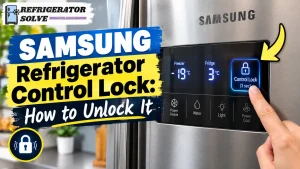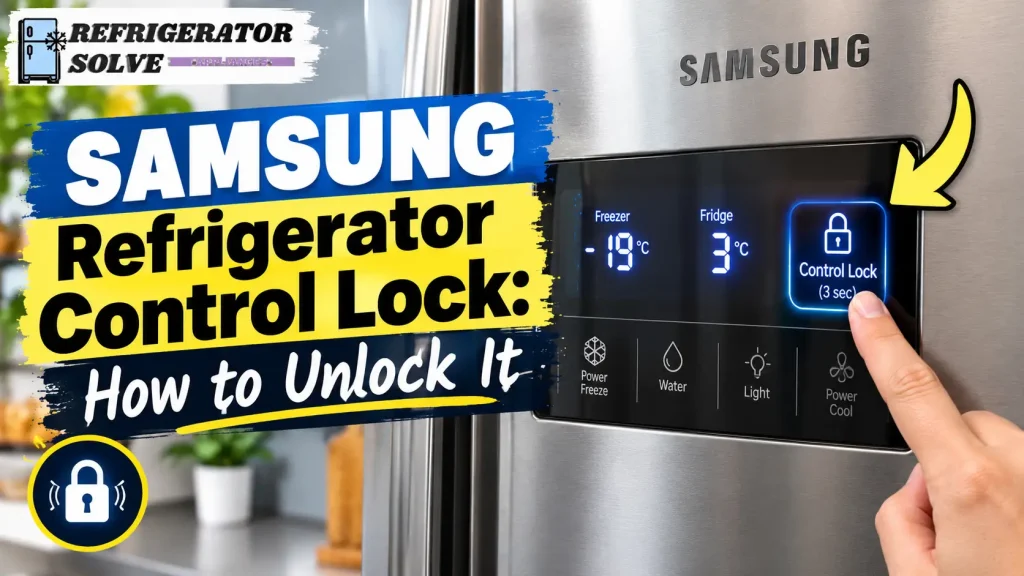
If your Samsung refrigerator control lock is on, you can usually unlock it by pressing and holding the correct button for about 3 seconds, until you hear a chime. The exact button depends on your refrigerator model, so check whether your panel uses Control Lock, Door Alarm, Ice Maker Off, or another locking option before trying a method.
If your refrigerator buttons are not responding, the water dispenser has stopped working, or a lock symbol appears on the display, do not assume the refrigerator is broken. In many cases, a lock setting is preventing you from using certain controls.
This guide explains how to turn Control Lock on or off, how to identify different lock functions, and what to do if your Samsung refrigerator remains locked.
What Does Control Lock Mean on a Samsung Refrigerator?
Control Lock is a feature that prevents accidental changes to refrigerator settings. Depending on the model, it may disable some or all control-panel buttons and can sometimes affect the water and ice dispenser.
Samsung refrigerators may have different locking functions, including Automatic Control Lock, Child Lock (sometimes called Control Lock), and Dispenser Lock. These functions do not always work in the same way.
For example, you might see a lock icon on the display, hear a chime whenever you press a button, or find that the water dispenser does not respond. These symptoms can indicate that a lock is active.
However, a locked panel is not necessarily a sign of a fault. Before arranging a repair, identify which lock function your refrigerator uses.
How to Turn Off Control Lock on a Samsung Refrigerator
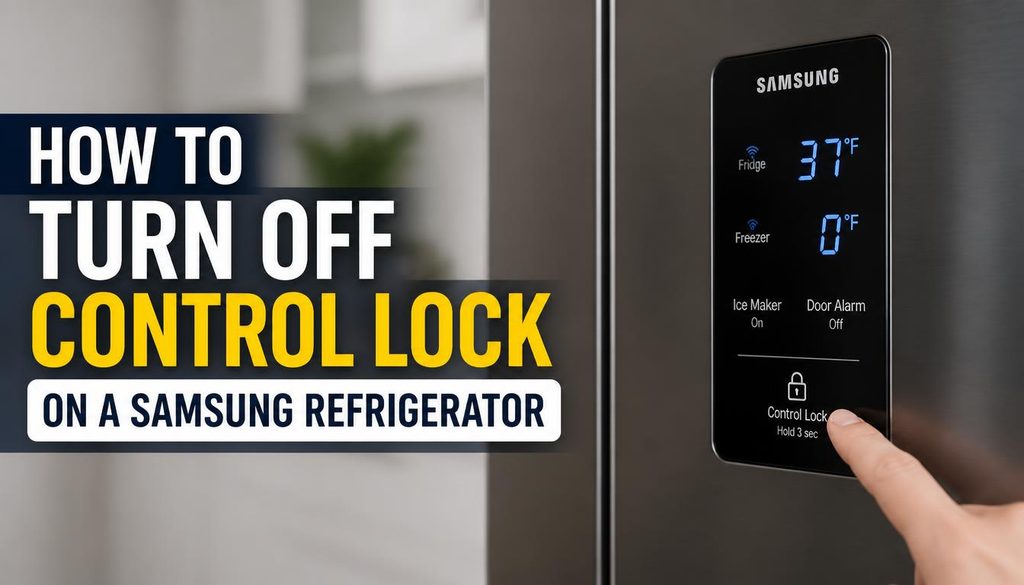
The quickest solution is to identify the button associated with the lock on your control panel. Try the method that matches your refrigerator rather than pressing several buttons at random.
Method 1: Press and Hold the Control Lock Button
Some Samsung refrigerators have a dedicated Control Lock or Lock button.
- Locate the Control Lock or Lock button on the refrigerator’s control panel.
- Press and hold the button for approximately 3 seconds, or for the duration specified in your model’s manual.
- Listen for a confirmation chime.
- Check whether the lock indicator disappears or the control panel becomes responsive.
- Try changing a temperature setting to confirm that the controls are working.
Not every Samsung refrigerator has a dedicated Control Lock button. If you cannot find one, do not assume that your model is missing a required part. It may use a different button combination or locking arrangement.
Method 2: Use the Door Alarm Button
Some Samsung refrigerators have Automatic Control Lock. This feature can lock a control panel located inside the refrigerator or near the top of a door after approximately one minute of inactivity.
For compatible models, you can unlock the panel as follows:
- Find the Door Alarm button.
- Touch and hold it for about 3 seconds.
- Wait for the refrigerator to chime.
- Check whether you can now use the control panel.
If the lock returns after the panel has been idle, it may be working as designed. You do not necessarily need to repair or replace anything.
This method does not apply to every Samsung refrigerator, so check your user manual if it does not work.
Method 3: Use the Ice Maker Off Button
On some Samsung refrigerators, the Child Lock or Control Lock function is operated through the Ice Maker Off button.
Try these steps if your model uses this arrangement:
- Locate the Ice Maker Off button on the control panel.
- Press and hold it for approximately 3 seconds.
- Wait for the confirmation chime.
- Look for the lock indicator to disappear.
- Test the panel and dispenser if they were previously disabled.
The button may be labelled differently on some models. Also, disabling the ice maker and unlocking the control panel are separate functions on many refrigerators.
Do not use this method unless your panel or user manual identifies Ice Maker Off as the button for the lock function.
For additional guidance, read Samsung’s official instructions for unlocking a refrigerator control panel.
Method 4: Unlock the Dispenser on a Samsung Family Hub Refrigerator
If your Samsung Family Hub refrigerator has a touchscreen, the water and ice dispenser may have its own lock setting.
On compatible models, follow these steps:
- Open Apps on the Family Hub screen.
- Select Fridge Manager.
- Open Fridge Settings.
- Find the Dispenser Lock setting.
- Select the option to unlock the dispenser, if it is currently locked.
- Test the water or ice dispenser.
The menu labels may differ by software version and refrigerator model.
Remember that Dispenser Lock is not necessarily the same as Control Lock. Unlocking the dispenser may restore water and ice dispensing without changing the status of other control-panel functions.
If you cannot find these menu options, consult the manual for your exact Family Hub model.
How to Turn On Control Lock on a Samsung Refrigerator
Control Lock can help prevent children from changing temperature settings or family members from accidentally touching the controls while cleaning the refrigerator.
To activate it, use the button or setting assigned to the lock function on your model.
For example, if your refrigerator manual specifies the dedicated Lock button, press and hold that button for the stated period, commonly about 3 seconds. On compatible models, the Ice Maker Off button or another designated control may activate Child Lock instead.
After activation, check the lock indicator or listen for the confirmation chime.
Keep in mind that activating a lock may affect the dispenser or other controls, depending on the model. If you want to lock only the water and ice dispenser, check whether your refrigerator provides a separate Dispenser Lock setting.
Control Lock vs. Child Lock vs. Dispenser Lock
These terms can be confusing because Samsung uses different locking functions across its refrigerator range.
| Lock type | Main purpose | Possible effect |
|---|---|---|
| Control Lock | Prevents accidental changes to supported settings | Some or all control-panel functions may be disabled |
| Child Lock | Helps prevent unintended operation by children | May lock the panel and dispenser on compatible models |
| Dispenser Lock | Restricts water and ice dispensing | The dispenser stops working while other panel functions may remain available |
| Automatic Control Lock | Prevents accidental touches on certain panels | The panel may lock after a period of inactivity |
The exact behaviour depends on the refrigerator model.
If your temperature buttons work but the water dispenser does not, investigate Dispenser Lock first. If the entire panel is unresponsive, check the Control Lock or Child Lock indicator.
Identifying the correct function can save you from unnecessarily resetting the refrigerator or requesting a service call.
Samsung Refrigerator Control Lock Won’t Turn Off? Try These Fixes
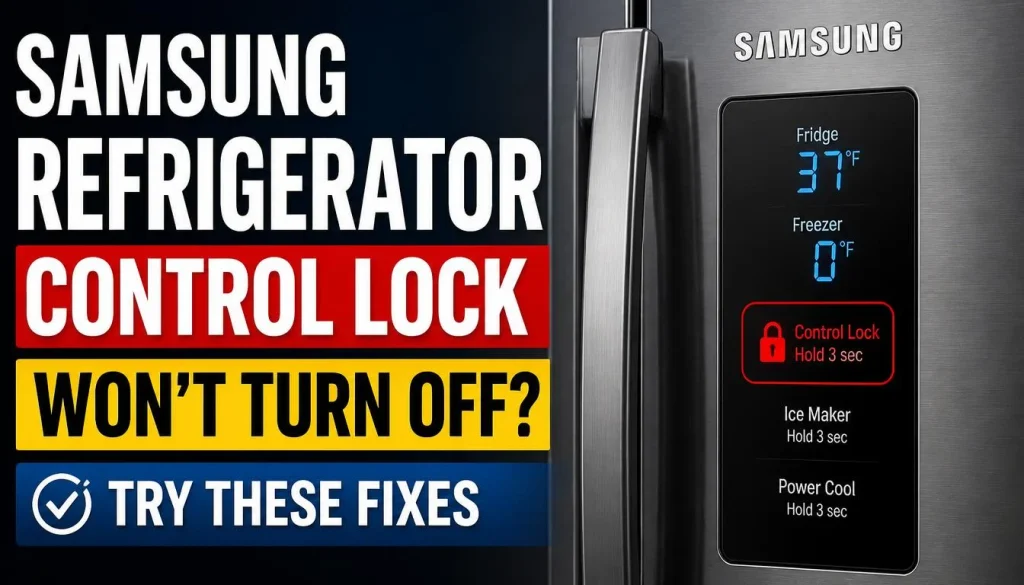
If the standard unlocking method does not work, go through the following checks in order.
1. Check Whether You Are Using the Correct Button
The most common mistake is following instructions for a different refrigerator model.
One Samsung model may use Door Alarm, while another may use Ice Maker Off or a dedicated Lock button. Even refrigerators from the same brand can have different control-panel layouts.
Look at the labels on your panel and compare them with the instructions in your user manual. Do not keep repeating a button combination that is not specified for your model.
2. Hold the Button for the Required Time
A quick tap may not activate or deactivate the lock.
If your manual specifies a 3-second hold, keep the button pressed until the refrigerator confirms the change with a chime or the lock indicator changes.
If nothing happens, release the button and verify that you are using the correct control. Holding the wrong button for longer is unlikely to solve the problem.
3. Check Whether the Dispenser Is Locked Separately
If the control panel works but the water or ice dispenser does not, check the Dispenser Lock setting.
On compatible Family Hub models, you can access this setting through Fridge Manager and Fridge Settings. Other models may use a button on the dispenser panel.
Do not assume that a working temperature display means the dispenser must also be unlocked.
4. Find Your Exact Samsung Refrigerator Model Number
When the button layout does not match online instructions, identify your refrigerator’s full model number.
You can usually find the model information on a label inside the refrigerator compartment or in your purchase documents. The label location varies by model.
Once you have the model number:
- Visit the Samsung Support website.
- Search for your refrigerator model.
- Open its user manual.
- Find the section covering the control panel, Control Lock, Child Lock, or dispenser settings.
- Follow the instructions provided for that exact model.
If you purchased your refrigerator in another country, use the appropriate regional support site: Samsung UK Support, Samsung Canada Support, or Samsung Australia Support.
This is particularly important for imported appliances because button layouts and available functions may differ between regional models.
5. Restart the Refrigerator if the Panel Remains Unresponsive
Restarting may help if the control panel is still frozen after you have verified that the correct lock function is disabled.
First, check Samsung’s instructions for your specific refrigerator. For many models, Samsung recommends disconnecting power for approximately 60 seconds and then restoring it. On Family Hub refrigerators, the display may have a separate power switch inside the top of the right-hand door.
If you need to disconnect the refrigerator, use a safe and accessible power switch or outlet. Do not pull an inaccessible plug or remove appliance panels to reach wiring.
After restoring power, allow the display to start fully before testing the controls again.
A restart is not a substitute for the correct unlocking procedure. If the lock is still active, you may need to repeat the model-specific instructions.
6. What If the Buttons Beep but Do Not Respond?
If pressing a button produces a chime but does not change the setting, the panel may still be locked.
Check for a lock indicator or a message such as Child Lock or Control Lock. Follow the appropriate unlocking steps and try again.
If the panel is unlocked but the buttons remain unresponsive, a software or control-panel problem may be involved.
In that situation, follow Samsung’s troubleshooting guide for an unresponsive refrigerator control panel before considering a repair.
7. Contact Samsung Support if the Lock Still Will Not Turn Off
If the correct unlocking method fails, the panel remains unresponsive after the recommended restart, or unusual error codes appear, the refrigerator may need further diagnosis.
Contact Samsung Support or a qualified appliance technician, especially if the problem returns repeatedly.
Avoid disassembling the control panel or attempting electrical repairs yourself. A persistent fault may involve the display, wiring, or control electronics rather than the lock setting alone.
Why Does My Samsung Refrigerator Keep Locking Itself?
If your Samsung refrigerator repeatedly locks, the cause may be its normal automatic-lock feature.
On compatible models, Automatic Control Lock activates after approximately one minute of inactivity. This prevents accidental contact with the control panel.
If you unlock the panel and it locks again after you stop using it, check whether your refrigerator uses this feature. Automatic relocking does not automatically indicate a malfunction.
If the panel locks while you are actively using it, or if the buttons behave unpredictably, check the user manual and look for any displayed warnings or error codes.
Do not assume that every lock icon or blinking indicator means the same thing. Its meaning depends on the model and the message shown on the display.
Does Control Lock Stop a Samsung Refrigerator From Cooling?
In normal operation, Control Lock prevents changes to supported controls; it does not switch off the refrigerator’s cooling system.
The refrigerator should continue operating using its existing settings, although a separate fault could still affect cooling.
If your display shows OF OF, O FF, or scrolling temperature bars, the refrigerator may be in Cooling Off or Demo mode. This is different from Control Lock.
In Cooling Off mode, the refrigerator’s cooling system may not operate even though interior lights or the display remain active.
If you see these indicators, follow Samsung’s official guide to Cooling Off mode rather than repeatedly trying to unlock the control panel.
If the refrigerator is not keeping food cold, investigate that problem separately instead of assuming the lock caused it.
Frequently Asked Questions
How do I unlock my Samsung refrigerator control panel?
Identify the lock function and use its designated button. Compatible models may require holding Control Lock, Door Alarm, or Ice Maker Off for approximately 3 seconds. Check the user manual if the button labels or instructions differ.
How long should I hold the Control Lock button?
Many Samsung models use a hold of about 3 seconds, but the required duration and button vary. Follow your model’s manual and wait for the confirmation chime or indicator change.
Why is my Samsung refrigerator lock icon blinking?
The meaning of a blinking icon depends on your model and the display message. Check whether Control Lock or Child Lock is active, and consult the manual if the indicator continues blinking after you unlock the panel.
Why does my Samsung fridge keep locking itself?
Some refrigerators automatically lock certain control panels after approximately one minute of inactivity. If your model supports this feature, the behaviour may be normal rather than a defect.
Can Control Lock stop the water and ice dispenser?
It can on some models. However, certain refrigerators have a separate Dispenser Lock that restricts dispensing while leaving other controls operational.
Will Control Lock affect refrigerator cooling?
Control Lock normally prevents changes to settings rather than stopping cooling. If the display shows OF OF or O FF, check for Cooling Off or Demo mode instead.
What should I do if none of the buttons unlocks my refrigerator?
Verify the exact model number, consult its user manual, and check whether the panel has a different lock function. If the panel remains unresponsive after Samsung’s recommended troubleshooting steps, contact Samsung Support or a qualified technician.
Final Thoughts
A Samsung refrigerator control lock is usually straightforward to manage once you identify the correct locking function. The important thing is to use the button or touchscreen setting intended for your specific model rather than trying random combinations.
Start by checking the lock indicator, holding the correct button for the recommended time, and listening for the confirmation chime. If the panel remains unresponsive, consult the model’s manual before restarting the appliance.
If unlocking the panel restores normal operation, no repair may be necessary. If it remains frozen, displays unusual error codes, or repeatedly behaves incorrectly, further troubleshooting may be required.
For additional help with smart refrigerator displays, see our guide to Smart Refrigerator Screen Not Responding. It covers broader display problems that may remain after you have confirmed the control panel is unlocked.

Hi, I’m the lead researcher and appliance enthusiast behind RefrigeratorSolve. With years of hands-on experience troubleshooting cooling systems and testing home appliances, I am dedicated to bringing you honest reviews, energy-saving tips, and practical solutions to keep your refrigerator running perfectly.